
 Share
Share
 Print
Print
|
|
|
|
|


Inventory Supervisor, Other Tab
As with the majority of the query selections on the system, it is better to select as many parameters as required to minimize your search result.
Enter one or more of the following as search criteria for the General tab. Select search criteria and click on the Find  button.
As with the majority of search queries in TRAX, it is recommendable to enter as many search filters as possible to minimize the search result.
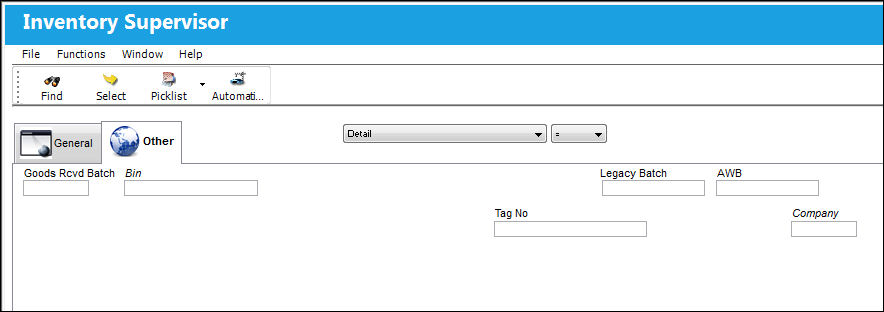
The following information/options are available in this window:
_____________________________________________________________________________________
Goods Received Batch
The original inventory number assigned to the part or group of parts when initially introduced/received into inventory. This number will remain the same for a part even if/when the part's Batch number changes.
Bin
The specific storage bin within the inventory location.
Tag No.
The tag number associated with the part.
Legacy Batch
The original batch number from the Legacy system from where the data was migrated.
The system will assign a new batch number for migrated data.
Company
The G/L Company that the P/N was assigned to when entered into inventory or ordered. For more information refer to the multi-company functionality explained through Switch  COMPANYMULTI via the G/L Interface Switches Manual.
 This field is defaulted to the selected Company Profile for the user when the Inventory checkbox is selected in the Security, General Tab of the Security Explorer.
_____________________________________________________________________________________
Share
Print
|
©1997-2026 Trax USA Corp. All rights reserved. This manual may not be copied, photocopied, reproduced, translated, or converted to any electronic or machine-readable form, in whole or in part, without prior written approval from Trax USA Corp. |
 |