
 Share
Share
 Print
Print
|
|
|
|
|


CHKTRAINERCOURSE - Check Trainer Course Certification
Check Trainer Course Certification
Affected Window: w_training_class_eu
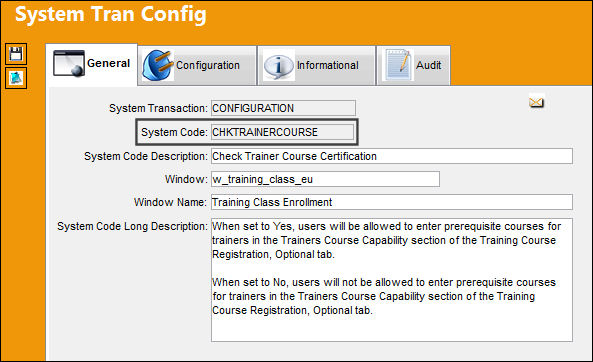
Switch Set to Yes:
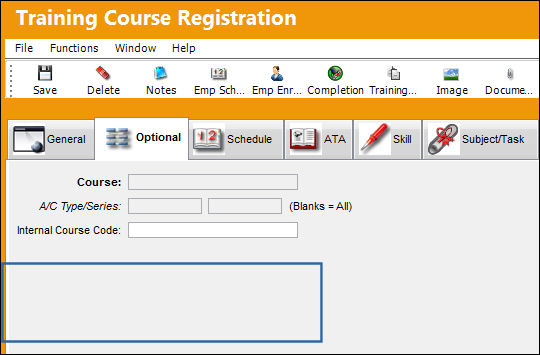
When set to Yes, users will be allowed to enter prerequisite courses for trainers in the Trainers Course Capability section of the Training Course Registration, Optional tab.
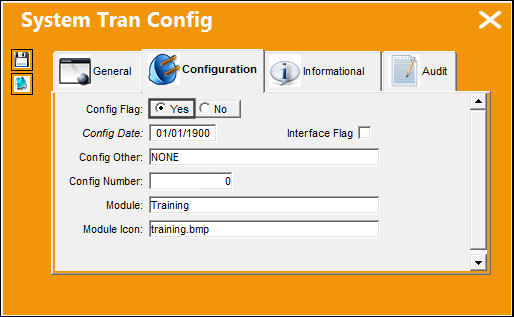
The following Training Course Registration is being created. Notice in the Optional tab, the Trainers Course Capability is available.
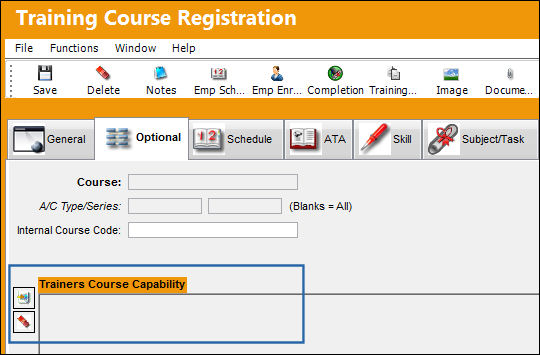
Switch Set to No:
When set to No, users will not be allowed to enter prerequisite courses for trainers in the Trainers Course Capability section of the Training Course Registration, Optional tab.
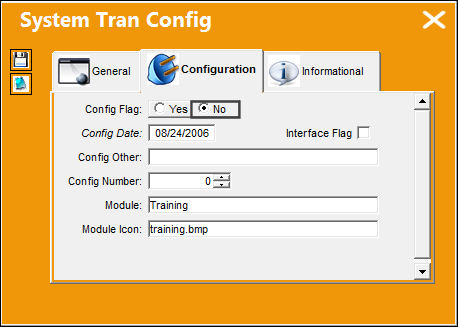
The following Training Course Registration is being created. Notice in the Optional tab, the Trainers Course Capability is not available.
Validate Dates:
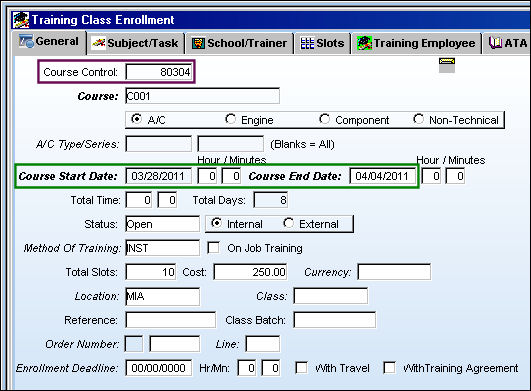
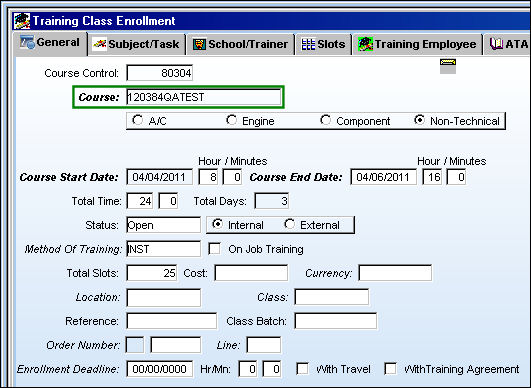
When set to Yes, Switch  CHKTRAINERCOURSE validates the dates a trainer is authorized to train. The following Training Class is created. Note the Course Start and Course End Dates.
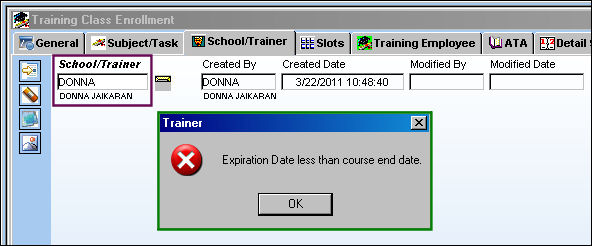
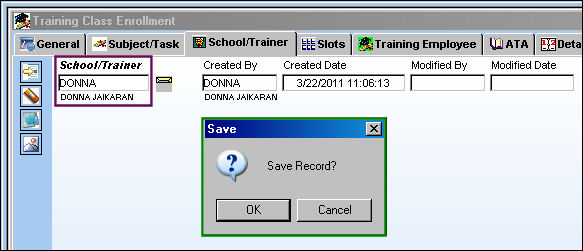
In the Training Class Enrollment, School/Trainer tab, the Trainer specified is 'DONNA'. When attempting to save this record, the system displays the following error because the trainer is only authorized to train until 03/31/2011, and the course ends in 04/04/201.
In the Employee Trainer Control window, the Expiration Date of the Trainer is changed.
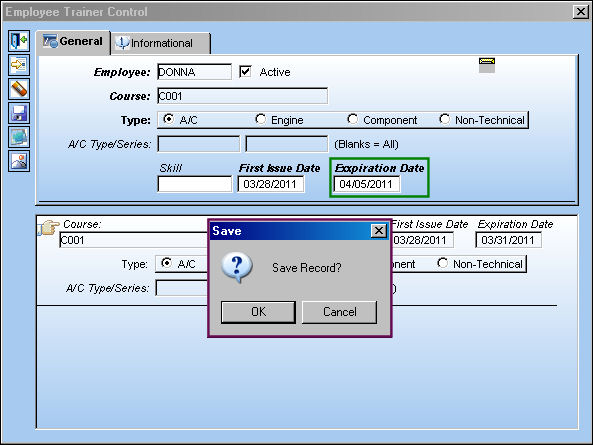
Now when the user attempts to schedule Trainer 'DONNA', the save prompt appears.
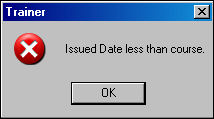
The user will also receive the following error if the Course Start and Expiration Dates for the Trainer are after the Course Start and End Dates for the Course.
Additional Functionality 2:
When set to Yes, Switch CHKTRAINERCOURSE validates that trainers are on the specified training list.
The following course has been created:
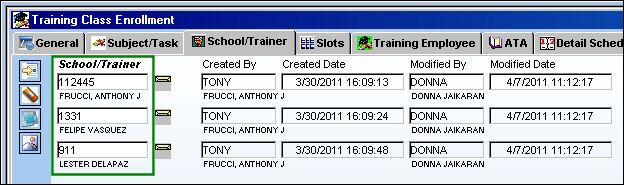
Go to the Training Class Enrollment, Detail Schedule tab. Right click in the Trainer field. The Drop Down Selection window displays the three trainers authorized to train this course.
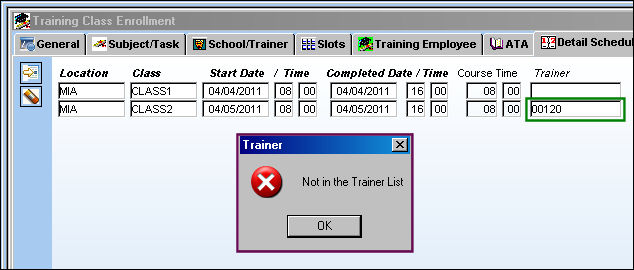
When the user attempts to add a trainer who is not on the School/Trainer tab, the following error appears.
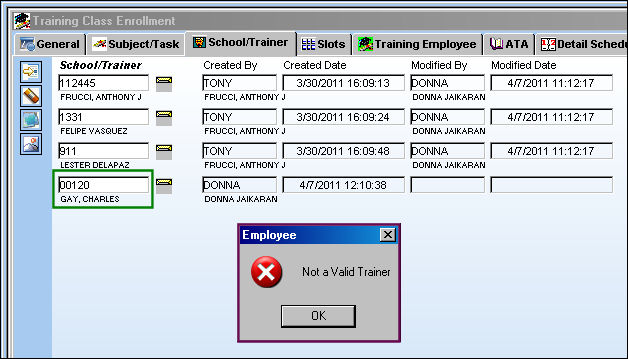
The system also validates trainers in the School/Trainer tab.
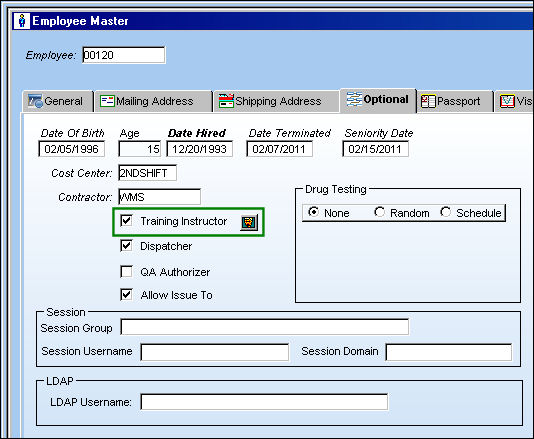
To add a trainer to this Course, go to Settings/ Update/ Employee Master, Optional tab. Be sure the Training Instructor checkbox is selected. Select the Trainer Class Control  button.
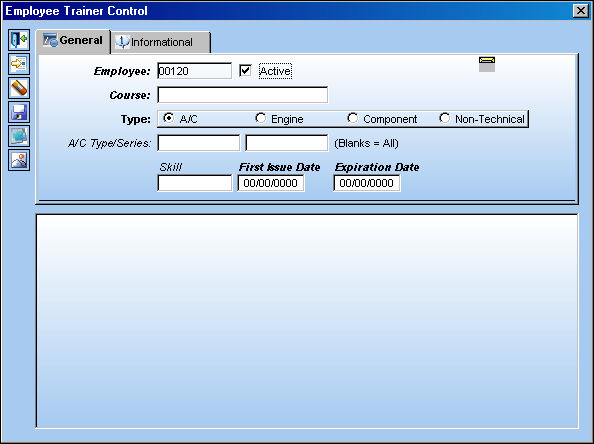
The user may set up employees as trainers for specified courses int he Employee Trainer Control window. For additional information, refer to the Trainer Class Control Button, via the Employee Master, Optional tab of the Settings Training Manual.
Share
Print
|
©1997-2026 Trax USA Corp. All rights reserved. This manual may not be copied, photocopied, reproduced, translated, or converted to any electronic or machine-readable form, in whole or in part, without prior written approval from Trax USA Corp. |
 |