
 Share
Share
 Print
Print
|
|
|
|
|


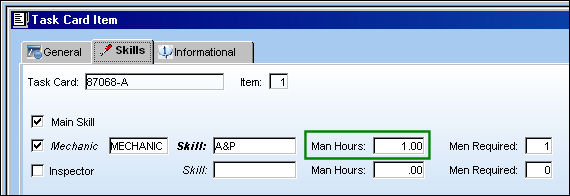
In the following example, the user has created eight E/C/T/Cs. Each Task Card item has one Man Hour and effectivity has been applied on all levels.
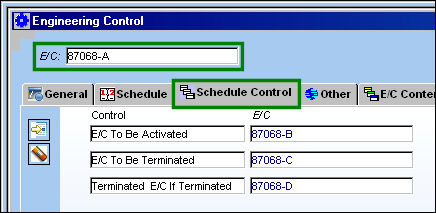
In the Schedule Control tab, the following controls have been set up for E/C B, C and D. E/C A is the master E/C.
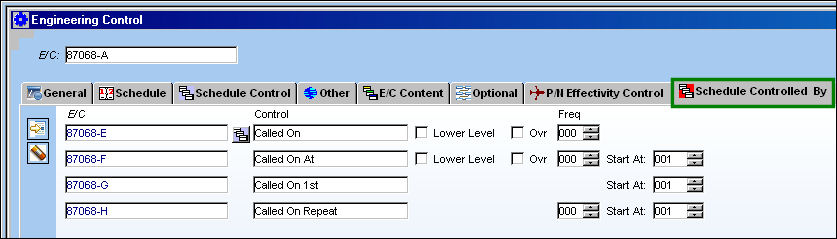
In the Schedule Controlled By the following Called On scenarios are set up:
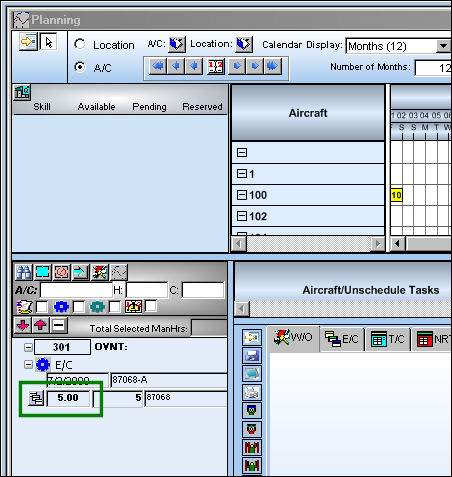
Go to Planning and run the Interactive Planner for E/C A. Note that the Man Hours totals five.
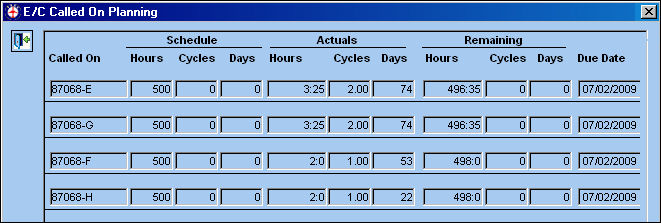
Select the E/C Called On  button.
All of the Called On E/Cs set up in the Schedule Controlled By tab appear in the E/C Called On Planning window.
The Man Hours is correct because (A+E+G+F+H = 5).
Share
Print
|
©1997-2026 Trax USA Corp. All rights reserved. This manual may not be copied, photocopied, reproduced, translated, or converted to any electronic or machine-readable form, in whole or in part, without prior written approval from Trax USA Corp. |
 |