
 Share
Share
 Print
Print
|
|
|
|
|


Select the Detail/All Detail buttons to view the details regarding the specified maintenance event.
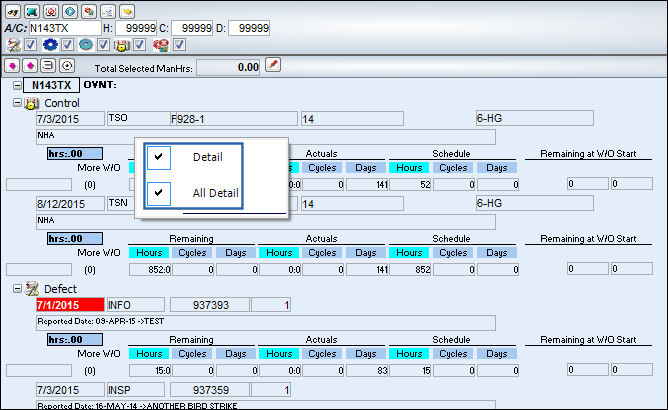
Select a maintenance event. Once it is highlight in blue, right click on it. TRAX displays the Detail and All Detail buttons.
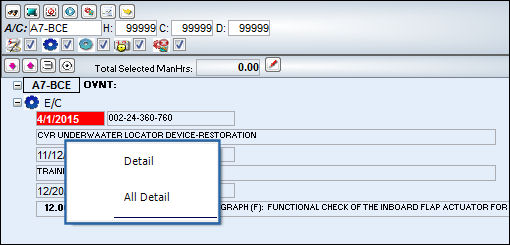
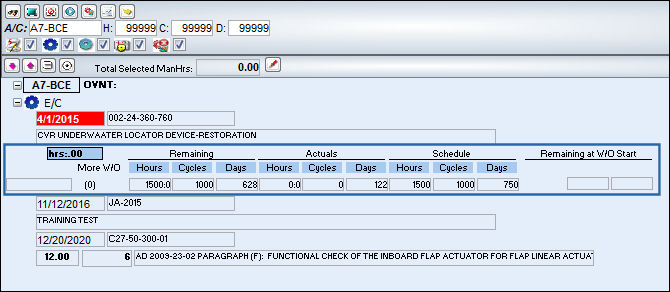
Select the Detail button. The following details appear:
_____________________________________________________________________________________
Concession  button
The Concession button displays when there is a current concession affecting the item. There may be several Concessions pending on the same item. Select the Concession button to view details of the concession(s).
For more information regarding Concessions, please refer to the Concession Registry section of the Technical Records Training Manual.
For information regarding the fields and additional buttons in the Detail, refer to Planning Element Detail Area via Interactive Planner View of the Planning Training Manual.
_____________________________________________________________________________________
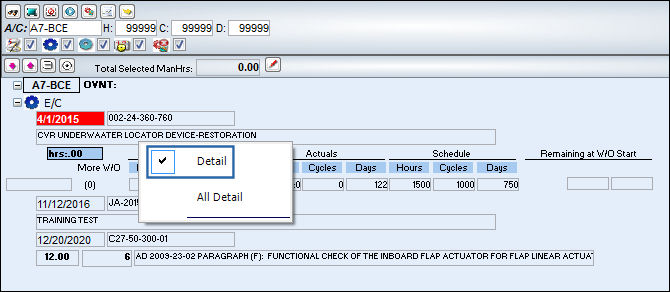
Right-click the detail of the maintenance again. Notice that the Detail button is selected.
Select the All Detail button. The details for all of the maintenance events open up:
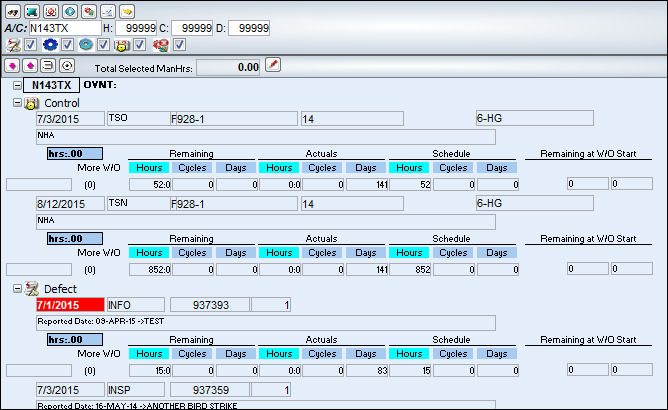
Right-click the detail of the maintenance again. Notice that the All Detail button is selected.
Share
Print
|
©1997-2026 Trax USA Corp. All rights reserved. This manual may not be copied, photocopied, reproduced, translated, or converted to any electronic or machine-readable form, in whole or in part, without prior written approval from Trax USA Corp. |
 |