
 Share
Share
 Print
Print
|
|
|
|
|


The New Predecessors Link  button allows users to create links between Task Cards that need to be performed prior to another selected T/C. When selected, users must click on one Task Card then hold and drag the cursor to the other Task Card. This will create a new Predecessor link.
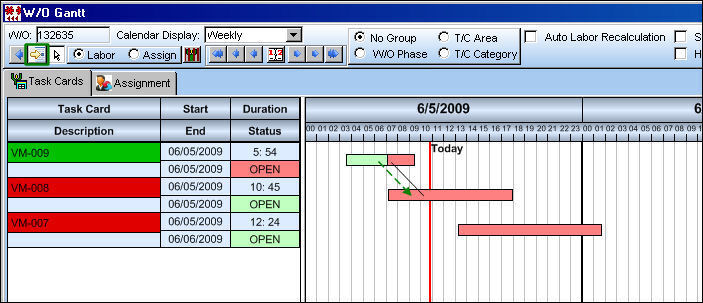
When linked, an arrow will connect the Task Cards.
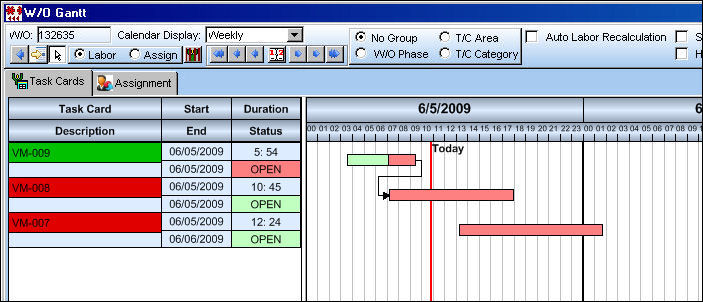
When a Task Card and/or its End Date is moved forward to a later date/time, all linked Task Cards will automatically be moved to a date/time after the predecessor's new End Date to ensure the linked Task Cards start after the proceeding T/C is completed.
For example, notice the Start/End Dates of the linked Task Cards then move the Predecessor Task Card's End Date forward.
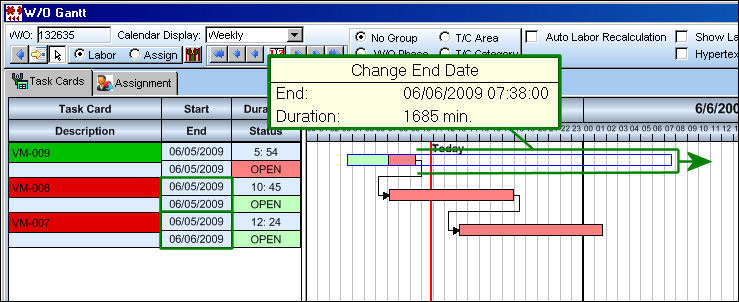
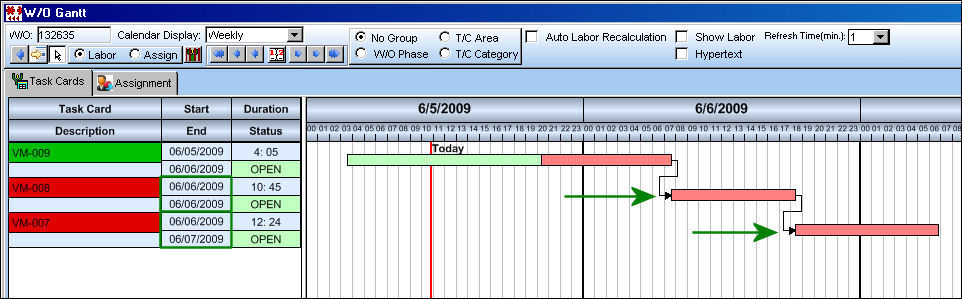
Notice the linked Task Card's Start/End Dates have been changed as the Task Cards themselves have been moved forward on the calendar graph.
If the user wants to remove the Predecessor Link, right-click over the link arrow and select 'Delete Link.'
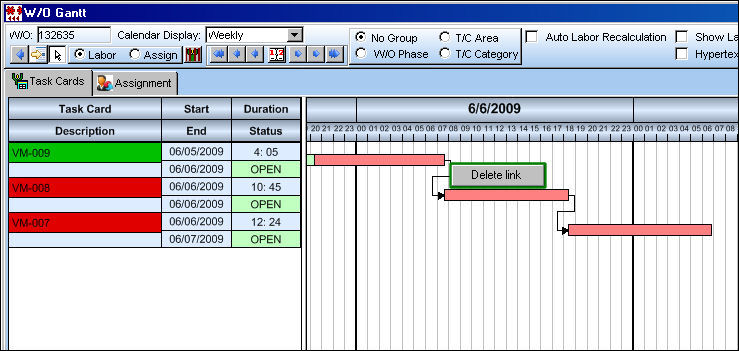
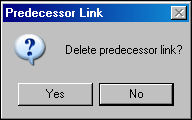
The following prompt will appear. Select 'Yes.'
For more information on Task Card Predecessors refer to the Task Card, Predecessors Tab via the Engineering Manual.
Share
Print
|
©1997-2026 Trax USA Corp. All rights reserved. This manual may not be copied, photocopied, reproduced, translated, or converted to any electronic or machine-readable form, in whole or in part, without prior written approval from Trax USA Corp. |
 |