
 Share
Share
 Print
Print
|
|
|
|
|


The Resources tab appears when the Show Labor checkbox is selected. This tab displays Employee Man Hours schedules as well as other employee information.
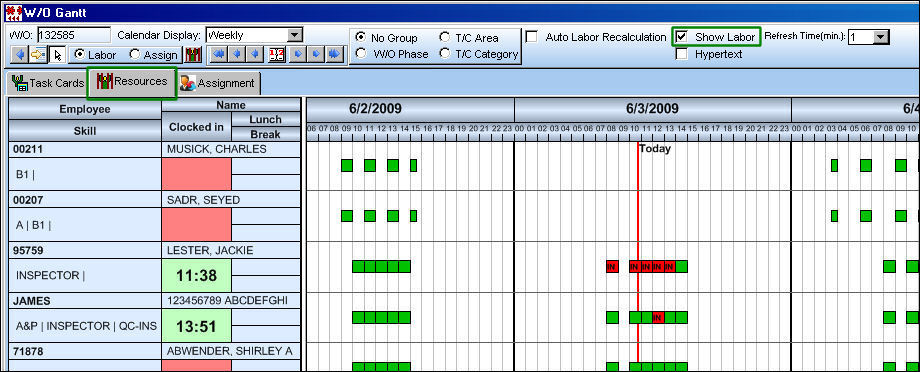
The Employee information to the left of the window is as follows:
_____________________________________________________________________________________
Employee
The Employee number or code representing the employee.
Skill
The employee's skill(s).
Name
The first and last name of the Employee.
Clocked In
The time the Employee clocked in.
Lunch
The Employee's Lunch time.
Break
The Employee's Break time.
_____________________________________________________________________________________
For more information refer to the Man Hour Schedule Planner via the Planning Training Manual.
Share
Print
|
©1997-2026 Trax USA Corp. All rights reserved. This manual may not be copied, photocopied, reproduced, translated, or converted to any electronic or machine-readable form, in whole or in part, without prior written approval from Trax USA Corp. |
 |