
 Share
Share
 Print
Print
|
|
|
|
|


Cancel Button, via Physical Inventory Count
The Cancel  button allows users to cancel previously created counts including those created prior to the current date.
 This button is security controlled via Inventory/Update/Physical Inventory Count/Physical Count Cancel Button. For more information refer to the Security Explorer via the System Administration Training Manual.
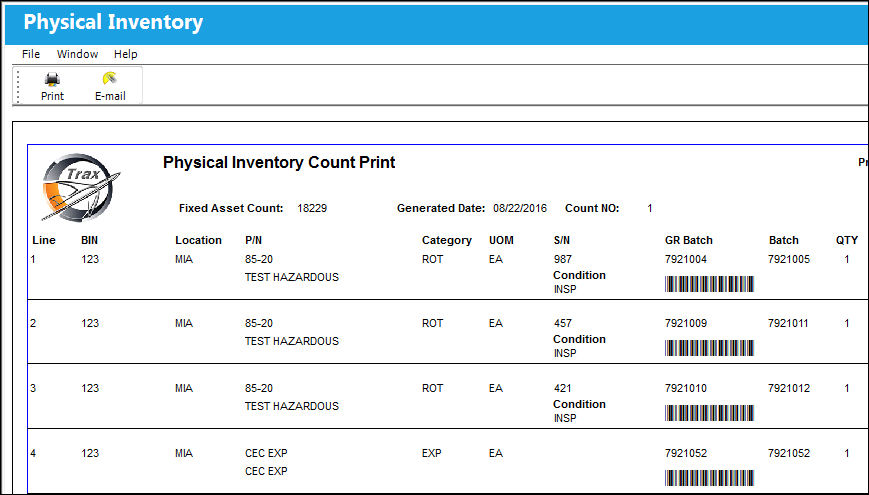
For example, create or a choose a previously created count via the Physical Inventory Generation window.
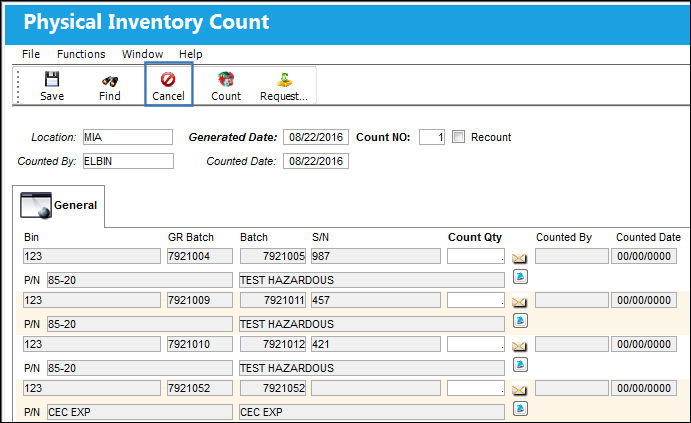
From the Physical Inventory Count window find the count then select the Cancel button.
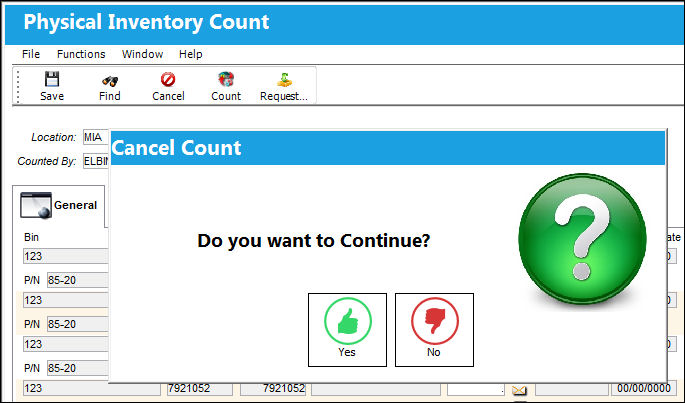
Select 'Yes' when the Cancel Count prompt appears to cancel the count.
The count will automatically disappear.
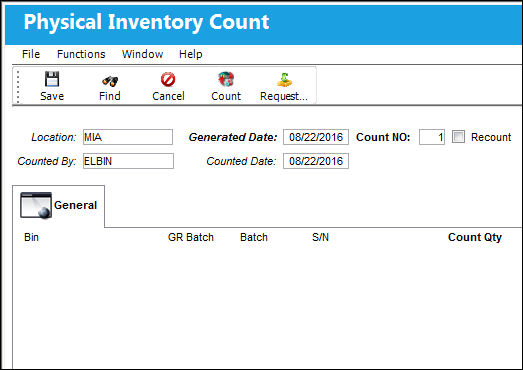
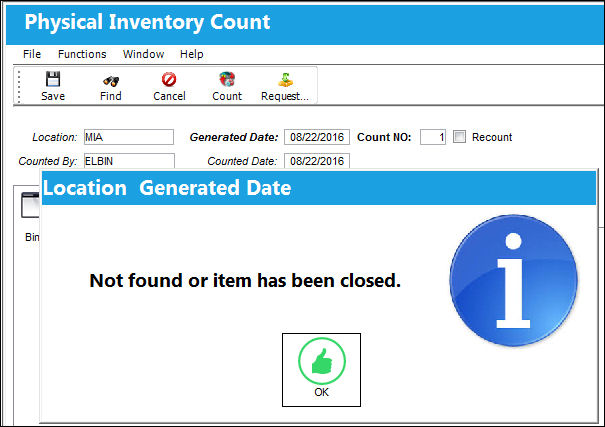
With the information for the canceled count entered into the search fields, when users select the Find  button the following prompt will appear:
It is also important to note that when any of the Count Quantity fields are populated, users will not be allowed to cancel the count. For example, several Count Quantity fields are populated then the Cancel button is selected. Select 'Yes'.
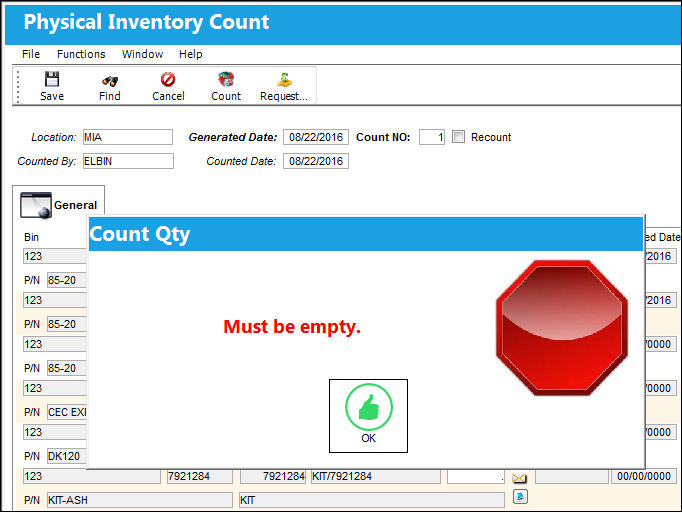
The following warning will appear blocking the count from being canceled due to the Count Quantity fields.
Share
Print
|
©1997-2026 Trax USA Corp. All rights reserved. This manual may not be copied, photocopied, reproduced, translated, or converted to any electronic or machine-readable form, in whole or in part, without prior written approval from Trax USA Corp. |
 |