
 Share
Share
 Print
Print
|
|
|
|
|


Count Button, via Physical Inventory Count
The Count  button is part of the RFID functionality and can be found in the Physical Inventory Count window.
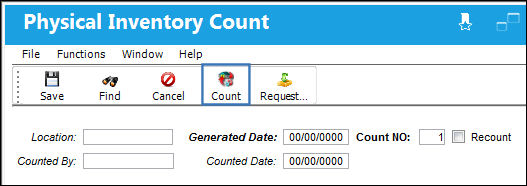
 This button is security controlled via Inventory/Update/Physical Inventory Count/Physical Inventory Update Count Button. For more information refer to the Security Explorer via the System Administration Training Manual.
 In order to implement RFID functionality, unique configurations must be made on an operator-by-operator basis. Please contact Trax Product Support for more information on the required project.
Share
Print
|
©1997-2026 Trax USA Corp. All rights reserved. This manual may not be copied, photocopied, reproduced, translated, or converted to any electronic or machine-readable form, in whole or in part, without prior written approval from Trax USA Corp. |
 |