
 Share
Share
 Print
Print
|
|
|
|
|


When a Part Number Engineering Control (P/N E/C) has an Effective Date that precedes the P/N being entered into TRAX Inventory, the P/N E/C Actuals will not be affected until the P/N Serial Number is installed into an Aircraft.
 Please note the setting and functionality of switch
  AUTOECPNACTUAL. When set to Yes, the system will automatically update the Actual Hours and Cycles on all P/N S/Ns that are effective to a newly created/added P/N E/C. When set to No, the system will not automatically update the Actual Hours and Cycles on P/N S/Ns that are effective to a newly created/added P/N E/C.
For example, create an Engineering Control with an Effective Date set in the past.
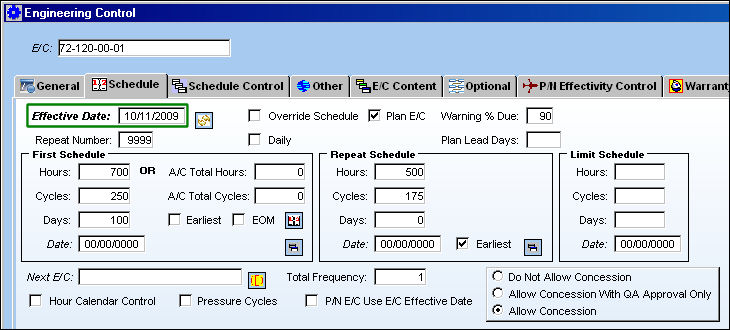
Note: For all of the examples in the following scenarios, the  Calendar Days checkbox (previously the P/N E/C Use E/C Effective Date checkbox) is not selected in the Engineering Control, Schedule tab. This checkbox remains unselected because the P/N E/C calculations in these examples are based on P/N Installation time not un-installed time. For more information refer to the Engineering Control, Schedule Tab via the Engineering - E/C Training Manual.
 Note: In TRAX Version 12, the Calendar Days checkbox has been removed and replaced with the Calendar Days drop down option.
Apply E/C effectivity to a Part Number via the Engineering Control P/N  button.
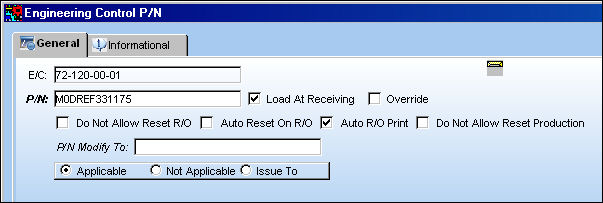
Note: The Load At Receiving checkbox above must be selected for this scenario to function properly.
The P/N is received into inventory either through a Purchase Order or an Initial P/N Load. The following example provides the P/O method:
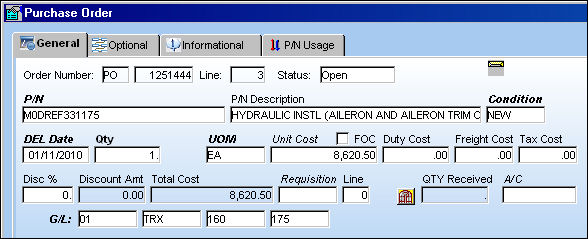
Receive the P/O and assign a Serial Number to the P/N.
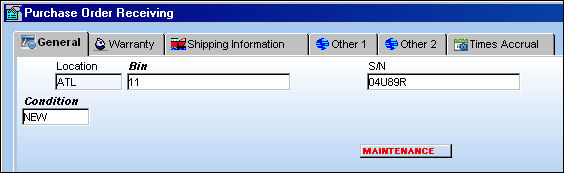
Note: Users can comply with the E/C when receiving the P/O or initial loading it into inventory. The Reset Date will default to the original blanket schedule (E/C, Schedule tab) Effective Date for the P/N E/C, but the Reset Date should be updated to the latest compliance date once the Complied checkbox is selected. 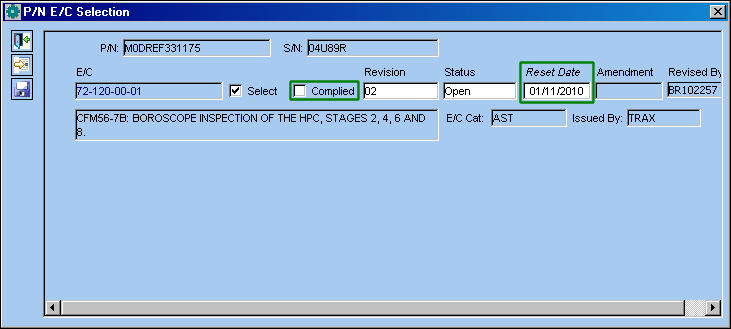
For more information refer to Associating E/Cs with the Received Part via the Receiving Training Manual.
Once in inventory, users can view the P/N via the Inventory Detail window.
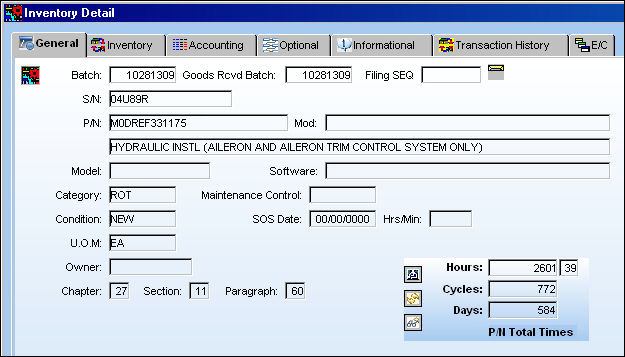
Note: Any P/N Controls that exist for this part (as displayed in the P/N Total Times fields above) will not be affected by the P/N E/C Control.
From the Inventory Detail, E/C tab, users can view the accumulated actuals against the Part Number Engineering Control. Notice that there are no Actuals against the P/N E/C while there is historical time. This is because the P/N was just received into inventory and has not yet been installed onto an aircraft.
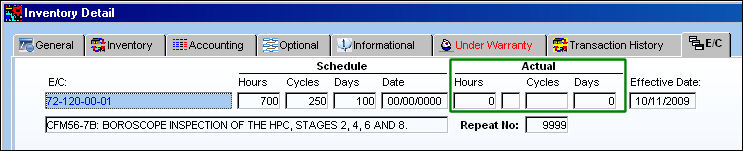
P/N E/C Actuals will begin to accumulate once the part is installed on an aircraft. Refer to the following for a detailed example on how P/N E/C Actuals are affected through multiple A/C Installations and Removals.
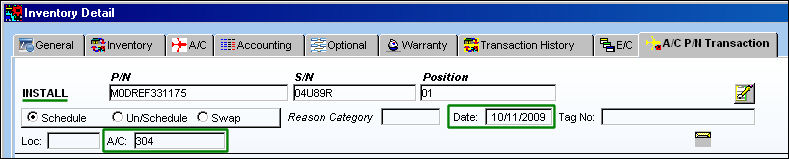
Via the Inventory Detail, A/C P/N Transaction tab, notice that the P/N S/N was installed on an A/C (304) the same date as the P/N E/C Effective Date.
Several flights were created for the same Aircraft (304) after the P/N Install as viewed from the Technical Records/Print/A/C Logs Print window.
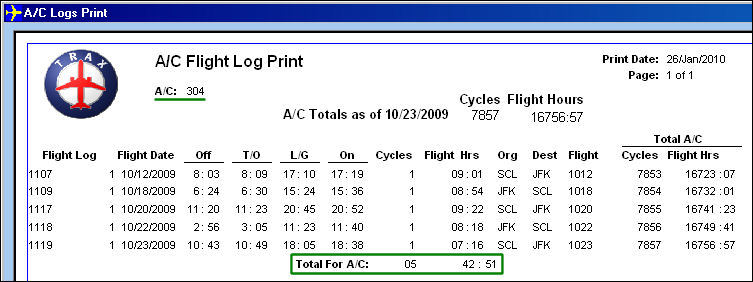
Note: The Technical Records/Update/A/C Actual Flights Closing must be performed for the A/C Total Times to be reflected against the P/N E/C Actuals.
From the Inventory Detail, E/C tab, notice the P/N E/C Actuals are the same as the amount of A/C Total Hours accumulated through the scheduled flights above.

Remove the P/N from the Aircraft.
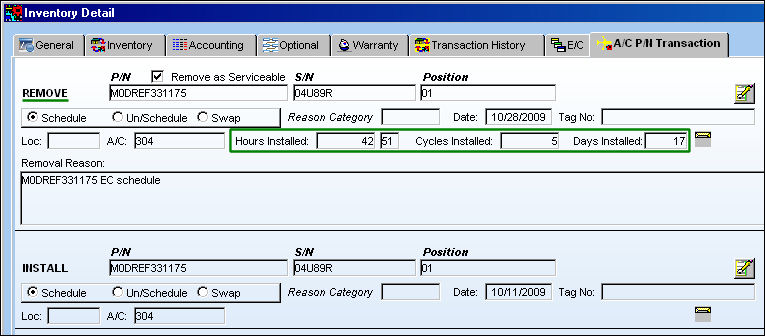
Once removed from the aircraft, the P/N E/C Actuals are updated via the Engineering Effectivity Override window.
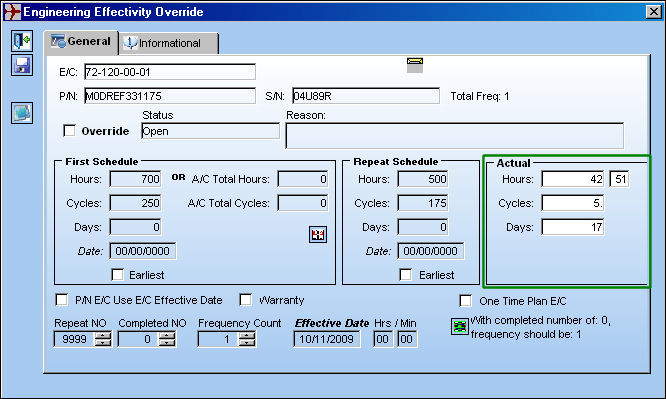
Note: For more information refer to the Override Button, Engineering Effectivity Override via the Engineering - E/C Training Manual.
Install the same P/N Serial Number onto a different Aircraft (303).
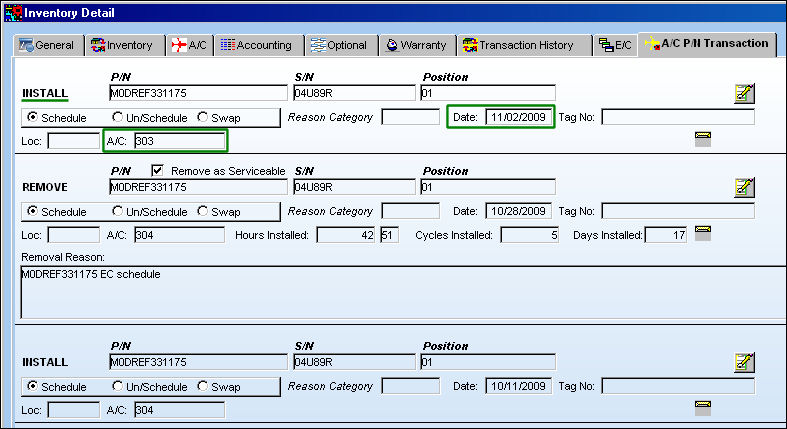
Several more flights were created for this different Aircraft (303) after the installation of the P/N as viewed from the Technical Records/Print/A/C Logs Print window.
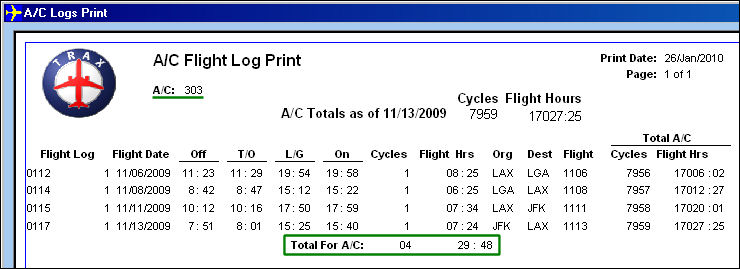
After the flights are closed through the A/C Actual Flights Closing, the A/C accumulated times for both installations of the part are added together and reflected in the P/N E/C Actuals (see below diagram for calculation).
|
Hours |
Cycles |
Total Time for A/C: 304 |
42:51 |
5 |
Total Time for A/C: 303 |
29:48 |
4 |
P/N E/C Actuals |
72:39 |
9 |
From the Inventory Detail, E/C tab, notice the P/N E/C Actuals reflect the A/C Total Times for both A/C installations combined.

Note: When the P/N is removed from the Aircraft, the P/N E/C Actuals are updated once again with these new Actuals in the Engineering Effectivity Override window (as previously displayed) and continue to do so until the P/N E/C is reset with either a Repair Order or Work Order compliance.
Share
Print
|
©1997-2026 Trax USA Corp. All rights reserved. This manual may not be copied, photocopied, reproduced, translated, or converted to any electronic or machine-readable form, in whole or in part, without prior written approval from Trax USA Corp. |
 |