
 Share
Share
 Print
Print
|
|
|
|
|


When a current Part Number Engineering Control (P/N E/C) has a retroactive Effective Date, P/N E/C Actuals will only be accumulated for the current Installation of the Part Number Serial Number regardless of the P/N S/N's historical Installs/Removals, if any.
Note: A P/N E/C is retroactive when its Effective Date precedes its Created Date.
 Please note the setting and functionality of switch
  AUTOECPNACTUAL. When set to Yes, the system will automatically update the Actual Hours and Cycles on all P/N S/Ns that are effective to a newly created/added P/N E/C. When set to No, the system will not automatically update the Actual Hours and Cycles on P/N S/Ns that are effective to a newly created/added P/N E/C.
For detailed information, refer to the following:
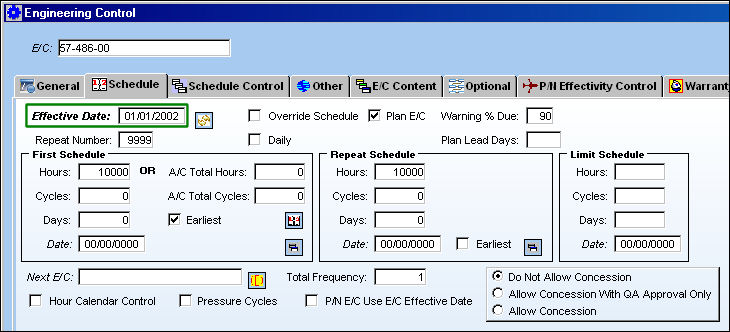
The following Part Number Engineering Control was created today (01/14/2010) but has a retroactive Effective Date (01/01/2002).
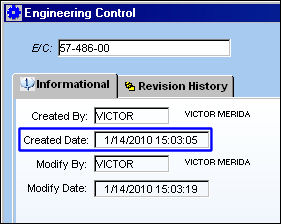
Notice the P/N E/C Created/implemented date (01/14/2010).
This P/N S/N had been Installed and Removed several times onto different Aircraft between the Effective Date (01/01/2002) and the Created Date (01/14/2010). As such, the P/N has accumulated a substantial amount of P/N Actual Times which is recorded on the Inventory Transaction/Inventory Detail/A/C P/N Transaction tab after the P/N is removed from each Aircraft. Notice the amount of Installed Hours and Cycles accrued against the P/N. (Hours Installed: 4272:57 + 2403:43 = 6676:40 ; Cycles: 2015 + 1070 = 3085).
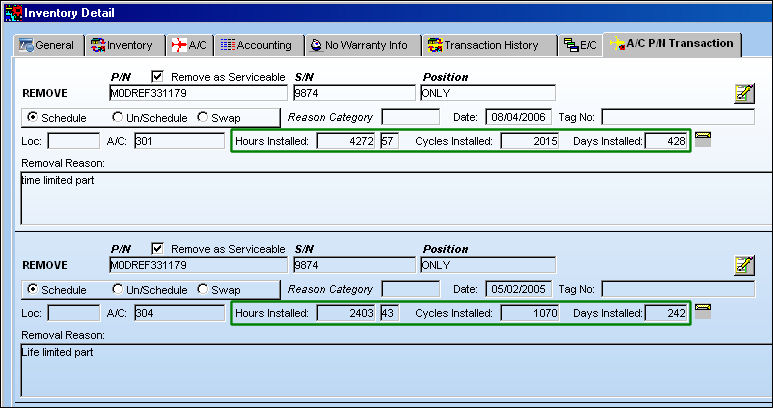
Note: The above screenshot has been edited to display the A/C P/N Removals only.
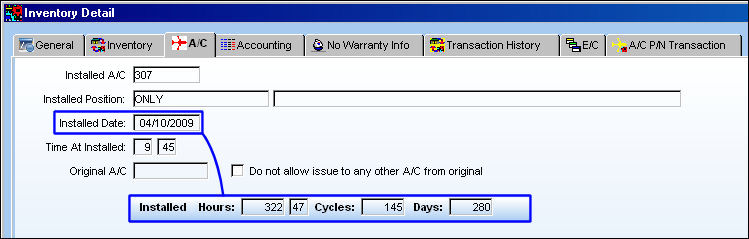
At the time of the P/N E/C's creation, the P/N was, and still is, installed on an Aircraft. From the Inventory Detail, A/C tab, notice the amount of accumulated time against the current Install. (Installed Hours: 322:47 ; Cycles: 145)
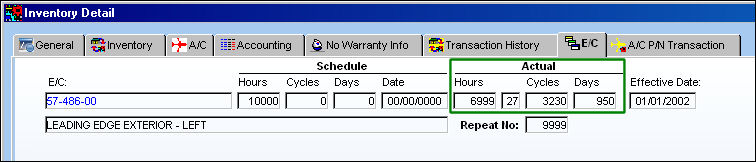
Now, from the Inventory Detail, E/C tab, notice that the current amount of Actuals against the P/N E/C is the same as the amount of time accrued against the current A/C Installation and not the historical Install/Removals (as seen above). The P/N E/C Actuals reflect the current A/C Installed time because the P/N E/C Effective Date is retroactive (prior to the Installs in this example). Instead of the P/N E/C Actuals reflecting the historical Install/Removal times between the P/N E/C's Effective Date (01/01/2002) and its Created Date (01/14/2010), only the currently Installed times are accumulated. This is the correct TRAX functionality.
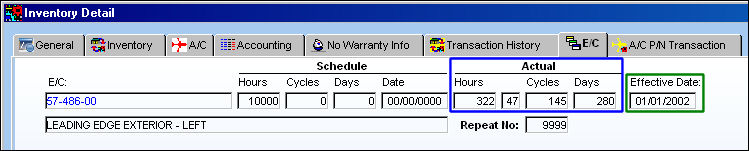
In this scenario, TRAX calculates the P/N E/C Actuals in this manner because TRAX has no way of verifying whether or not this retroactive P/N E/C had been previously complied with before being entered into TRAX. Therefore, the P/N E/C Actuals reflect only the current Installation of the part.
It is important to note that if the P/N E/C had not been complied with since the Effective Date or prior to the P/N's current aircraft Install, then the P/N E/C Actuals would need to be updated manually.
Note: Users should run the P/N Last Compliance Print via Engineering/Print/Engineering Control Print to check the P/N E/C Actuals for all effective parts before updating the P/N E/C Actuals manually.
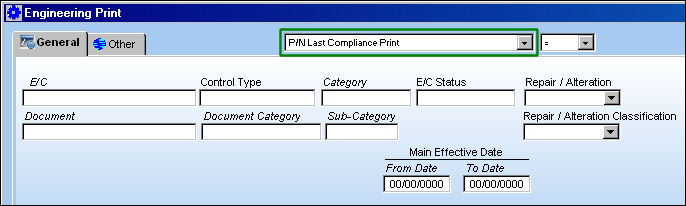
To manually update the P/N E/C Actuals, refer to the following:
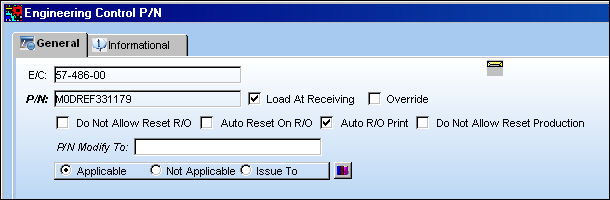
From the Engineering Control window, select the Engineering Control P/N  button then then the Override
  button.
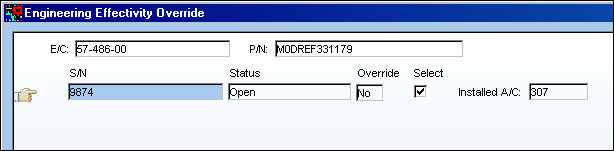
From the Engineering Effectivity Override window, select correct Serial Number then the Override button.
From the Engineering Effectivity Override pop-up window, enter the amount of Actuals accrued against the P/N E/C--not including the current Installation's times--then save. The Actuals entered below are the amount of historical Install/Removal Hours, Cycles and Days as taken from the Inventory Detail, A/C P/N Transaction tab (above).
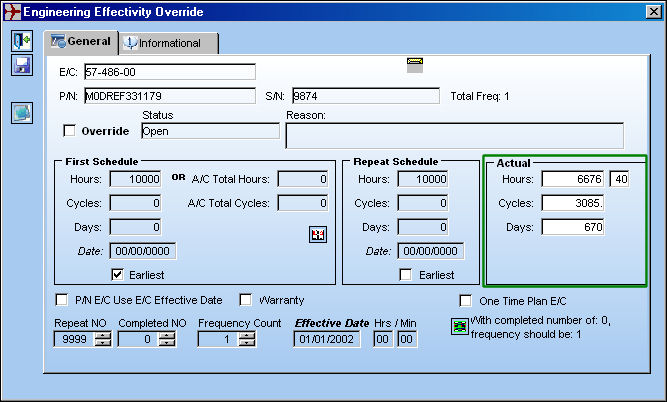
These times will then be added to the Actuals against the current Install times and will appear against the P/N E/C via the Inventory Detail, E/C tab.
Please note that APU Readings will only accumulate actuals from the date of P/N E/C Effectivity creation. Any historical readings will need to be manually added to the P/N Effectivity Actuals Override.
Share
Print
|
©1997-2026 Trax USA Corp. All rights reserved. This manual may not be copied, photocopied, reproduced, translated, or converted to any electronic or machine-readable form, in whole or in part, without prior written approval from Trax USA Corp. |
 |