
 Share
Share
 Print
Print
|
|
|
|
|


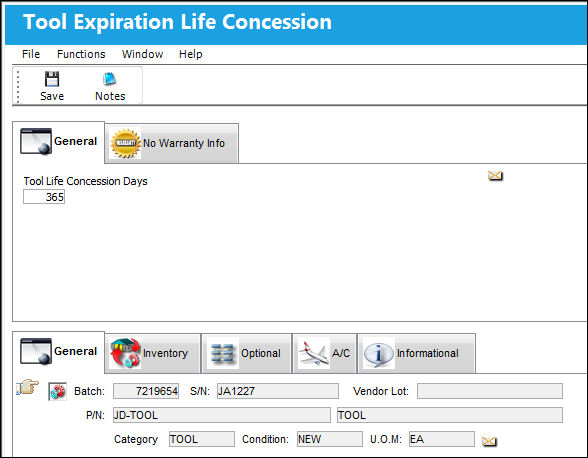
The Tool Concession  button is available via the Tools Check-In Multi button when the Tools Locator drop down option is selected from the Inventory Transaction window. When this button is selected, the Tool Expiration Life Concession window appears. From this window, users are allowed to extend a tool's life by adding Tool Life Concession Days.
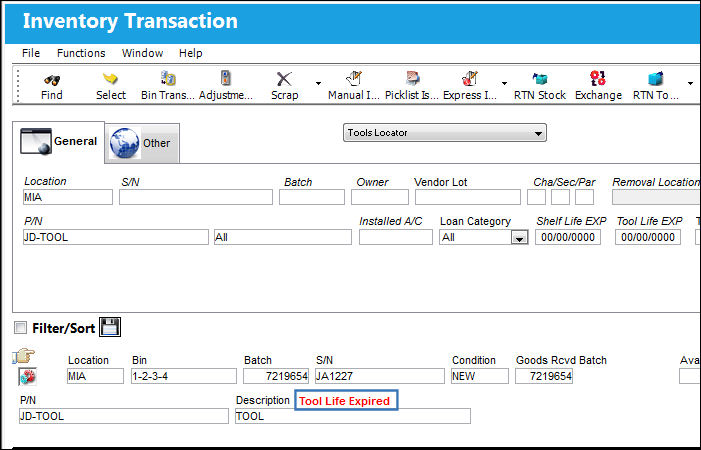
For example, notice the expired tool in the Tools Locator (via Inventory Transaction) window.
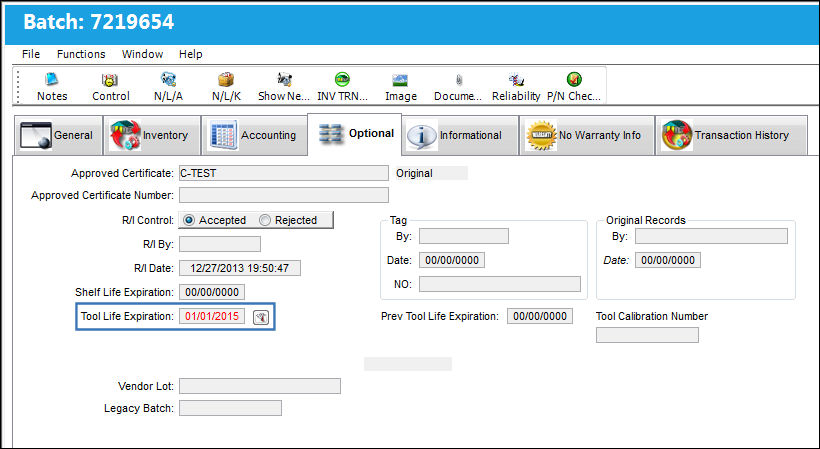
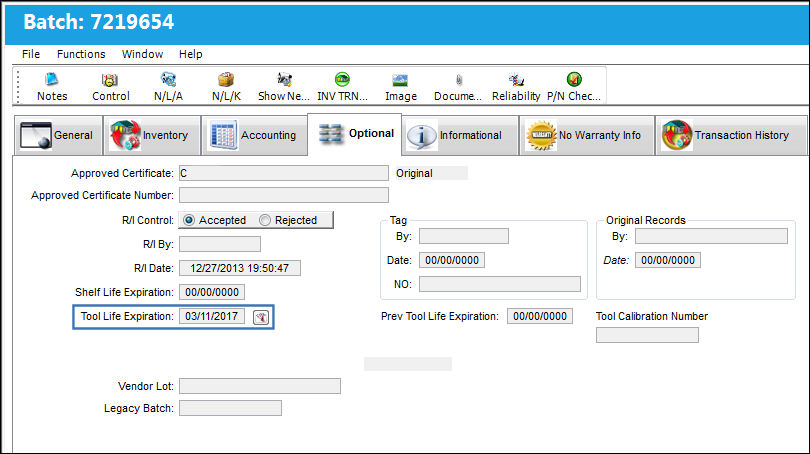
From the Inventory Detail, Optional tab, the Tool Life Expiration date for the part is presently expired.
From the Inventory Transaction header window, select the Tools Concession button. The tool life is extended by entering Tool Life Concession Days (365) then saving.
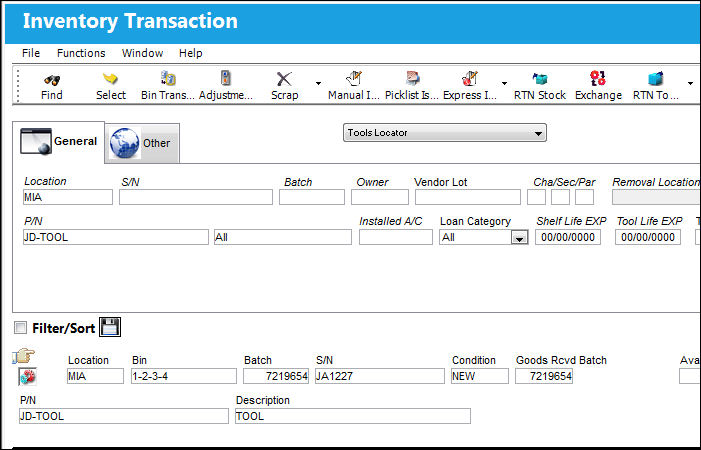
 From the Inventory Transaction window, notice the tool life is no longer expired.
The Tool Life Expiration field via the Inventory Detail, Optional tab displays the new expiration date, which reflects the amount of days (365) added through the Tools Concession button. Notice that the concession days added to the tool life expiration date was added to the original expiration date not to the current date.
If a Repair Order is created for the tool, the Tool Life Concession Days field will be automatically reset to zero ('0') once the tool is received from the R/O. The new expiration date for the tool will be the date set when the R/O is received.
Additional information can be included through the Tool Expiration Life Concession, Warranty/No Warranty tab and the Notes  button.
Share
Print
|
©1997-2026 Trax USA Corp. All rights reserved. This manual may not be copied, photocopied, reproduced, translated, or converted to any electronic or machine-readable form, in whole or in part, without prior written approval from Trax USA Corp. |
 |