
 Share
Share
 Print
Print
|
|
|
|
|


Select the NLA Build From History  button to re-build any NLAs that previously existed in TRAX but were removed from Inventory. TRAX will bring up the NLAs and their corresponding S/Ns and Conditions.
Setup:
The following NHA has one NLA:
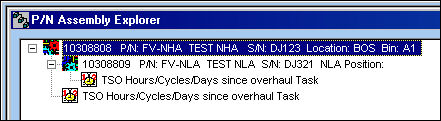
The part is available in Inventory:
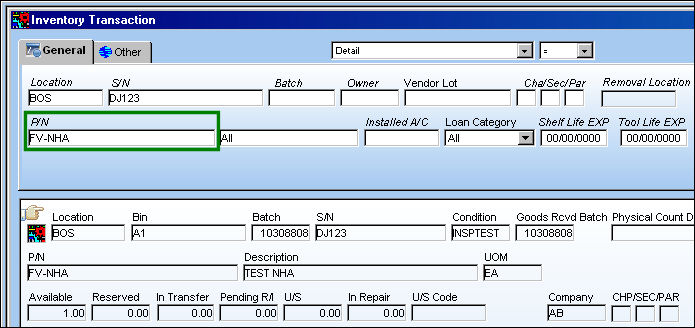
The part is then removed from Inventory:
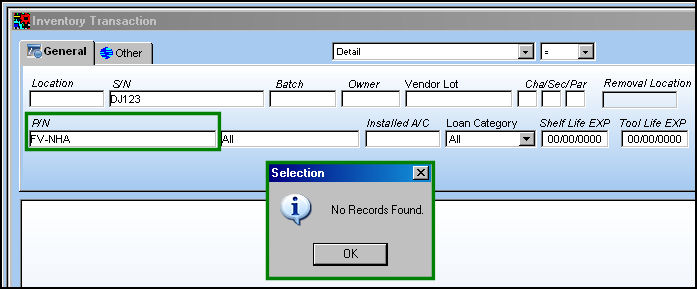
The part is brought back into the system via P/N Initial Load.
Example:
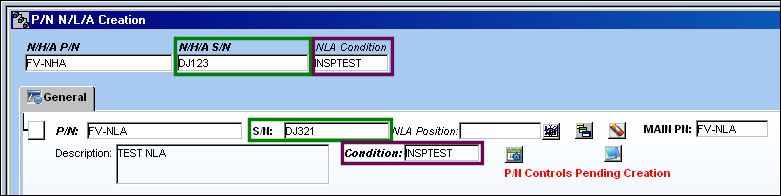
Go to P/N N/L/A Creation. The part appears as shown below:
Select the NLA Build From History button.
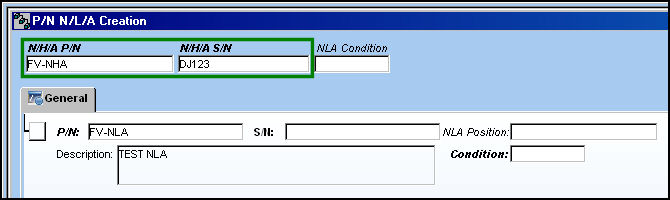
If the NHA and S/N were once in the system, TRAX will bring up the NLAs and their corresponding S/Ns and Conditions:
The NLA Build From History button can only be used once within any P/N N/L/A Creation window.
Share
Print
|
©1997-2026 Trax USA Corp. All rights reserved. This manual may not be copied, photocopied, reproduced, translated, or converted to any electronic or machine-readable form, in whole or in part, without prior written approval from Trax USA Corp. |
 |