|
TRAX MANUALS > Receiving > Receiving Module > Receiving, Update Menu > Receiving Inspection > Receiving Inspection Detail > Receiving Inspection Detail Buttons > Show Next Higher P/N Button, via Receiving Inspection Detail
Show Next Higher P/N Button, via Receiving Inspection Detail
Select the Show Next Higher P/N  button to display the higher P/Ns associated with the part. button to display the higher P/Ns associated with the part.
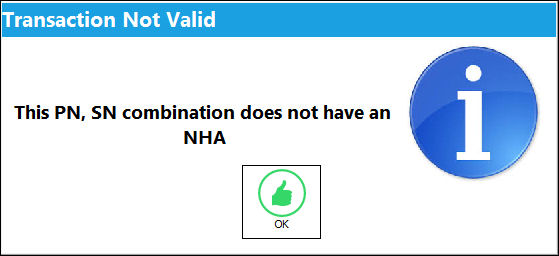
The following pop-up window will inform the user if a next higher P/N does not exist for the part:
|
See Also Receiving Inspection Detail Buttons Notes Button, via Receiving Inspection Detail Tear Down Button, via Receiving Inspection Control Button, via Receiving Inspection Document Control Button, via Receiving Inspection P/N E/C Button, via Receiving Inspection N/L/A Button, via Receiving Inspection Image Button, via Receiving Inspection Detail Document Control Button, via Receiving Inspection Detail Time Update Button, via Receiving Inspection Detail P/N Check List Button, via Receiving Inspection Detail Order Receiving Discrepancy Button, via Receiving Inspection P/N E/C Authorization button, via Receiving Inspection Return to LHT Button, via Receiving Inspection Detail |
|

 Share
Share
 Print
Print


