
 Share
Share
 Print
Print
|
|
|
|
|


The Return to LHT (Supplier)  button allows users to return parts to their supplier from the Receiving Inspection windows.
 This button is part of the Material Integration functionality where parts are provided for an airline by a materials supplier through a system of interfaces. The button only appears when the proper interface configuration file is loaded via the Material Request
  button of the Company Profile window. For more information refer to the TRAX Material Integration Functionality document and consult a TRAX interface administrator.
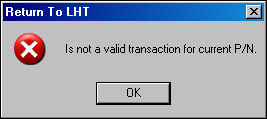
For example, select the Return to LHT button in the Receiving Inspection detail window. In order for this return to work, the P/N Category for the component must have the Material Request checkbox selected via the Transaction Code window. For more information refer to the P/N Category (System Tran Code) via the TRAX Material Integration Functionality document. If not selected for the P/N Category, the following warning message will appear:
Enter the Return Code is applicable then select the Save  button.
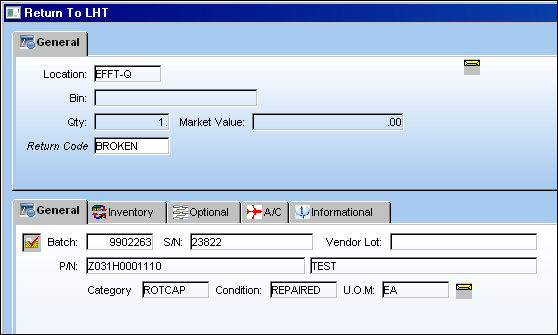
After saving, the P/N is removed from the Receiving Inspection window.
Share
Print
|
©1997-2026 Trax USA Corp. All rights reserved. This manual may not be copied, photocopied, reproduced, translated, or converted to any electronic or machine-readable form, in whole or in part, without prior written approval from Trax USA Corp. |
 |