
 Share
Share
 Print
Print
|
|
|
|
|


The Tear Down  button is used to review or create a Tear Down Report associated to an order that is going through the Receiving Inspection process.
 When multiple Serial Numbers are received into the system via Purchase Order, the system now displays multiple Serial Numbers on the Tear Down Report Print.
The System allows us to Receive Multiple Serial Numbers (Individually) but only creates one teardown for the first S/N Received.
From the Receiving Inspection window, select the Tear Down button.
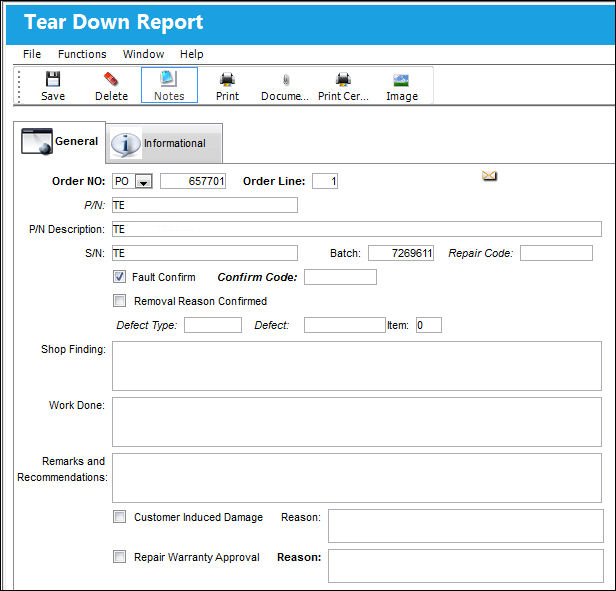
The following tab and buttons offer additional functionality:
- Tear Down Report, Informational Tab
- Notes button
- Print button
- Document Control button
- Print Certificate of Calibration button
- Image button
Share
Print
|
©1997-2026 Trax USA Corp. All rights reserved. This manual may not be copied, photocopied, reproduced, translated, or converted to any electronic or machine-readable form, in whole or in part, without prior written approval from Trax USA Corp. |
 |