
 Share
Share
 Print
Print
|
|
|
|
|


The Invoice Flat Rate allows a flat rate fee to be invoiced and paid in increments based on percentage breakdowns of the total fee. This functionality allows flat amounts to be paid before, during and after the Third Party work is performed.
The following is the Flat Rate Due window and options:
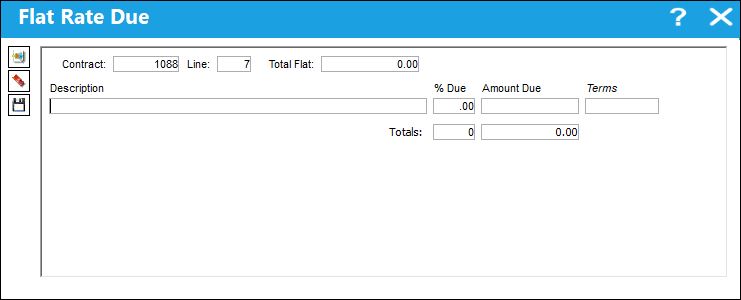
The following information/options are available in this window:
_____________________________________________________________________________________
Contract
The unique Customer Contract number.
The Contract Number will carry over to Child Work Orders. This also applies to Shop Work Orders.
Line
Each term of the contract is allocated a sequential line number.
Total Flat
The total flat rate cost of the invoice.
Description
Free text field that allows for notes created against a contracted item(s).
% Due
The percentage due per invoice.
Amount Due
The amount due based on the % Due. this is automatically calculated once the % Due is populated.
Terms 
The terms of payment may be defined on the Customer Contract Header by selecting from the pre-defined listing established in the System Transaction Codes. For additional information, please refer to the Terms section of the System Transaction Codes Training manual. Terms may be changed for a contract as required.
Totals
The total amount added up for each invoice (% Due and Amount Due).
_____________________________________________________________________________________
To set up the Invoice Flat Rate, go to the Customer Contract Detail window. Select the 'Invoice Flat Rate' sub-category and the Sell Amount then save.
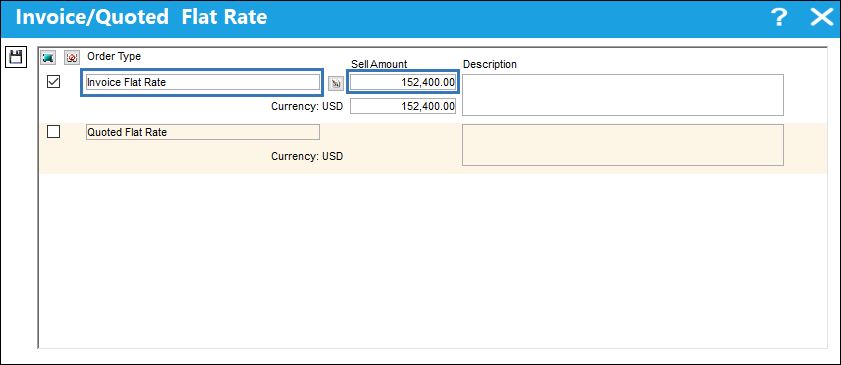
Once saved, select the Due List  button to access the Flat Rate Due window where the Sell Amount can be broken down by percentage into multiple invoices. To do so select the New button then enter a Description and the % Due. The percentage entered will automatically calculate the Amount Due for that entry. Continue this process until all line entry percentages add up to 100%, as displayed below.
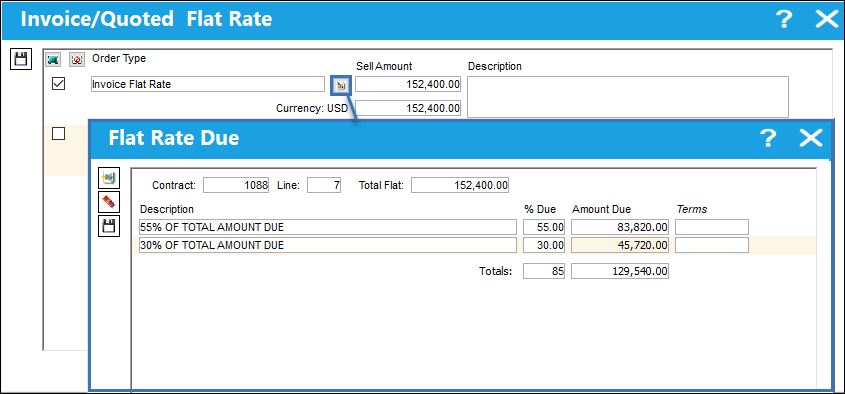
Once all have been entered select the Save  button.
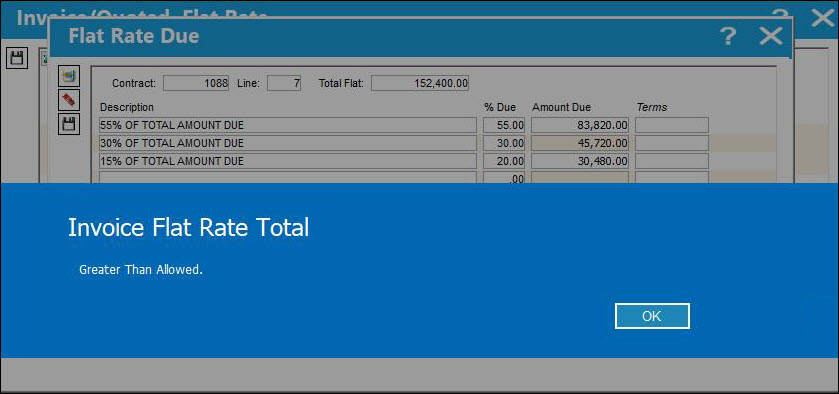
If the total of percentages added exceed 100 percent, the Totals (% Due and Amount Due) will be displayed in red and the following pop-up will appear when attempting to save.
Once the Invoice Flat Rate is set up, it can be used against Third Party Work Orders.
For example, create a Third Party Work Order.
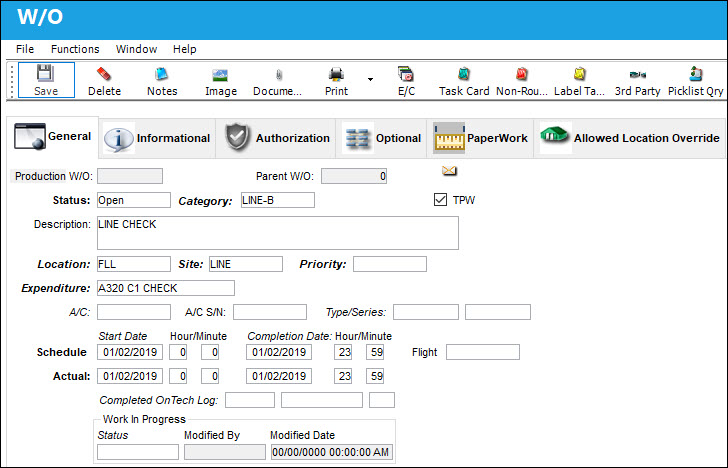
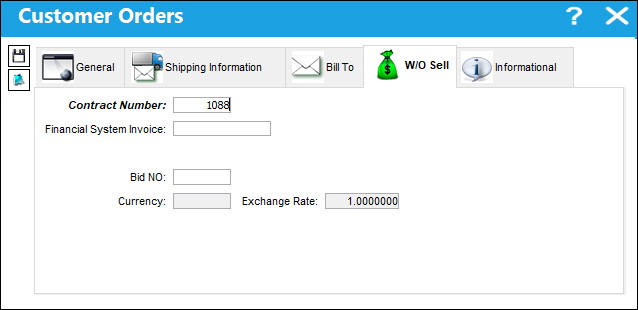
When the Customer Orders window appears, enter all pertinent information and the Contract Number with the Invoice Flat Rate then save.
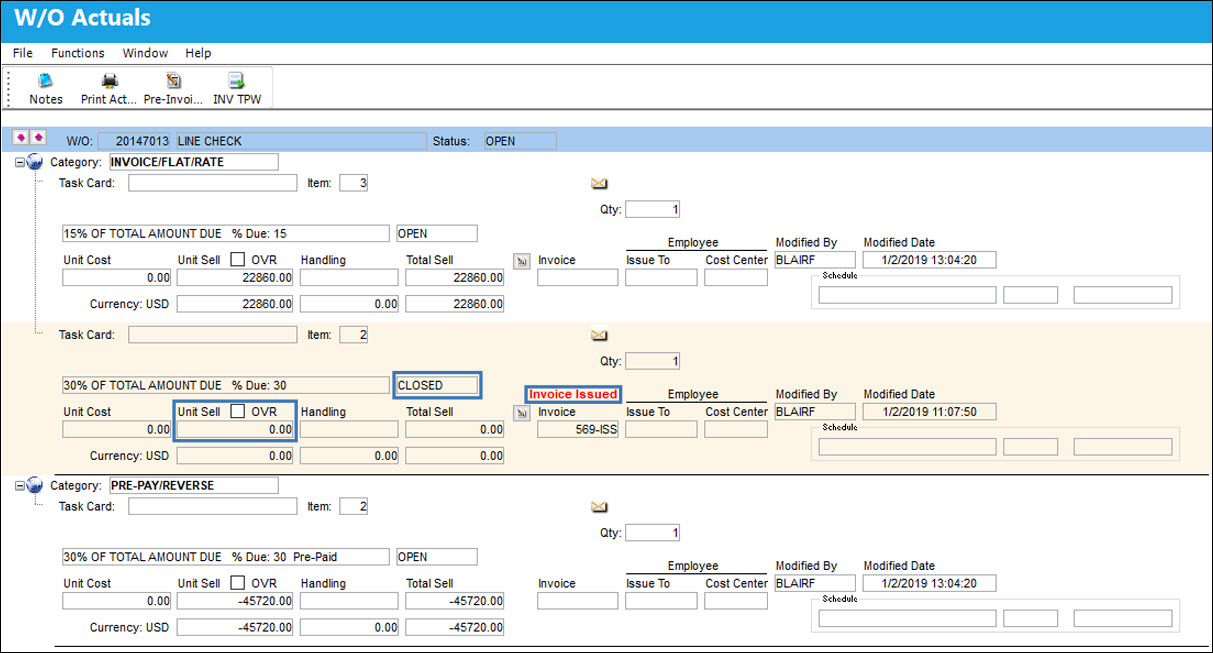
From the W/O window, select the W/O Actuals  button to view the Invoice Flat Rate category entries. The Actuals are divided by the amount of percentage entries entered in the Customer Contract.
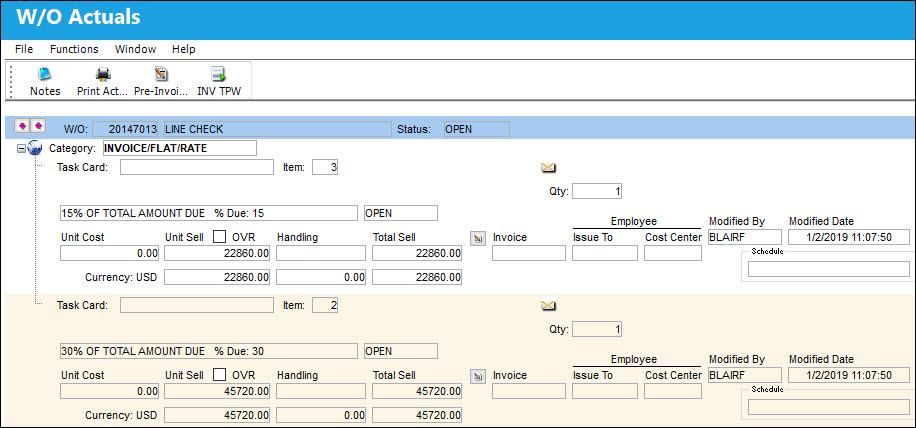
Each entry contains the Flat Rate Due Invoice button.
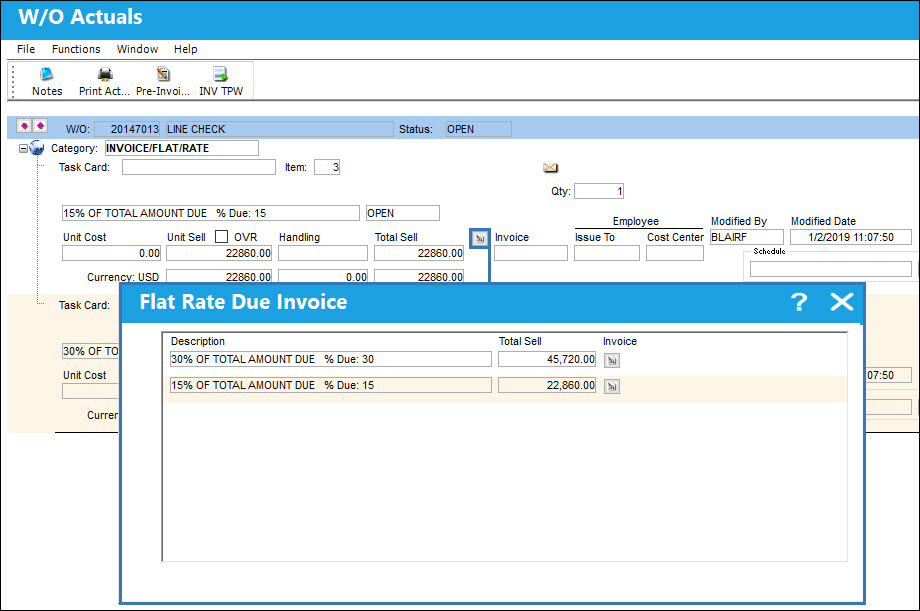
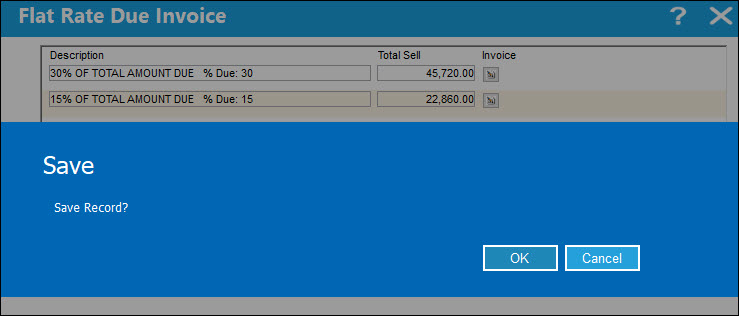
From the Flat Rate Due Invoice window, select the Invoice button to the right of each entry to create an invoice for that entry. Select OK to save.
Once saved, the entry in the W/O Actuals window reads Invoice Issued and the Unit Sell is 0.00.
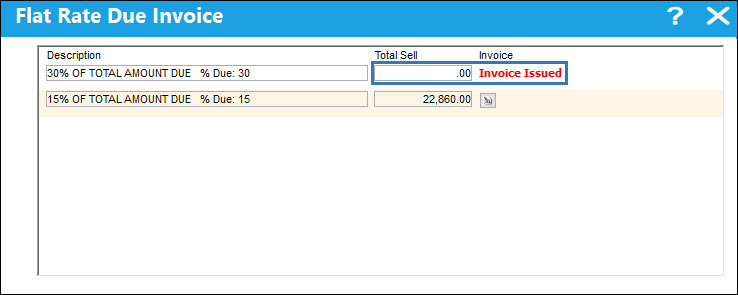
When the user returns to the Flat Rate Due window the invoiced entry also states Invoice Issued and the Total Sell is 0.00.
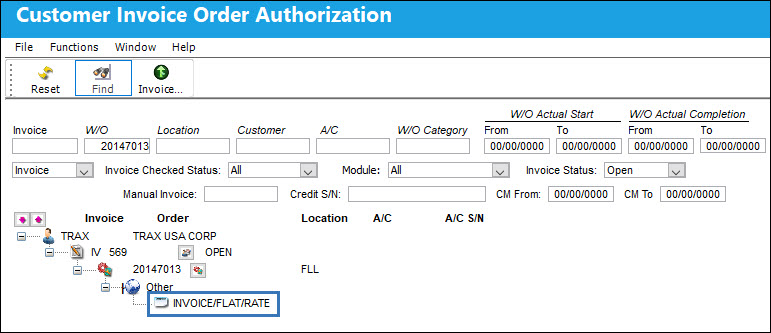
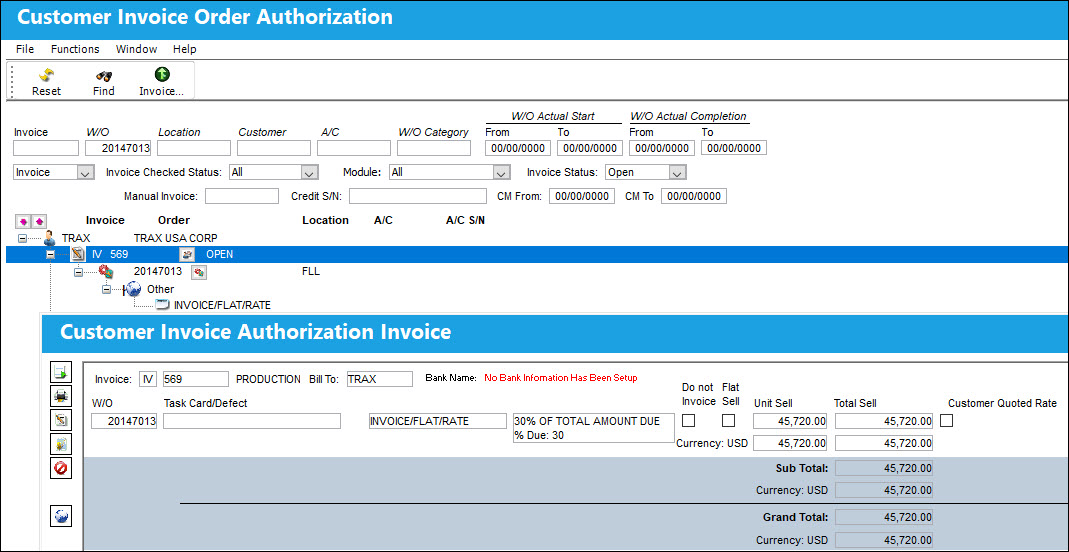
rom the Production/Explorer/Customer Invoice Authorization window, the Invoice Flat Rate is displayed as follows.
The invoice information is displayed as follows.
For more information refer to the Customer Invoice Authorization via the Production Training Manual.
Share
Print
|
©1997-2026 Trax USA Corp. All rights reserved. This manual may not be copied, photocopied, reproduced, translated, or converted to any electronic or machine-readable form, in whole or in part, without prior written approval from Trax USA Corp. |
 |