
 Share
Share
 Print
Print
|
|
|
|
|


Show Unassigned Work Button, via W/O Task Card Assignment Workshop
The Show Unassigned Work  button allows users to assign work to themselves that is currently unassigned. This option allows users to skip the assignment process.
For example, open the W/O Task Card Assignment Workshop window and select the Show Unassigned Work button.
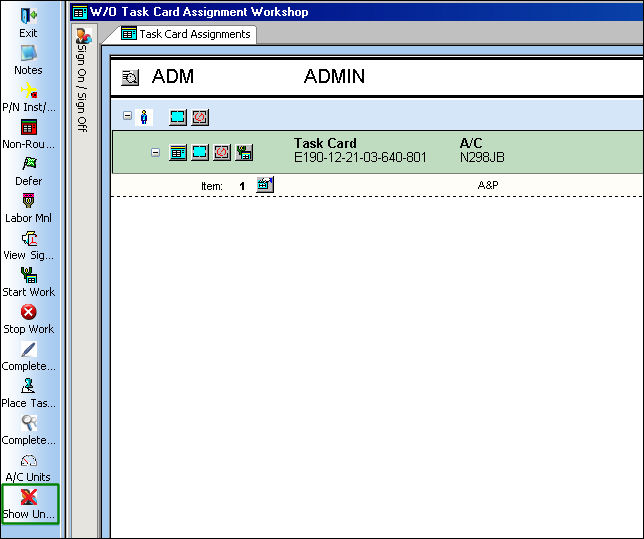
The Show Unassigned Work button is security enabled.
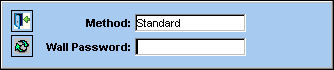
When selected, the user must enter their Wall Password as this option is also Wall Password protected.
The Task Card Unassigned window then appears with the available W/Os.
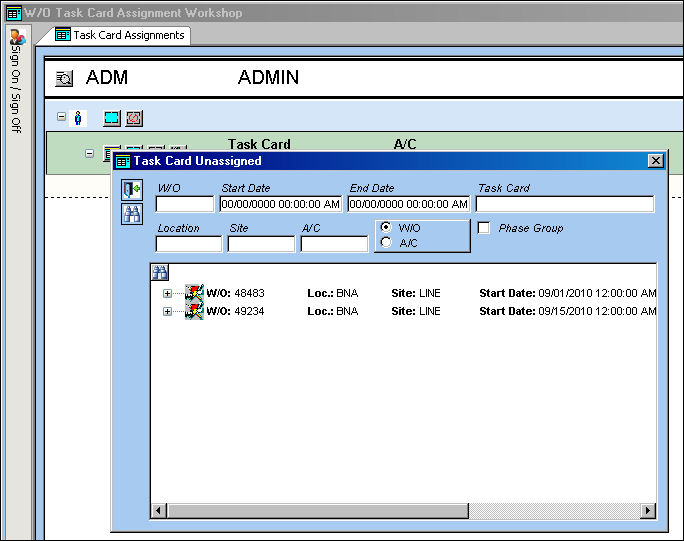
Select the Expand  buttons to view the unassigned Task Cards. To assign a Task Card, double-click on the Task Card then select OK at the Save prompt.
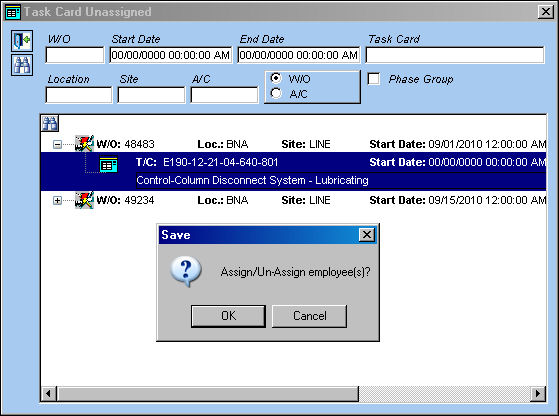
An informational prompt appears stating that the work has bee assigned successfully.
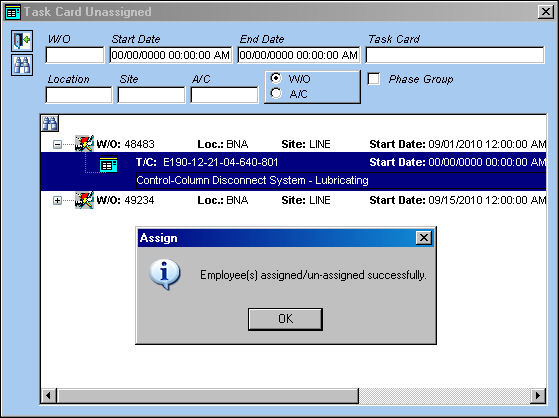
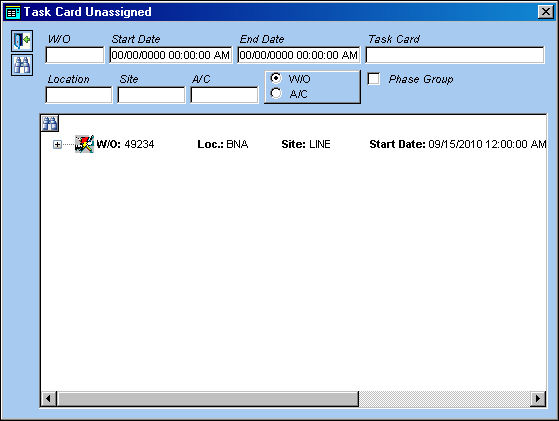
Once the T/C is assigned, it is automatically removed from the Task Card Unassigned window.
Back from the W/O Task Card Assignment Workshop window, the T/C is listed and available to be worked on.
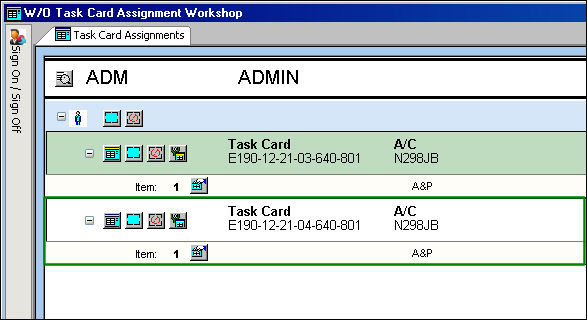
For more information on performing work in the workshop window, refer to the W/O T/C Assignment Workshop, Task Card Assignment Tab via the Production Training Manual.
Share
Print
|
©1997-2026 Trax USA Corp. All rights reserved. This manual may not be copied, photocopied, reproduced, translated, or converted to any electronic or machine-readable form, in whole or in part, without prior written approval from Trax USA Corp. |
 |