
 Share
Share
 Print
Print
|
|
|
|
|


The Picklist Cancel  button allows a user to cancel a picklist that was created for a Requisition.
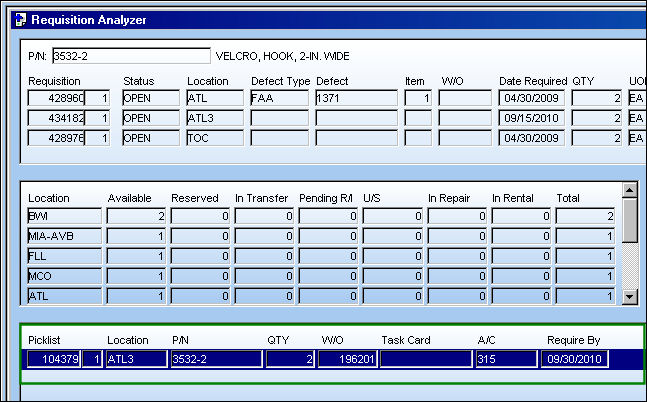
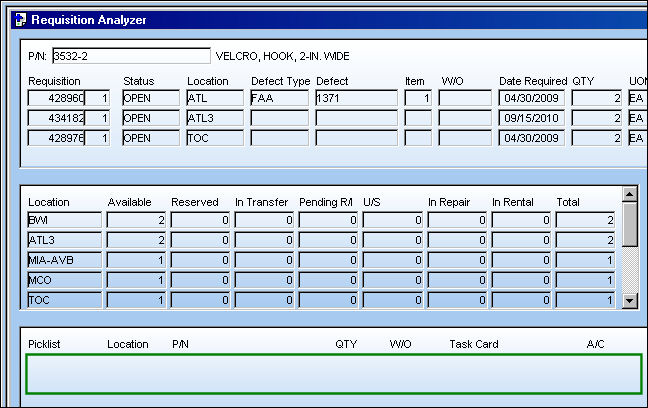
From the Requisition Analyzer window, select (highlight) the desired Picklist to be canceled and select the Picklist Cancel button.
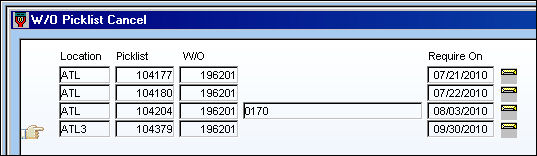
TRAX displays the W/O Picklist Cancel window. Place the Hand  pointer on the Picklist the user would like to cancel and click on the Select
  button.
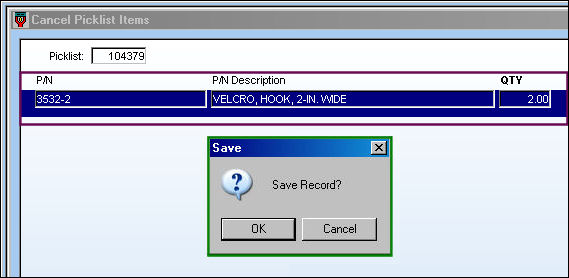
The Cancel Picklist Items window appears. The detail for the selected Picklist is displayed. Select the Picklist so that it is highlighted (in blue) and select the Save  button. The Save prompt appears. Select 'OK.'
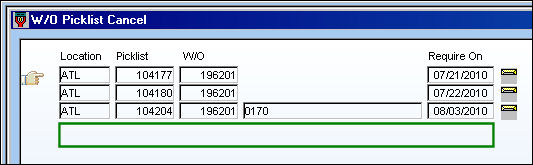
The Picklist is removed from the W/O Picklist Cancel window:
The Picklist is removed from the Requisition Analyzer window:
Share
Print
|
©1997-2026 Trax USA Corp. All rights reserved. This manual may not be copied, photocopied, reproduced, translated, or converted to any electronic or machine-readable form, in whole or in part, without prior written approval from Trax USA Corp. |
 |