
 Share
Share
 Print
Print
|
|
|
|
|


The W/O Prints tab via the Interactive Planner provides users with a list of the specific W/O related prints along with the user who printed each detail. The same tab can be found in the W/O header window in the Production module. This tab is informational only.
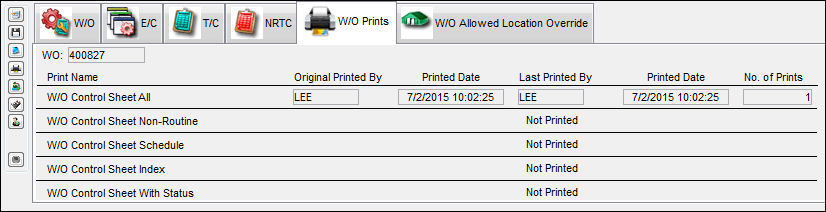
The following information/options are available in this window:
_____________________________________________________________________________________
W/O
The Work Order used to categorize, manage, and schedule work requirements for aircraft maintenance.
Print Name
The names of all of the prints applicable to a Work Order.
Original Printed By
The user who originally printed the Work Order.
Printed Date
The date that the W/O was originally printed.
Last Printed By
The user who last printed the W/O.
Printed Date
The most recent date/time that the W/O was printed.
No. of Prints
The number of times it's been printed.
_____________________________________________________________________________________
Share
Print
|
©1997-2026 Trax USA Corp. All rights reserved. This manual may not be copied, photocopied, reproduced, translated, or converted to any electronic or machine-readable form, in whole or in part, without prior written approval from Trax USA Corp. |
 |