
 Share
Share
 Print
Print
|
|
|
|
|


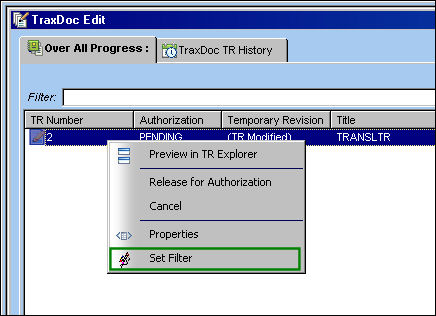
The Set Filter  button allows the user to filter for any desired information. This is helpful when many TRs appear in the TraxDoc Edit window and the user is looking for a specific one.
From the TraxDoc Edit window, highlight and right-click the TR. From the drop down menu, select the Set Filter button:
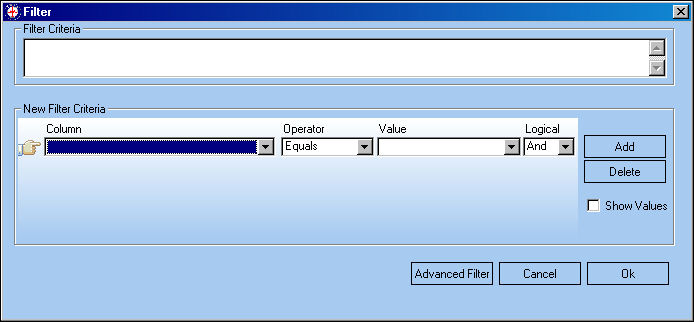
The Filter window appears, allowing the user to filter for whatever criteria they desire:
Share
Print
|
©1997-2026 Trax USA Corp. All rights reserved. This manual may not be copied, photocopied, reproduced, translated, or converted to any electronic or machine-readable form, in whole or in part, without prior written approval from Trax USA Corp. |
 |