
 Share
Share
 Print
Print
|
|
|
|
|


The Preview in TR Explorer  button shows both the Original Data of the TraxDoc Document and the Temporary Revision Data.
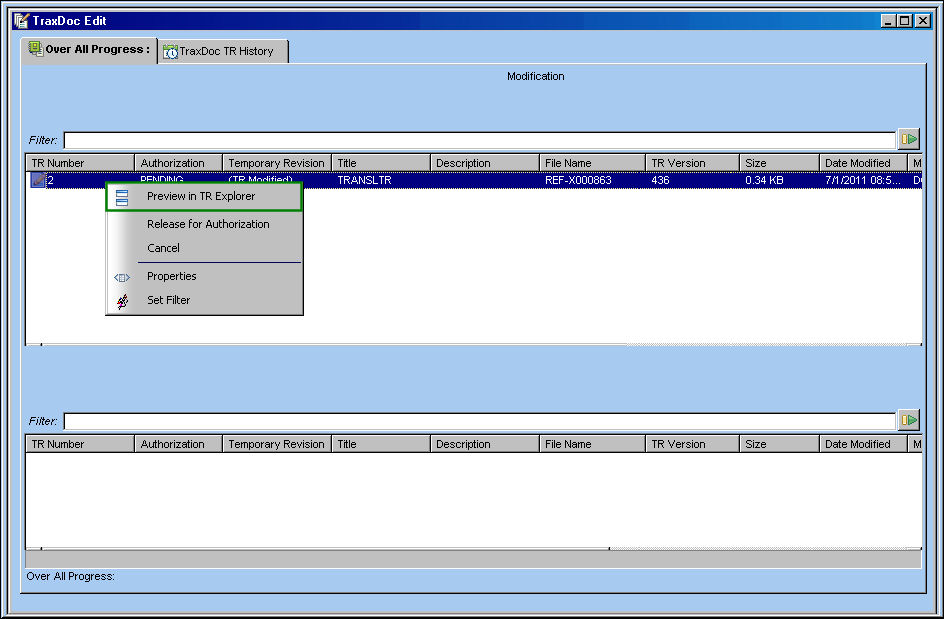
From the TraxDoc Edit window, right-click on the TR. From the below drop down, select the Preview in TR Explorer button:
The user is taken to the TraxDoc TR Explorer window where the TR is displayed as shown below:
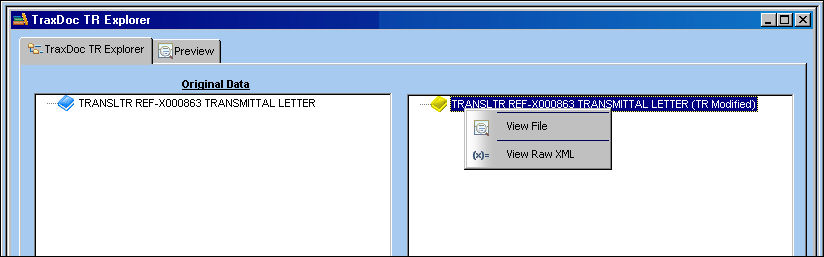
Right-click in the right panel and select the View File button.
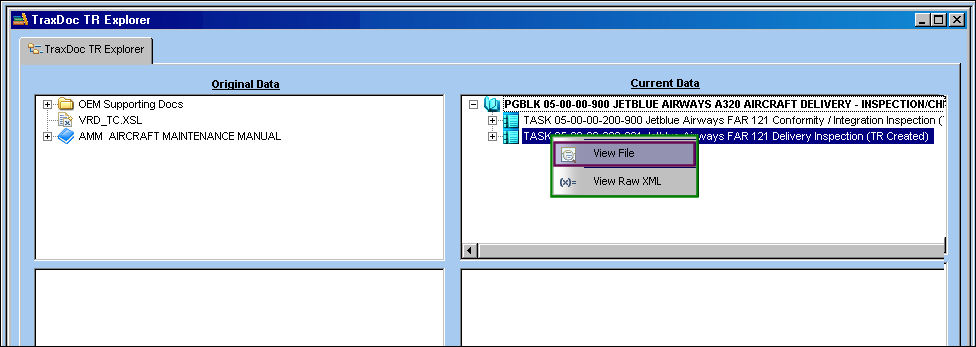
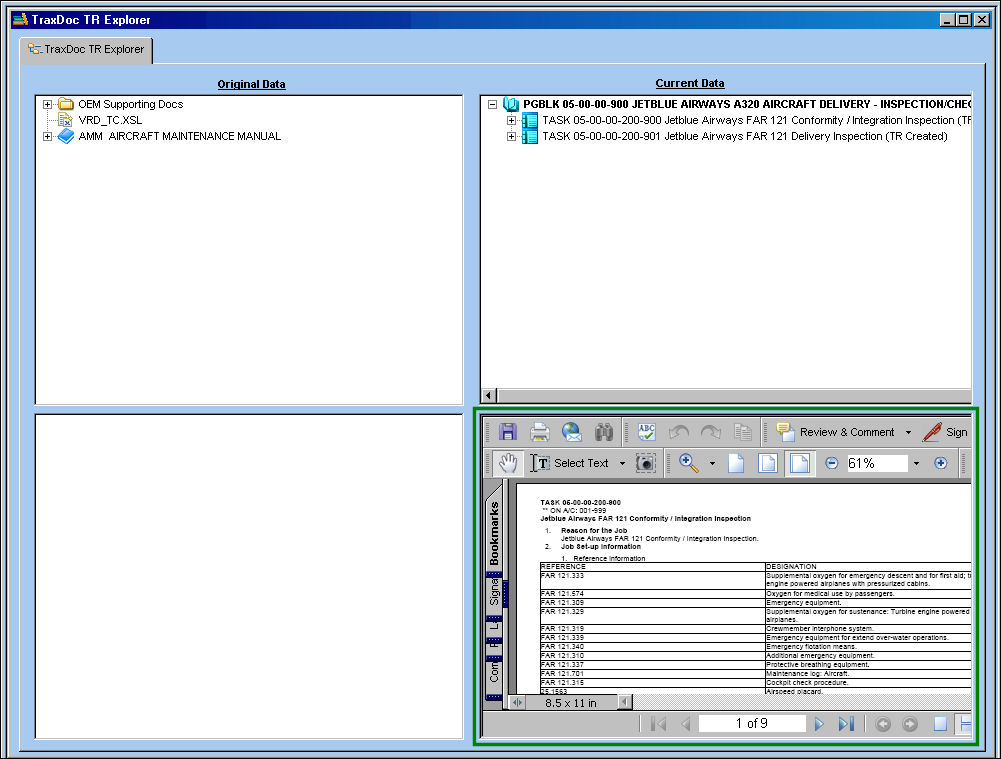
The TR Task is displayed in the lower right panel as shown below:
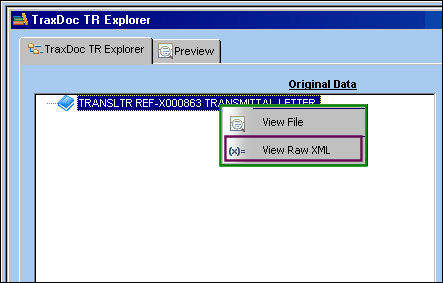
Select the View Raw XML  button to view the raw XML file:
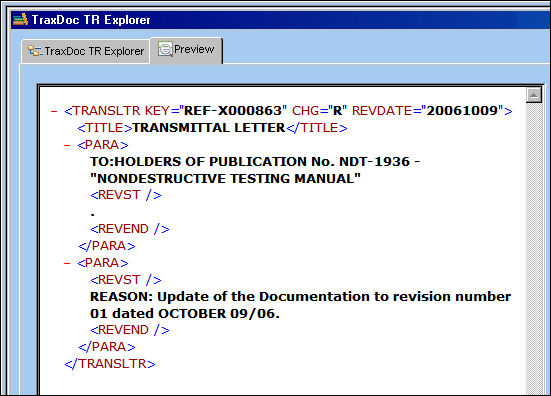
The raw xml is shown below:
For more information on additional functionality within this feature, the following tabs and buttons are available:
TraxDoc TR Explorer Tabs |
TraxDoc TR Explorer Buttons |
|---|---|
|
|


 Cancel button
 Share
Print
Share
Print
|
©1997-2026 Trax USA Corp. All rights reserved. This manual may not be copied, photocopied, reproduced, translated, or converted to any electronic or machine-readable form, in whole or in part, without prior written approval from Trax USA Corp. |
 |