
 Share
Share
 Print
Print
|
|
|
|
|


Users are able to run the Inventory Optimization calculations by first selecting a Location and it's relevant parts instead of a single P/N by selecting the P/N By Location  button via the Inventory Optimization (Rotable) window. Once a Location is selected, all corresponding parts will appear (see below for more information regarding the Location checkboxes). At this point, inventory adjustments can be made to the parts listed via the P/N By Location tab and Requisitions can be created for the Locations's parts via the Requisitions
  button. For detailed information on how these inventory calculations work, refer to the Inventory Optimization (Rotable) via the Inventory Training Manual.
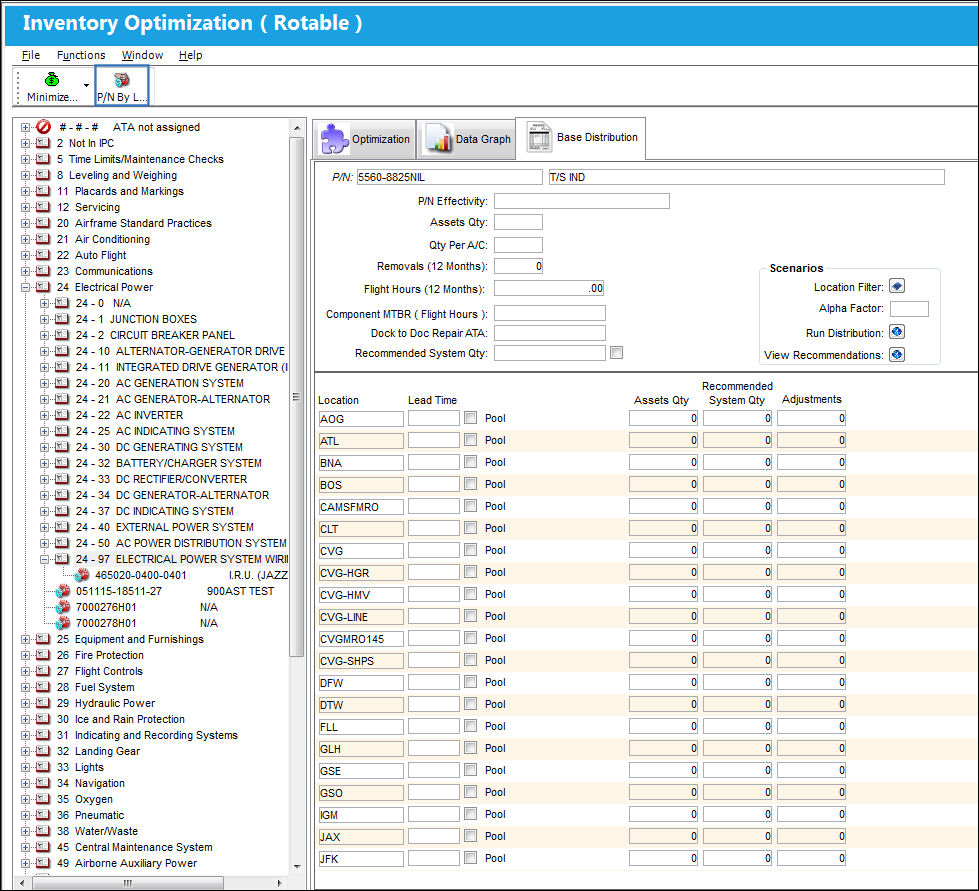
Select the Location where the inventory amounts need to be managed.
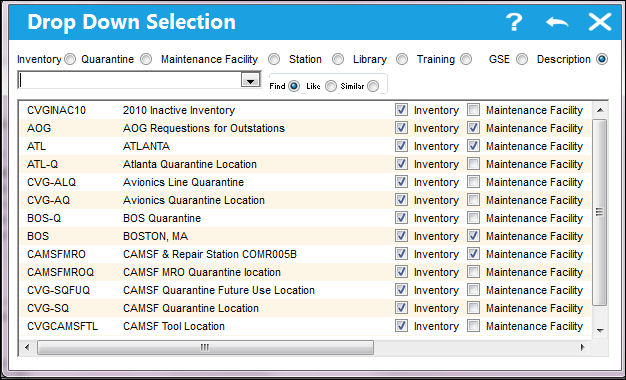
Once a Location is selected, all P/Ns that have the same Location checkboxes selected (via the P/N Master) as the Location itself (via the Location Master) will be displayed. For example, notice the following Location (DEN) via the Location Master and its Location checkbox selections. Then notice the following P/N (VM-001) via the P/N Master, Inventory tab and its Location checkbox selections. Because the Location and the P/N have the same Location checkboxes selected, this P/N will appear in the Inventory Optimization window. All other P/Ns with the same Location checkboxes selected will also be listed in this window.
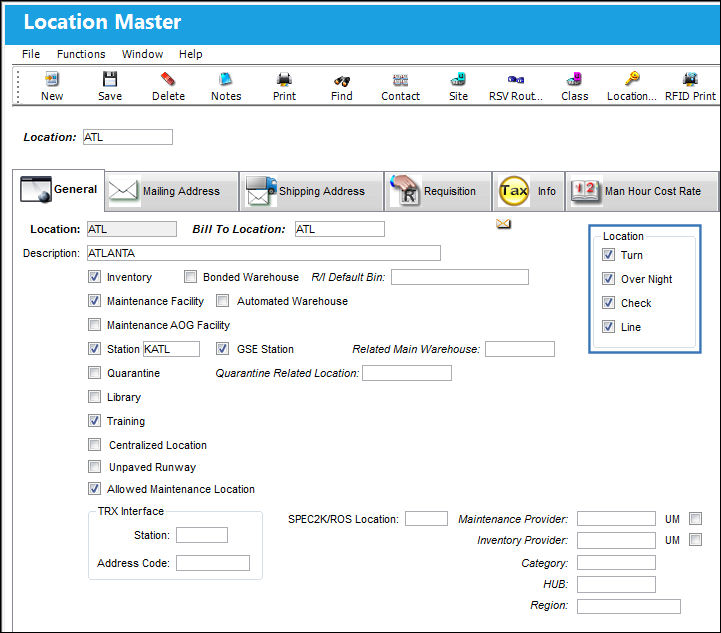
For more information regarding the Location checkboxes, refer to the Location Master, General Tab and the P/N Master, Inventory Tab via the Settings Training Manual.
Once the Location is selected, all of the corresponding P/Ns are displayed in the P/N By Location tab.
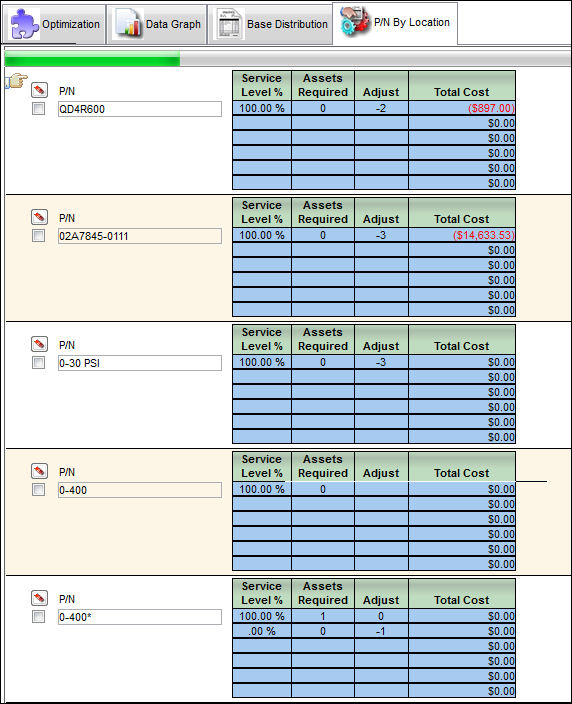
This tab is only available when the P/N By Location button is selected.
From the P/N By Location tab, the following fields are available to modify the Inventory Optimization calculation.
_____________________________________________________________________________________
Location
The Location for maintenance events, inventory stores, orders, transactions, or training events. The Location that requires inventory modifications.
Delete  button
When selected, the P/N is removed from the listing parts for that Location.
P/N
The Part Number reference for the aircraft part. The Part Number that needs to have its inventory totals adjusted for the selected Location.
Select checkbox
Allows users to select a P/N in order to create Requisition.
Service Level %
The result of the Service Level % from the query. This field can be edited by users.
Assets Required
The number of parts required to achieve the Service Level %. This field can be edited by users. If changed, the Adjust field and the Total Cost field will be automatically updated.
Adjust
The number of parts needed to be added or removed to arrive at the Assets Required value.
Total Cost
The total cost of adding or removing recommended assets based on recommended adjustments.
_____________________________________________________________________________________
Users are allowed to create Requisitions for parts by selecting the part then selecting the Requisition button. For more information refer to the Requisition Button, via the P/N By Location Button.
Users are also allowed to export the part information listed the P/N By Location tab by selecting the Export Excel  button. For more information refer to the Export Excel Button, via the P/N By Location Button.
Share
Print
|
©1997-2026 Trax USA Corp. All rights reserved. This manual may not be copied, photocopied, reproduced, translated, or converted to any electronic or machine-readable form, in whole or in part, without prior written approval from Trax USA Corp. |
 |