
 Share
Share
 Print
Print
|
|
|
|
|


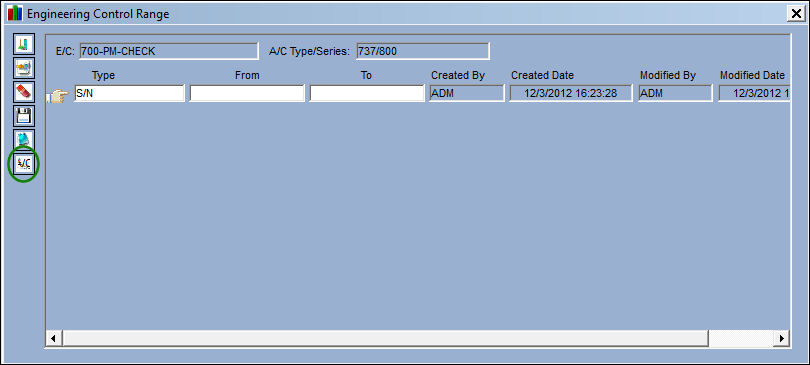
The Individual A/C Selection  button allows the selection and creation of multiple individual range records using cross reference information for every serialized A/C. This button is also available for the Assign Warranty Effectivity By Range functionality and works the same way.
The Individual A/C Selection button will not be visible in the Engineering Control Range window if Switch  RANGEHELPER is set to No.
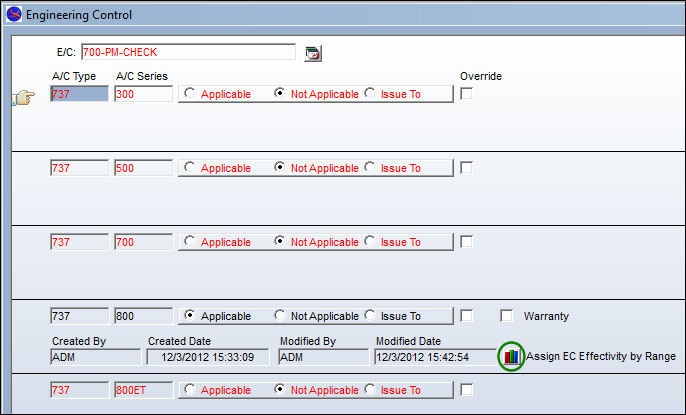
From the Engineering Control window, select the Assign EC Effectivity by Range  button:
TRAX displays the Engineering Control Range window. Select the Individual A/C Selection button:
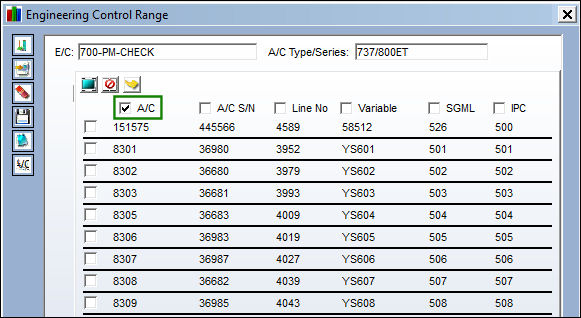
The following columns display referencing A/C Master information.
The range helper functionality will allow the user to apply a range using the A/C S/N, Line No. , Variable, SGML, or IPC depending on which checkbox is selected.
The header for each column will include a checkbox. The user is be able to select one (and only one) checkbox at the top of the window, and then continue to select one or more line item(s) using the checkboxes on the left side of the window.
If no header (ie. A/C S/N), the default header will be A/C.
Select one or multiple A/Cs and click on the Select  button.
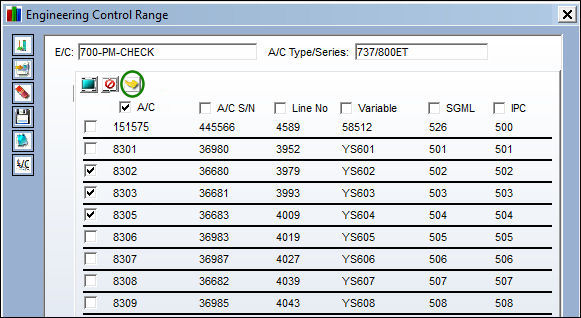
Individual A/C range records are created for the specified A/C using the A/C S/N. Select the Save  button.
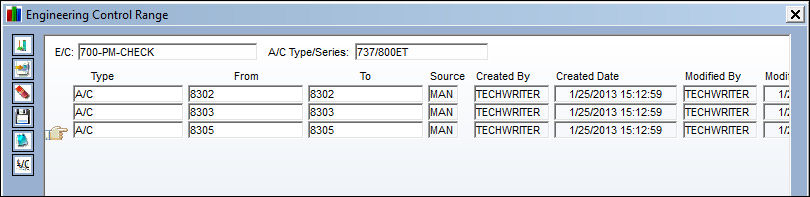
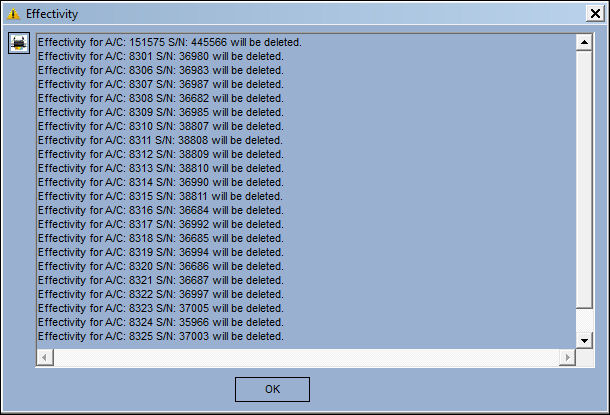
The following Effectivity pop up appears. Select 'OK.'
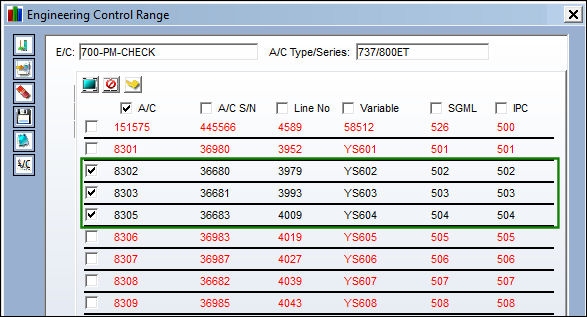
The correct effectivity is applied. The details in red indicate that effectivity was not applied.
The checkbox for the items that are effective cannot be selected/deselected.
The items in red can be selected, however the effectivity will not be applied until the records are saved and the Range Helper is opened again.
Share
Print
|
©1997-2026 Trax USA Corp. All rights reserved. This manual may not be copied, photocopied, reproduced, translated, or converted to any electronic or machine-readable form, in whole or in part, without prior written approval from Trax USA Corp. |
 |