
 Share
Share
 Print
Print
|
|
|
|
|


The Individual A/C Selection  button allows the selection and creation of multiple individual range records using cross reference information for every serialized A/C.
The Individual A/C Selection button will not be visible in the P/N Effectivity window if Switch  RANGEHELPER is set to No.
From the P/N Effectivity window, select the P/N Range  button:
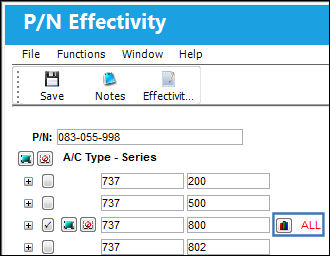
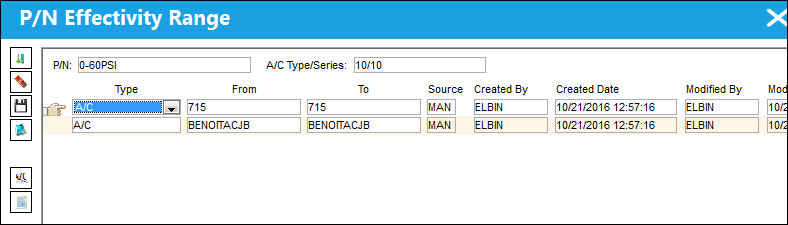
TRAX displays the P/N Effectivity Range window. Select the Individual A/C Selection button:
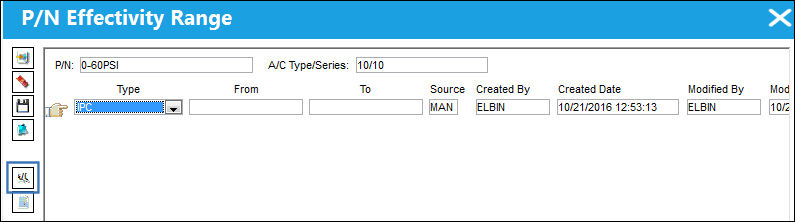
The following columns display referencing A/C Master information.
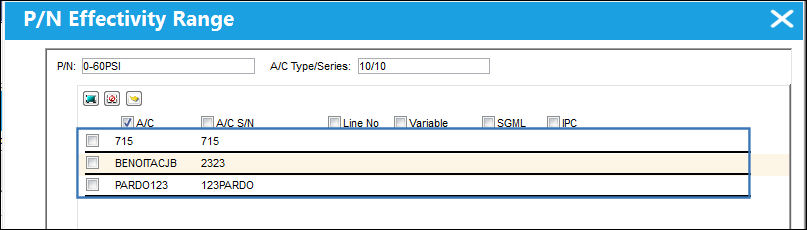
Select multiple A/Cs and click on the Select  button.
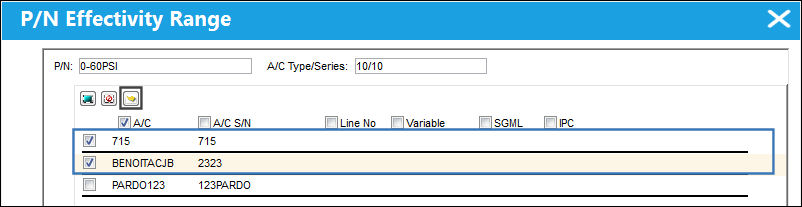
Individual A/C range records are created for the specified A/C. Select the Save  button.
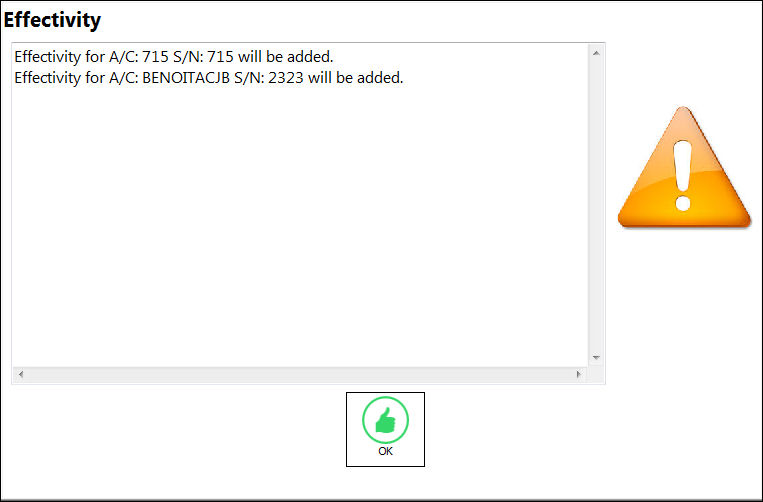
The following Effectivity pop up appears. Select OK.
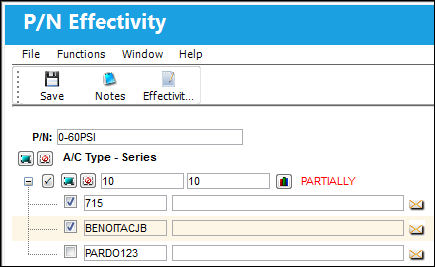
The correct effectivity is applied:
Share
Print
|
©1997-2026 Trax USA Corp. All rights reserved. This manual may not be copied, photocopied, reproduced, translated, or converted to any electronic or machine-readable form, in whole or in part, without prior written approval from Trax USA Corp. |
 |