
 Share
Share
 Print
Print
|
|
|
|
|


Create a TraxDoc for a Basic Document
TraxDoc/ Update/ TraxDoc Master/ TraxDoc Document, General Tab
A basic TraxDoc document can be files such as image files, text documents (Word, PDF), print captures, scans, etc. Regardless of the method that is chosen, the entered files can be converted to PDF and stored in TraxDoc. The original file (before PDF conversion) will also be stored in the system so that it can be revised later if required.
To create a TraxDoc, select the New  button from the TraxDoc Master window. First, populate all of the necessary fields in the TraxDoc Document, General tab.
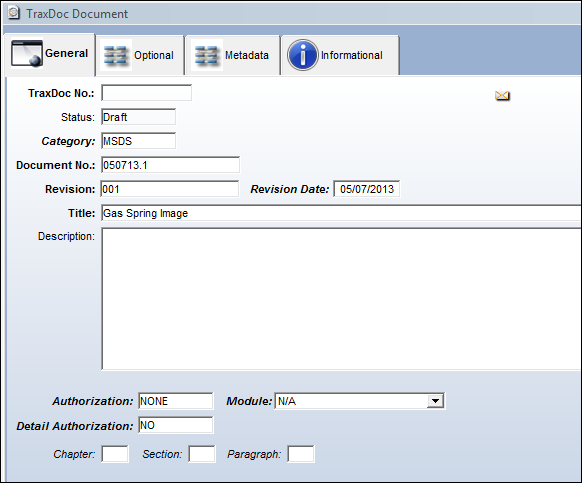
For more information on all of the fields in this tab, refer to the TraxDoc Document Detail, General Tab.
Share
Print
|
©1997-2026 Trax USA Corp. All rights reserved. This manual may not be copied, photocopied, reproduced, translated, or converted to any electronic or machine-readable form, in whole or in part, without prior written approval from Trax USA Corp. |
 |