
 Share
Share
 Print
Print
|
|
|
|
|


Create a TraxDoc for OEM Data
TraxDoc/ Update/ TraxDoc Master/ TraxDoc Document, General Tab
The most useful feature of TraxDoc is the ability to enter extensive amounts of Manufacturer SGML Data automatically. These data files include Service Bulletins, Aircraft Maintenance Manuals, Illustrated Parts Catalogs, and many other formats. By creating TraxDocs to enter this data, users are not required to enter vast amounts of data records manually.
To create a TraxDoc, select the New  button from the TraxDoc Master window. First, populate all of the necessary fields in the TraxDoc Document, General tab.
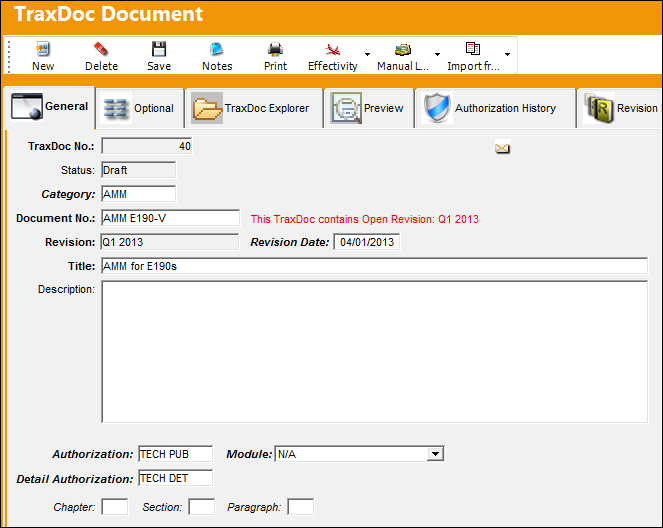
For more information on all of the fields in this tab, refer to the TraxDoc Document Detail, General Tab.
Share
Print
|
©1997-2026 Trax USA Corp. All rights reserved. This manual may not be copied, photocopied, reproduced, translated, or converted to any electronic or machine-readable form, in whole or in part, without prior written approval from Trax USA Corp. |
 |