
 Share
Share
 Print
Print
|
|
|
|
|


View Import Progress and Errors/Warnings
TraxDoc/ Update/ TraxDoc Master/ TraxDoc Document/ Import from OEM Manual Button
Once the import process has begun, the TraxDoc Import window comes up automatically. This window displays the progress of the import as well as any errors or warning that may come up.
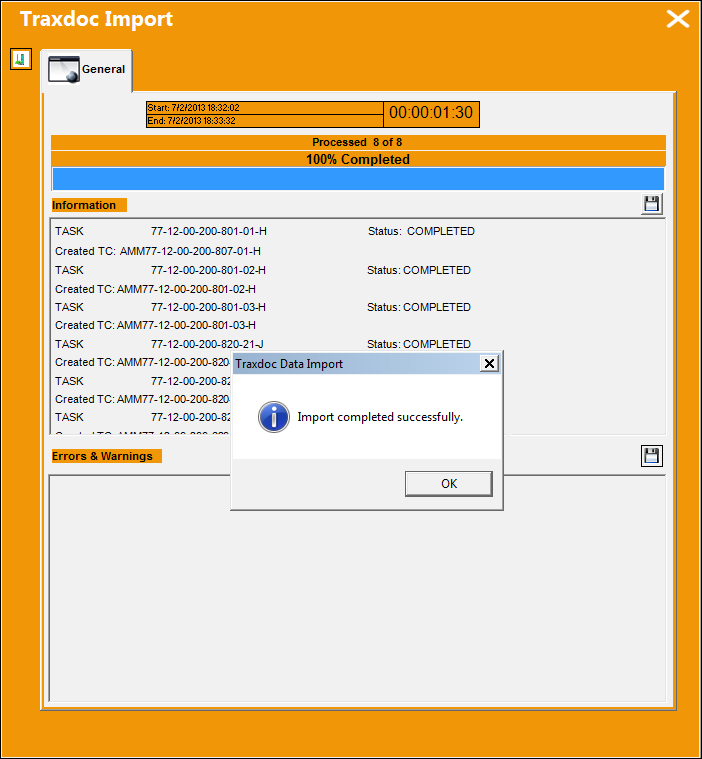
Users can select the Save  button at the top to create a PDF for the general information of the import, or users can select the Save button at the bottom of the window to create a PDF for the Errors and Warnings generated.
Users can verify that the Task Cards were imported properly by going to the Task Card window and searching for the AMM's T/Cs.
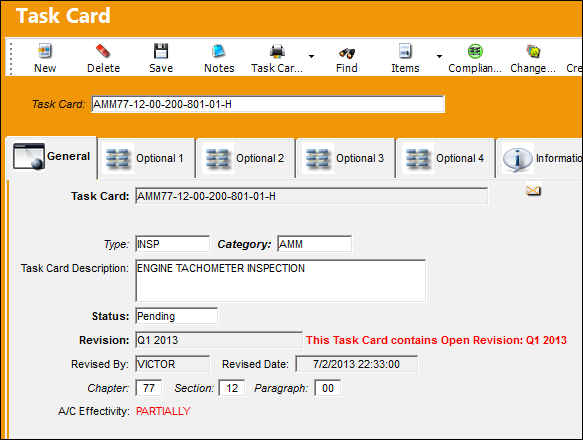
At this point, the TraxDoc import needs to be authorized. For more information refer to Perform Authorization Steps.
Share
Print
|
©1997-2026 Trax USA Corp. All rights reserved. This manual may not be copied, photocopied, reproduced, translated, or converted to any electronic or machine-readable form, in whole or in part, without prior written approval from Trax USA Corp. |
 |