
 Share
Share
 Print
Print
|
|
|
|
|


What kind of data is being imported?
TraxDoc/ Update/ TraxDoc Master/ TraxDoc Document/ Import from OEM Manual Button
Once the raw data is imported into the TraxDoc via XML, the data must be imported into usable records in the TRAX database. To do so, users must select the Import from OEM Manual  button via the TraxDoc Document window.
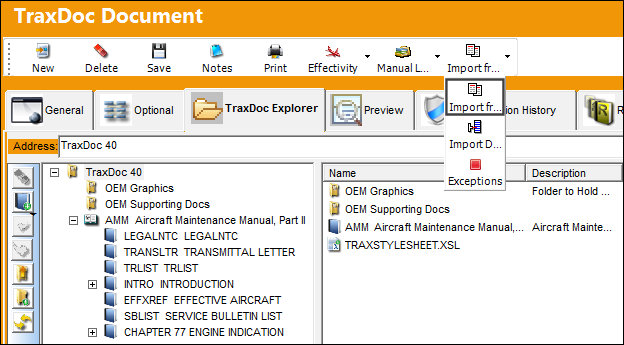
Note: Aircraft Effectivity must be applied before the Import from OEM Manual button is selected.
The import window's display and available options will be configured depending on the type of TRAX records being created. These types of imports are determined by the SGML/XML Doctype selection in the TraxDoc Explorer tab. Two of the most common records created via TraxDoc are Task Cards and Parts:
There are several other ways that Task Cards and parts can be imported into TRAX through TraxDoc. For more information on some of the other options, refer to the SGML Doctype Imports.
 This decision pertains to the TraxDoc Process.
Share
Print
|
©1997-2026 Trax USA Corp. All rights reserved. This manual may not be copied, photocopied, reproduced, translated, or converted to any electronic or machine-readable form, in whole or in part, without prior written approval from Trax USA Corp. |
 |