
 Share
Share
 Print
Print
|
|
|
|
|


Enter a Category with appropriate Authorization settings
TraxDoc/ Update/ TraxDoc Master/ TraxDoc Document, General Tab
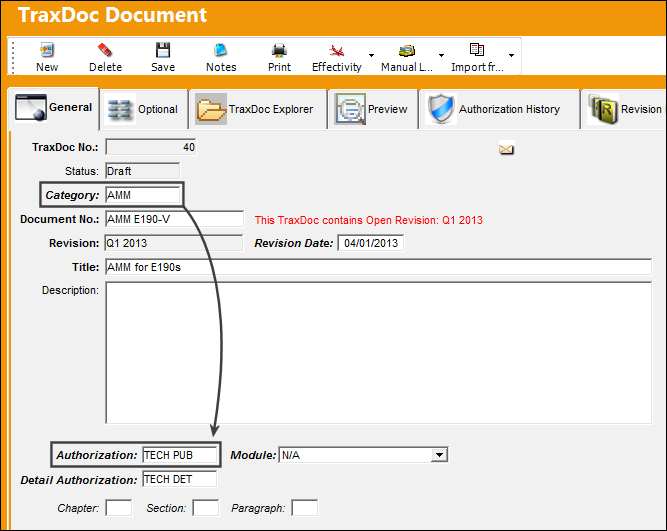
The Category field is not only used to help classify the type of TraxDoc being created, but it helps configure the security and authorization settings.
When the Category field is populated, the Authorization field is automatically updated. This only takes place if the TraxDoc Category transaction code contains a Default Authorization.
Note: For more information regarding the configuration of security and authorization, refer to the Configuring TraxDoc Security and Configuring TraxDoc Authorization sections.
Because the TraxDoc is new, it must go through the basic authorization process as well as a Revision authorization. For more information refer to the TraxDoc Revision Process.
Share
Print
|
©1997-2026 Trax USA Corp. All rights reserved. This manual may not be copied, photocopied, reproduced, translated, or converted to any electronic or machine-readable form, in whole or in part, without prior written approval from Trax USA Corp. |
 |