
 Share
Share
 Print
Print
|
|
|
|
|


Verify Authorization Steps
It's important to verify the authorization steps that were set up before completing the authorization. The Authorization field of the TraxDoc Document, General tab is linked to Authorization Steps though the TraxDoc Authorization transaction code.
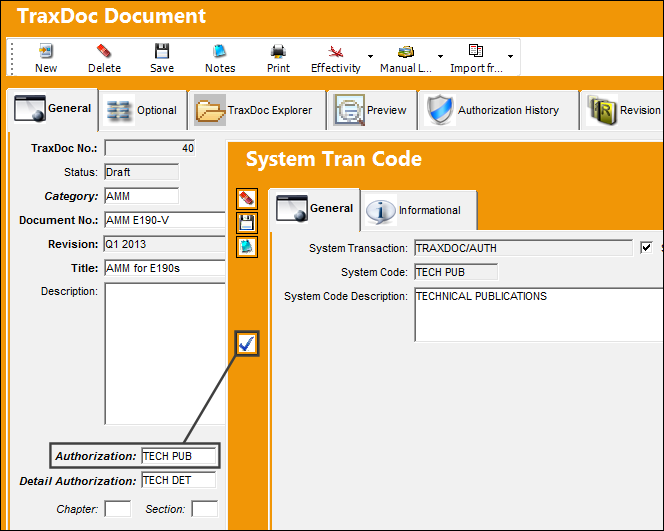
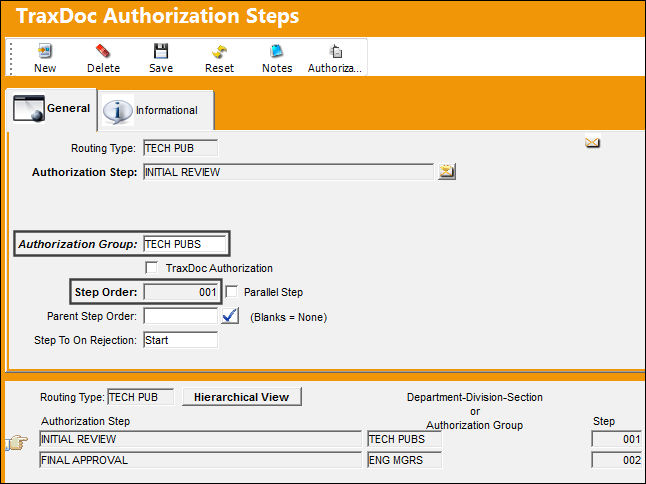
Notice that the following transaction code had two steps. The first one must be authorized by one group.
The second and final steps must be authorized by a different group.
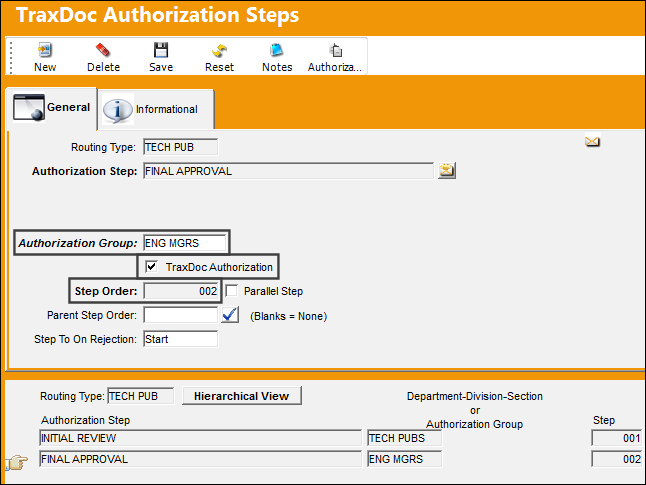
Note: Only users who are members of the required TraxDoc Authorization Groups will be able to access the TraxDoc Authorization Explorer.
For more information refer to the Configuring TraxDoc Authorization section.
Share
Print
|
©1997-2026 Trax USA Corp. All rights reserved. This manual may not be copied, photocopied, reproduced, translated, or converted to any electronic or machine-readable form, in whole or in part, without prior written approval from Trax USA Corp. |
 |