
 Share
Share
 Print
Print
|
|
|
|
|


Cycle Count Setup
Parts are assigned a Cycle Count Code. The Cycle Count Codes are used to determine the frequency at which specific P/Ns are counted at your facility during the Physical Inventory process.
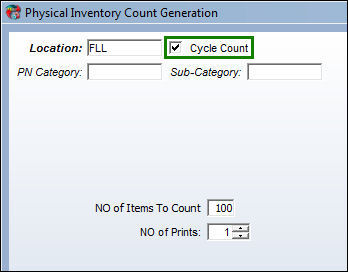
When you select the Cycle Count checkbox the filter settings on the window change to only display Location and P/N Category information as shown below. This will allow the system to filter for all P/Ns with a designated Cycle Count Code.
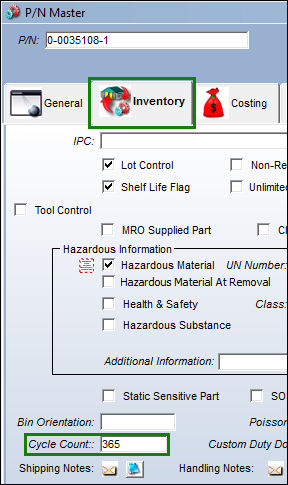
The Cycle Count Code is designated in the P/N Master, Inventory tab of the Settings module shown below. This code will allow the part to be counted at the appropriate frequency when performing the Physical Inventory process. In the Cycle Count field enter the code by which your facility would like to use to keep count of that part.
Cycle Count Code Setup:
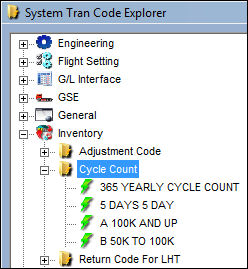
The Cycle Count code helps the user manage inventory, monitor usage and shortages on high usage or high dollar value inventory; while providing an easy way of dividing the days between Stock Counting activities and utilizing stock personnel during low maintenance seasons. The Cycle Count code may be entered via Setting/Explorer/System Transaction Codes. Set-up is identical to the creation of any other System Transaction Code and contains additional fields for the Cycle Count Days and entry of the Cycle Count Update Conditions (Category, Cost From – To, 12 Months Usage From –To), as shown below:
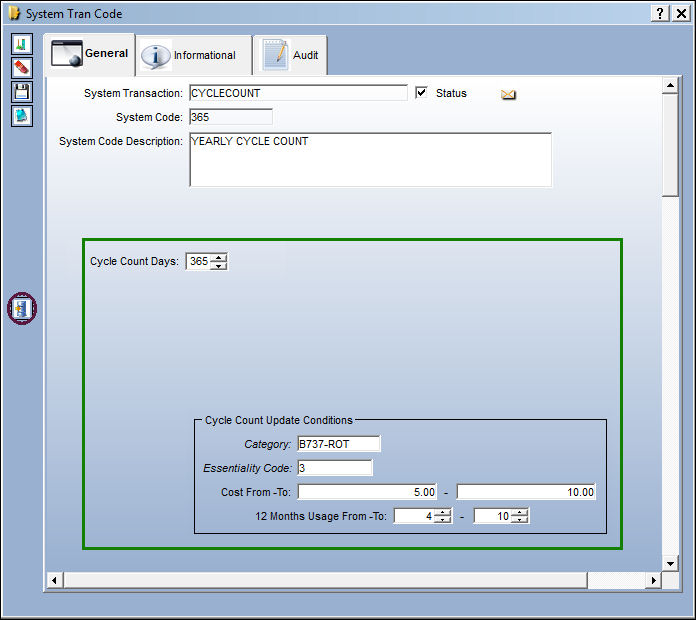
Enter/update the following information in the System Transaction Code:
Field |
Function |
Cycle Count Days |
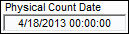
The number of days between stock day counts for all inventory with a specific cycle count at a specific location. The Physical Count Date located in the Inventory Transaction window, will look at the last count and whether the count date has exceeded 90 days based on usage conditions.
|
Cycle Count Update Conditions:
Field |
Function |
Category |
Select the P/N Category for which the user would like to update the Cycle Count System Transaction Code. |
Essentiality Code |
Select the Essentiality Code to update the Cycle Count System Translation Code. The Essentiality Code is set up at the Technical Engineering tab, of the P/N Master. |
Cost From - To |
Select the range (from-to) for the cost of the part(s) for which the user would like to update the Cycle Count Tran code. This enables the user to assign stock cycles based on cost range. Part Number cost is based on P/N Average Cost which is maintained in the P/N Master, Costing Tab. The part must have previous transaction history and it will calculate the cost based on the range defined here in the Cost From - To and the P/N cost. |
12 Months Usage From - To |
Select the 12 months usage range (from - to) for parts that have been issued within the last 12 month range period. (This is only applicable to issues: manual issue, express issue, etc). |
The Cycle Count Update Conditions allow the user to apply these stock cycles based on actual history. To apply the proper cycle to the P/N the user must select the Update Inventory Cycles Count  button which appears on the Cycle Count System Transaction Code. Once selected, the P/N Cycle Count field will update with the appropriate cycle. In addition, the user also has the option to apply these stock cycle codes directly to each part number within the P/N Master, Inventory Tab.
End of Cycle Count Setup.
Share
Print
|
©1997-2026 Trax USA Corp. All rights reserved. This manual may not be copied, photocopied, reproduced, translated, or converted to any electronic or machine-readable form, in whole or in part, without prior written approval from Trax USA Corp. |
 |