
 Share
Share
 Print
Print
|
|
|
|
|


Setup Ownership Control for the A/C
In the Aircraft Master, Other 1 tab, set the Ownership Control to ‘Managed’ and select the Customer for each aircraft in the customer’s fleet.
Select an aircraft, then go to the Other 1 Tab.
- In the Ownership Control Field select ‘Managed’.
- In the Customer Field select a customer.
- Click on the Save
 button.
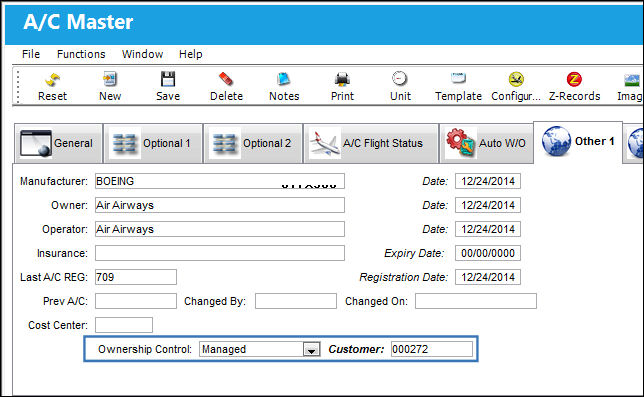
TRAX updates the A/C Master now with the specified A/C Ownership control information.
Share
Print
|
©1997-2026 Trax USA Corp. All rights reserved. This manual may not be copied, photocopied, reproduced, translated, or converted to any electronic or machine-readable form, in whole or in part, without prior written approval from Trax USA Corp. |
 |