
 Share
Share
 Print
Print
|
|
|
|
|


From the A/C Out of Service window, select the Audit Header Level  button.
TRAX displays the A/C Out of Service Header Audit window which allows the user to view all changes made to a record. This includes the last Date the change was made, by whom the change was made and what the changes are. The tree-like view allows the user to expand and collapse each record per transaction.
For information regarding changes made to a record including all dates, refer to the Audit Detail Level button via the A/C In/Out Service Button.
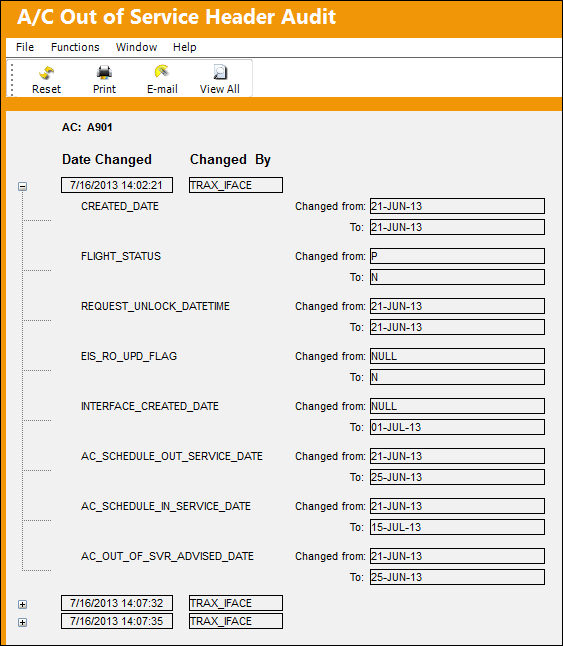
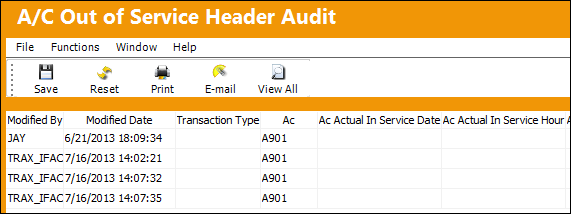
From this window, the user may print and email the audit. Select the View All  button.(Insert 12 Image)
Share
Print
|
©1997-2026 Trax USA Corp. All rights reserved. This manual may not be copied, photocopied, reproduced, translated, or converted to any electronic or machine-readable form, in whole or in part, without prior written approval from Trax USA Corp. |
 |