
 Share
Share
 Print
Print
|
|
|
|
|


The A/C In/Out Service  button is used by the Maintenance Control department to place an A/C out of service and then return it to service as necessary.
For additional information regarding the fields and functions within the A/C Out of Service, General tab, refer to the A/C In/Out Service Button, via the Defect Report section of the Technical Records Training Manual.
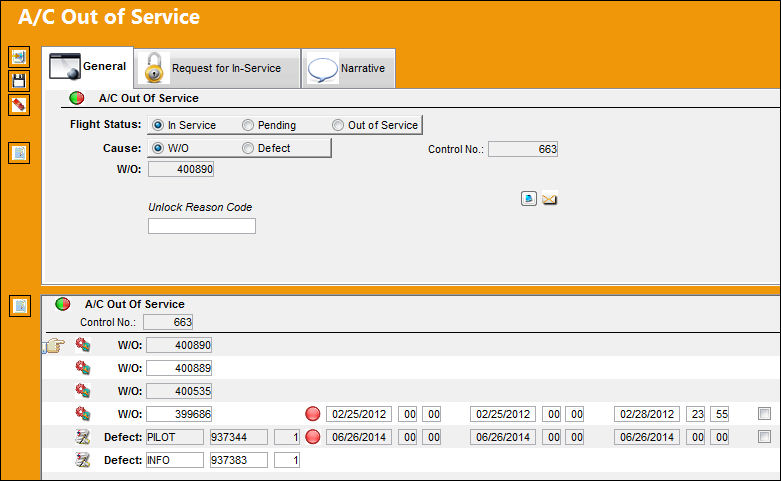
 This window and all options within are security-controlled via both Technical Records/ Update/ Defect Report/ A/C In/Out Service and Technical Records/ Update/ A/C Controller Panel/ Defect A/C In/Out Service. Access to both of those settings must be granted to be able to access this button. For more information refer to the Security Explorer via the System Administration Training Manual.
 Note: This button is security-controlled via Technical Records/ Update/ A/C Controller Panel/ OOS Button. For more information, refer to the Security Explorer via the System Administration Training Manual.
 Note: When an A/C's Flight Status is placed Out of Service, placed In Service, or any additional changes have been made, a System Notification will be sent as configured. However, a System Notification will not be sent if the A/C's Flight Status changed to Pending. For more information, refer to System Notification via the Settings Module.
The following information/options are available in this window:
_____________________________________________________________________________________
Audit Header Level  button
Select this button to view any audits to the header level.
Audit Detail Level button
Select this button to view any audits to the detail level.
Hold Boarding checkbox
Select this checkbox to hold boarding of the aircraft.
_____________________________________________________________________________________
Share
Print
|
©1997-2026 Trax USA Corp. All rights reserved. This manual may not be copied, photocopied, reproduced, translated, or converted to any electronic or machine-readable form, in whole or in part, without prior written approval from Trax USA Corp. |
 |