
 Share
Share
 Print
Print
|
|
|
|
|


The Reminder/Alert  button allows the user to set up reminders/alerts based on the type of alert the user would like to create.
From the A/C Controller Panel window, select the Reminder/Alert button.
TRAX displays the Reminder/Alert Window:
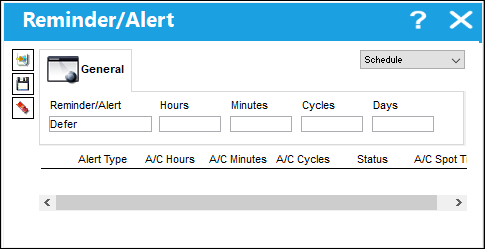
Enter/verify the following criteria that will establish the reminder/alert profile:
_____________________________________________________________________________________
Drop down menu
Select Schedule, Spot Time, or Status as the reason for the reminder/alert, via the drop-down menu.
When the Recurrent reason is selected, the following fields become viewable:
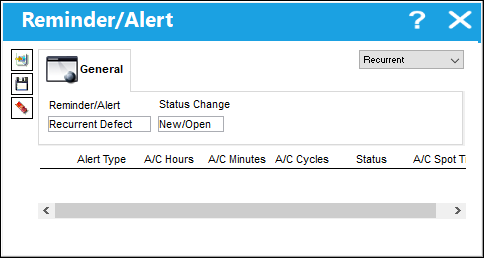
Reminder/Alert - Select to have a recurrent reminder/alert set-up when ever a new defect is created.
When the Status reason is selected, the following fields become viewable:
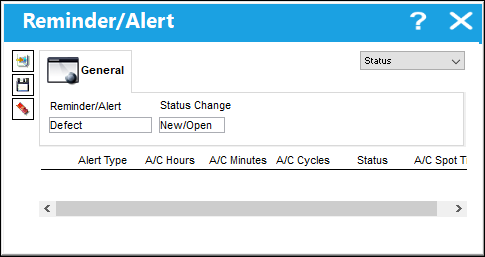
Status Change - The status of the defect. The options to select from are (New/Open), Updated, or Completed. The user will receive a reminder when the status of a defect has either been updated, completed, or a new defect has been created.
When the Spot Time reason is selected, the following fields become available:
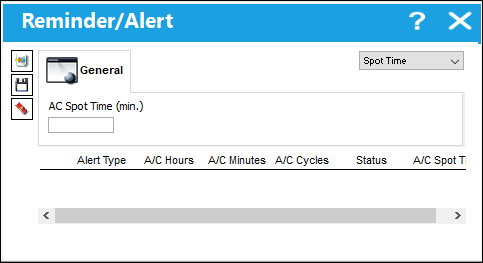
A/C Spot Time (min) - This works with the ETA (Estimated Time of Arrival). Once the ETA matches the Spot Time defined here, the notification is sent to the users so that maintenance can perform a spot check of the aircraft upon its arrival.
When the Schedule reason is selected, the following fields become available:
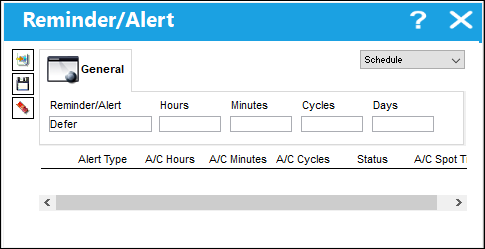
Reminder/Alert drop down
Select Defer, W/O (Work Order), or OOS ETR (Out of Service Estimated Time of Return) as the type of reminder/alert via the drop-down menu.
Hours
The hour the defect is coming due.
Minutes
The minute the defect is coming due.
Cycles
The number of cycles at which the defect is coming due.
Days
The number of days at which the defect is coming due.
_____________________________________________________________________________________
The following Status reason reminder/alert is created.
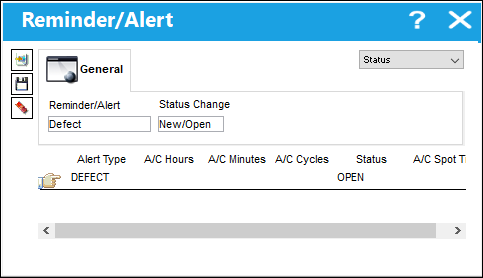
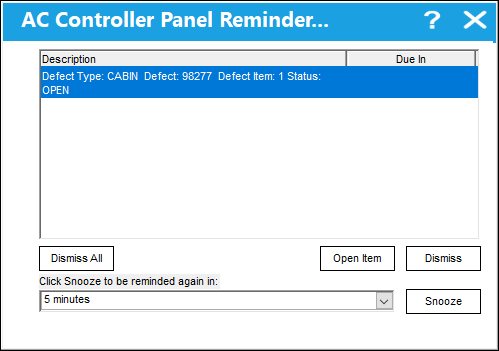
A new defect is created from the A/C Controller Panel and the following reminder message appears.
The user may have to exit and re-enter the A/C Controller Panel in order for the message to pop-up.
Share
Print
|
©1997-2026 Trax USA Corp. All rights reserved. This manual may not be copied, photocopied, reproduced, translated, or converted to any electronic or machine-readable form, in whole or in part, without prior written approval from Trax USA Corp. |
 |