
 Share
Share
 Print
Print
|
|
|
|
|


The Most Due Date  button allows the user to see the due date of the most overdue E/C for a Work Order.
 This feature is ONLY applicable to certain customized Aircraft Controllers and therefore may not be available for your company.
Setup:
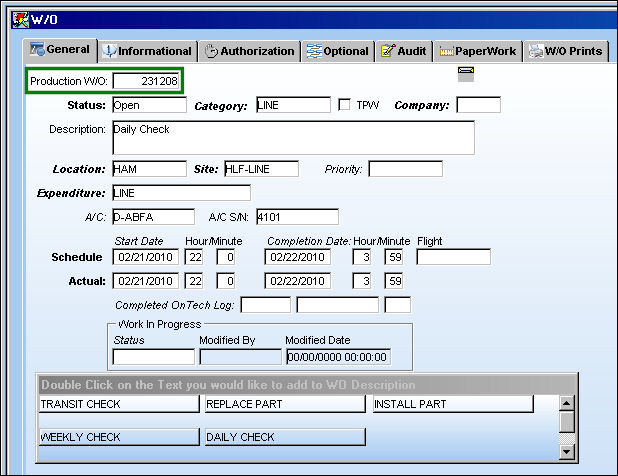
Work Order 231208 is created:
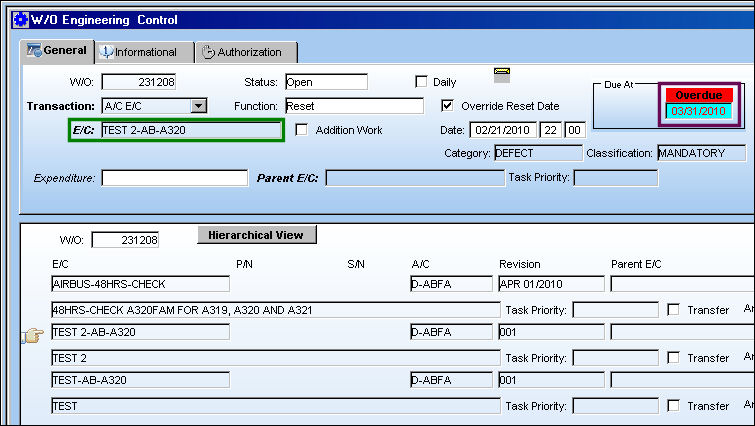
The following E/Cs are associated to the above Work Order. E/C TEST2-AB-A320 is the most overdue E/C on this Work Order.
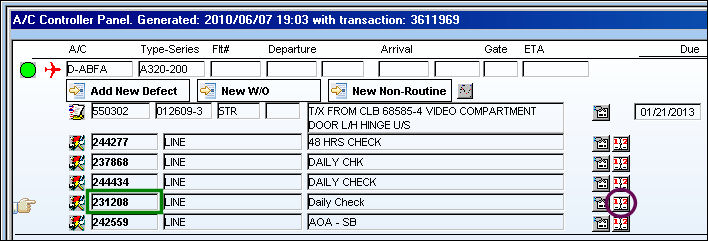
From the A/C Controller Panel, select the Most Due Date button for Work Order 24434:
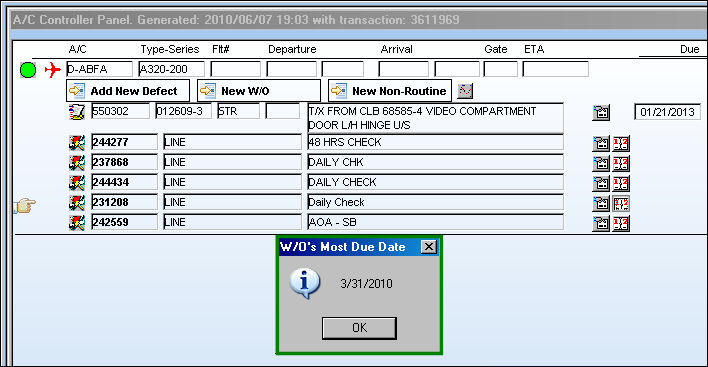
The following information box appears, showing the user the due date of the most overdue E/C for Work Order 24434:
Share
Print
|
©1997-2026 Trax USA Corp. All rights reserved. This manual may not be copied, photocopied, reproduced, translated, or converted to any electronic or machine-readable form, in whole or in part, without prior written approval from Trax USA Corp. |
 |