|
TRAX MANUALS > Technical Records > Technical Records Module > Technical Records, Update Menu > A/C Controller Panel > A/C Controller Panel Buttons > P/N APU Reading Button, via the A/C Controller Panel
P/N APU Reading Button, via the A/C Controller Panel
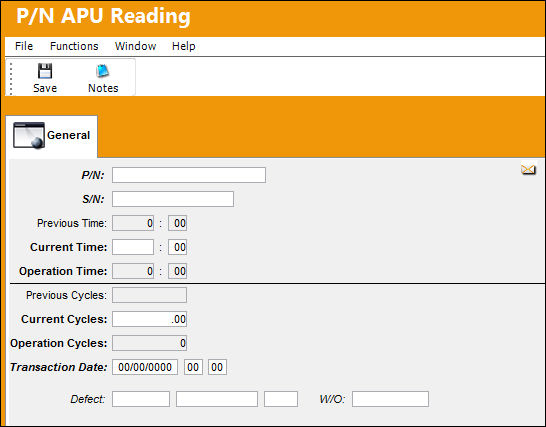
The P/N APU Reading  button allows user to record time specifically on the APU (Auxiliary Power Unit) if desired. button allows user to record time specifically on the APU (Auxiliary Power Unit) if desired.
From the A/C Controller Panel, select the P/N APU Reading button.
TRAX displays the P/N APU Reading window:
For additional information, refer to the P/N APU Reading section, via the Technical Records Training Manual.
 APU Process APU Process
|
See Also A/C Controller Panel Buttons Reset Button, via the A/C Controller Panel Find Button, via the A/C Controller Panel History Button, via the A/C Controller Panel Filter/Sort Button, via the A/C Controller Panel Reminder/Alert Button, via the A/C Controller Panel Task Card Template Button, via the A/C Controller Panel A/C Units Button, via the A/C Controller Panel A/C Out Of Service Button, via the A/C Controller Panel Add New Defect Button, via the A/C Controller Panel New Work Order Button, via the A/C Controller Panel Quick Entry Button, via the A/C Controller Panel Oil Consumption Button, via the A/C Controller Panel History Button, via the A/C Controller Panel Damage Chart Button, via the A/C Controller Panel Plan EC Button, via the A/C Controller Panel New Non-Routine Button, via the A/C Controller Panel Requisition Button, via the A/C Controller Panel Most Due Date Button, via the A/C Controller Panel MTC Opportunities Button, via the A/C Controller Panel |
|

 Share
Share
 Print
Print


