
 Share
Share
 Print
Print
|
|
|
|
|


The Task Card Template  button is used to add Task Cards to defects by using keywords.
For additional information regarding how to set up keywords, refer to the Task Card, Keywords Tab via the Task Card section of the Engineering - T/C Training Manual.
The Keywords tab only appears for Task Cards that contain a Task Card Category that have the 'Codified checkbox' selected against the System Transaction Code. For additional information, refer to the Task Card Category System Transaction Code via the Engineering Transaction Code manual.
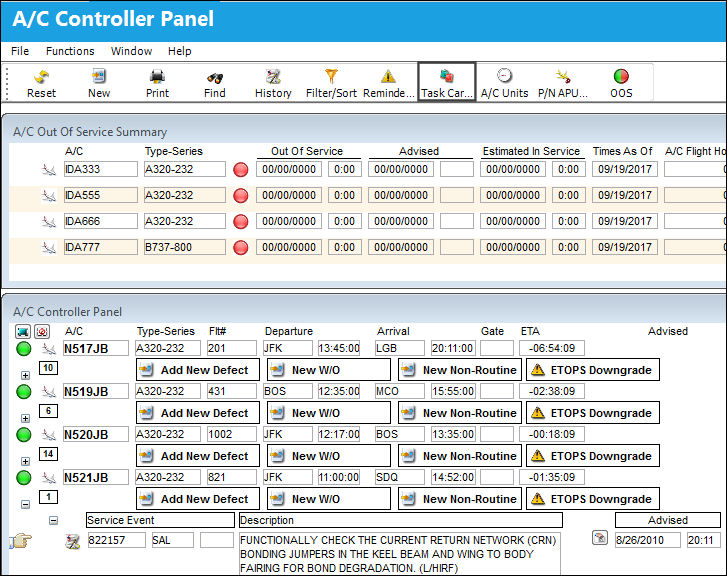
From the A/C Controller Panel, place the Hand  pointer on a defect which contains a desired keyword. In the following example, the keyword is 'GOUGE.'
Select the Task Card Template button.
The following drop down selection window appears. Double click on the highlighted Task Card.
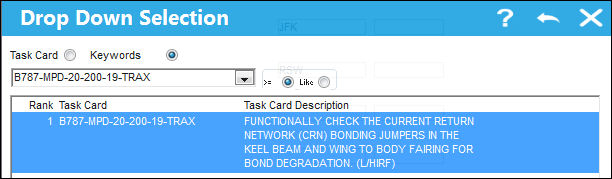
The Task Card is now attached to the defect.
Share
Print
|
©1997-2026 Trax USA Corp. All rights reserved. This manual may not be copied, photocopied, reproduced, translated, or converted to any electronic or machine-readable form, in whole or in part, without prior written approval from Trax USA Corp. |
 |