
 Share
Share
 Print
Print
|
|
|
|
|


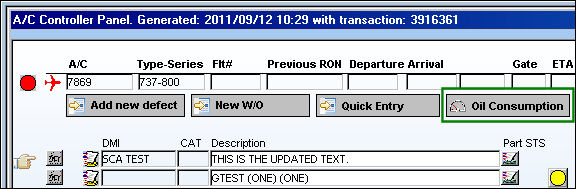
The Oil Consumption  button allows the user to quickly add A/C Units to an aircraft without having to exit the A/C Controller Panel window. The Aircraft Units
  button allows configuration of additional information required to enter when adding flight logs for the aircraft (i.e. engine oil uplift, APU oil, fuel burn and INS deviation information). Any number of controls can be entered for each unit type. For additional information, refer to the Aircraft Units Button, via the Aircraft Master, of the Settings Training Manual.
From the A/C Controller Panel, select the Oil Consumption button:
 This feature is ONLY applicable to certain customized Aircraft Controllers and therefore may not be available for your company.
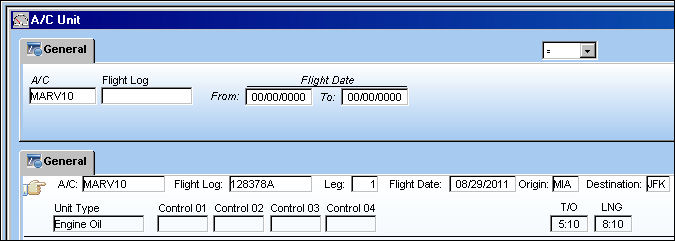
TRAX takes the user directly to the A/C Unit window:
Here the user may view what A/C Units are associated to the aircraft. The user may also select the New  button to add A/C Units to the aircraft.
Share
Print
|
©1997-2026 Trax USA Corp. All rights reserved. This manual may not be copied, photocopied, reproduced, translated, or converted to any electronic or machine-readable form, in whole or in part, without prior written approval from Trax USA Corp. |
 |