
 Share
Share
 Print
Print
|
|
|
|
|


Load Fixed Asset Checkbox, via P/N Initial Load
Notice the Load Fixed Asset checkbox in the P/N Initial Load window. When initially loading a Serialized or Repairable Part Number into the system using the P/N Initial Load window, select this checkbox to have the system automatically create a Fixed Asset with the same Value as the Initial Load's Unit Cost.
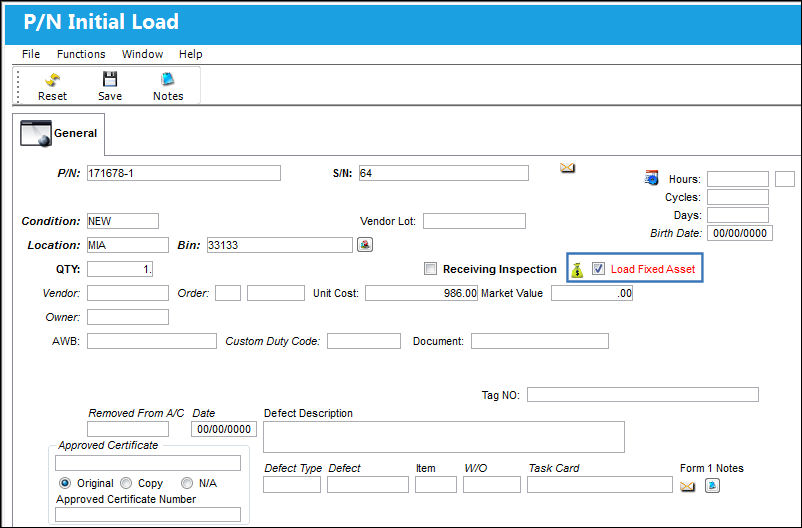
When selected, the following text will appear indicating that a Fixed Asset will be loaded.

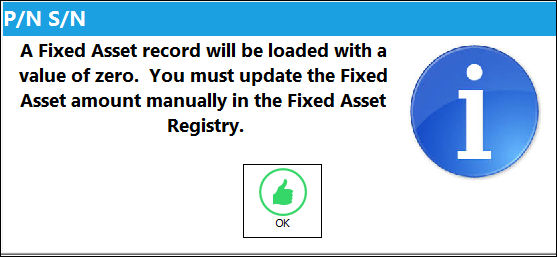
If this checkbox is not selected when Initial Loading a part into inventory, the Fixed Asset will be created with a Value of 0.00; users would then have to go and manually enter a Value amount to the Fixed Asset at a later time. If not selected, the following informational prompt appears after the window is saved:
 This checkbox is security controlled via Inventory/Update/P/N Initial Load/ Allow Load of Fixed Asset Value. For more information refer to the Security Explorer.
If the Unit Cost is null (not entered), Journal Entries will not be created for those P/N Categories which have Actual P/N Costing Methods. Journal Entries will be created for those P/N Categories which have Average P/N Costing Methods.
Share
Print
|
©1997-2026 Trax USA Corp. All rights reserved. This manual may not be copied, photocopied, reproduced, translated, or converted to any electronic or machine-readable form, in whole or in part, without prior written approval from Trax USA Corp. |
 |