
 Share
Share
 Print
Print
|
|
|
|
|


Removal History button, via P/N Initial Load

The Removal History button allows users to create records of past removals of a part from existing aircraft when receiving or loading that part into the system.
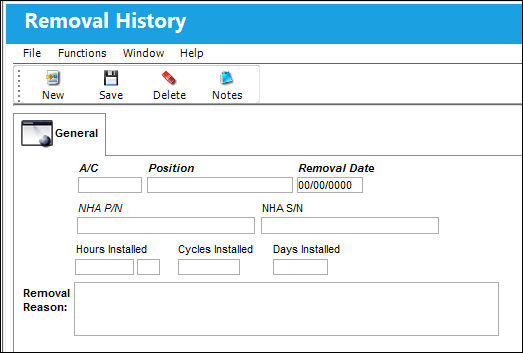
The following information/options are available in this window:
_____________________________________________________________________________________
A/C
The individual aircraft tail number.
Position
The aircraft position reference.
Removal Date
The date of removal.
NHA P/N
The part’s Next Higher Assembly P/N (if applicable).
NHA S/N
Next Higher Assembly (NHA) serial number.
Hours/Cycles/Days Installed
The amount of hours/minutes/cycles/days of the current installation. The hours and cycles are dependent on the flight times accumulated during the current installation.
Removal Reason
The reason for the removal.
_____________________________________________________________________________________
Note: The information entered in the Removal History window can then be viewed in the Inventory Detail Transaction History. For more information, refer to the Removal History button, via Inventory Detail Transaction History.
Share
Print
|
©1997-2026 Trax USA Corp. All rights reserved. This manual may not be copied, photocopied, reproduced, translated, or converted to any electronic or machine-readable form, in whole or in part, without prior written approval from Trax USA Corp. |
 |