
 Share
Share
 Print
Print
|
|
|
|
|


Scrap Authorization Group Explorer

The Scrap Authorization Group Explorer allows the TRAX System Administrator or other designated User(s) to manage which users are in each Scrap Authorization Group. Users are added or deleted from Scrap Authorization Groups that are set up in this option.
 This window is security controlled via Inventory/Explorer/Scrap Authorization Group Explorer. For more information refer to the Security Explorer via the System Administration Training Manual.
To view the Scrap Authorization Group Explorer, go to Inventory/ Explorer/ Scrap Authorization Group Explorer and TRAX displays the following screen:
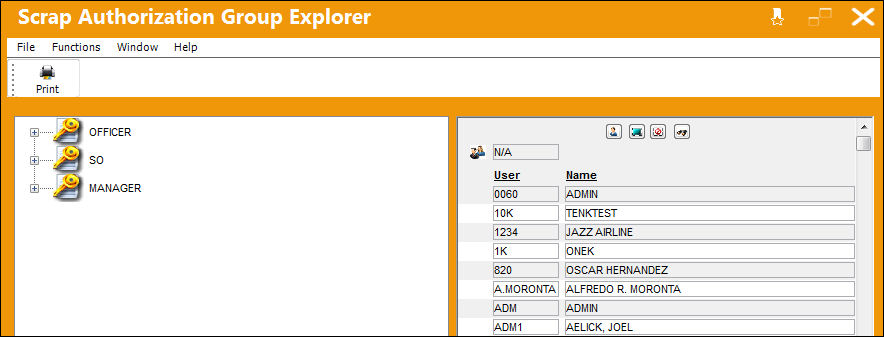
In the Scrap Authorization Group Explorer window, users are categorized by the Adopted Group Profile they belong to in Security Explorer. This is configured for each individual user, and if they are not associated to any Adopted Group Profile, then they fall into the N/A Group Profile. For additional information regarding Group Profiles, refer to the System Administration Training Manual.
If there are no Scrap Authorization Groups displayed, or the Scrap Authorization Group is required to be created, go to the System Transaction Code Explorer and select the Scrap Authorization Group to create the Tran Code(s).
To create a new Scrap Authorization Group System Transaction Code, select the Scrap Authorization Group and select New Record in the pop-up window.
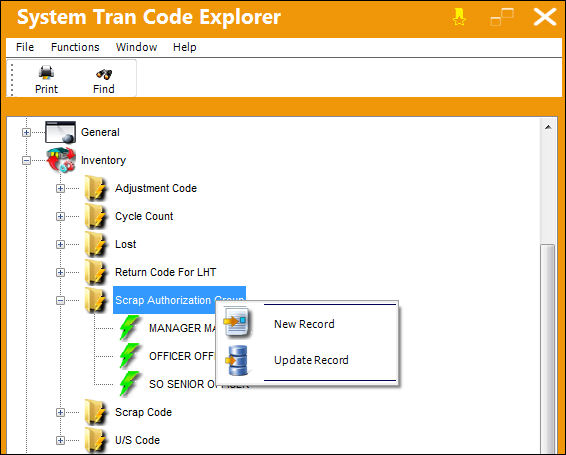
If the user wishes to update the System Transaction Code, for example to change the long description, select 'Update Record' and make the necessary changes.
Once TRAX displays the System Transaction Code window, enter the desired code for the System Code and the long description for the System Code Description, as follows:
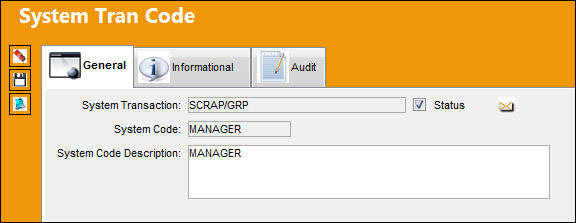
When completed, select the Save  button to save all information.
This process will successfully create the necessary Scrap Authorization Groups Tran Codes in the Scrap Authorization Group Explorer's left pane.
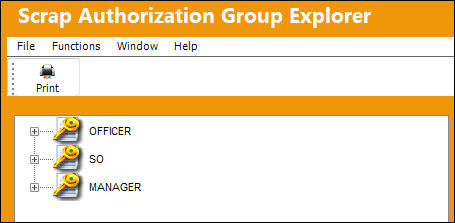
To add a user(s) to a Scrap Authorization Group, highlight the user ID/Name(s). Select the User  and drag to the selected Authorization Tran Code.
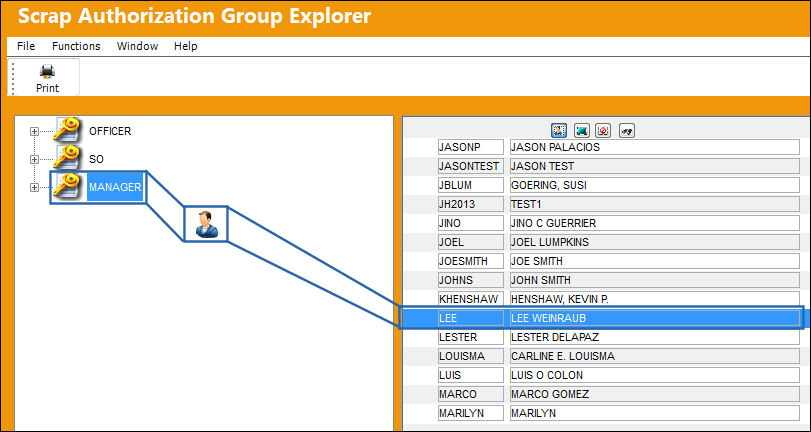
Either individual or multiple users can be added at the same time to a specific Scrap Authorization Group. If multiple Users are added at the same time, highlight the required users. The Select All  option can be used if all Users are going to be selected.
The ability to find a specific user can be accomplished by selecting the Find  button. This is extremely helpful if the user has a large number of users and are searching for one particular user. When beginning to type the letters in the field, it will scroll to that individual. For example, when typing 'C,' it goes to the first user whose name begins with 'C.' Once the second letter is typed, 'H' in this case, it will go to the first user whose name begins with 'CH.' Continue typing the letters of the name of the user until finding the specific user being searched.
Once the user(s) are dragged to the left pane of the window using the User icon and the selection is released, TRAX will display the following warning message:
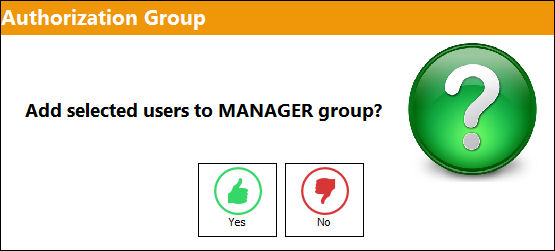
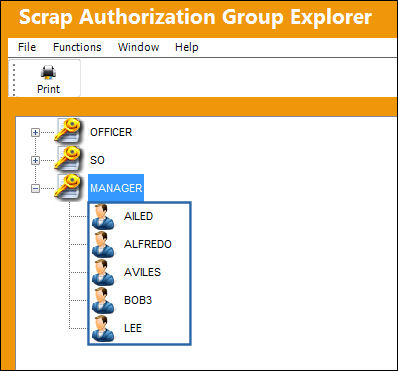
Select 'Yes' to add the highlighted user(s) to the Scrap Authorization Group. Select 'No' to cancel the transaction. If 'Yes' is selected, then TRAX re-displays the above screen with the new User(s) listed.
To remove a user from a selected Authorization Group, select the user's name. TRAX displays the following pop-up window:
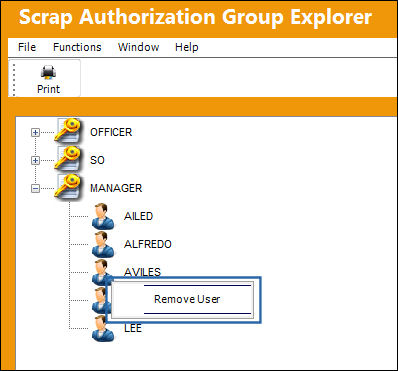
Select 'Remove User' and TRAX displays the following warning message:
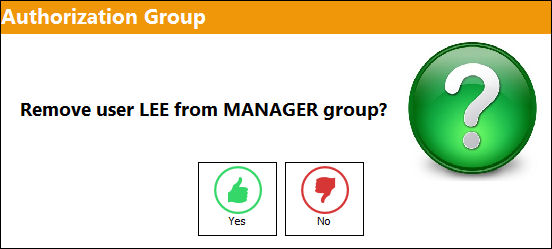
Select 'Yes' to remove the User from the Scrap Authorization Group, or 'No' to return to the screen with no changes made.
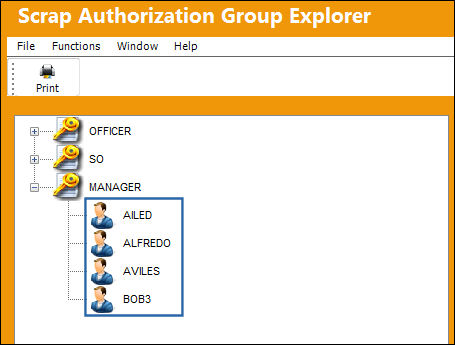
If 'Yes' is selected, TRAX re-displays the Scrap Authorization Group without the selected User in the applicable Scrap Authorization Group:
For more information, refer to the Scrap Authorization.
Share
Print
|
©1997-2026 Trax USA Corp. All rights reserved. This manual may not be copied, photocopied, reproduced, translated, or converted to any electronic or machine-readable form, in whole or in part, without prior written approval from Trax USA Corp. |
 |