
 Share
Share
 Print
Print
|
|
|
|
|


Part Number Explorer
TRAX displays the Part Number Explorer, as follows:
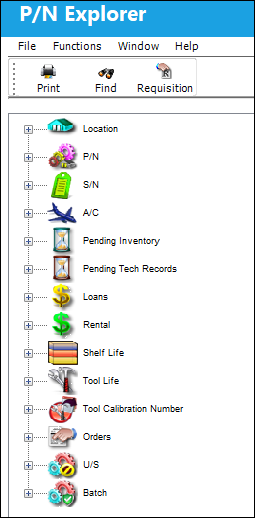
The Part Number Explorer allows users to view parts in inventory in the following ways:
- Location View
- P/N View
- S/N View
- A/C View
- Pending Inventory View
- Pending Technical Records View
- Loans View
- Rentals View
- Shelf Life View
- Tool Life View
- Orders View
- Unserviceable (US) View
- Batch View
Share
Print
|
©1997-2026 Trax USA Corp. All rights reserved. This manual may not be copied, photocopied, reproduced, translated, or converted to any electronic or machine-readable form, in whole or in part, without prior written approval from Trax USA Corp. |
 |