
 Share
Share
 Print
Print
|
|
|
|
|


Pending Inventory View, via P/N Explorer
The user may view parts in inventory that are pending using the P/N Explorer's Pending Inventory view:
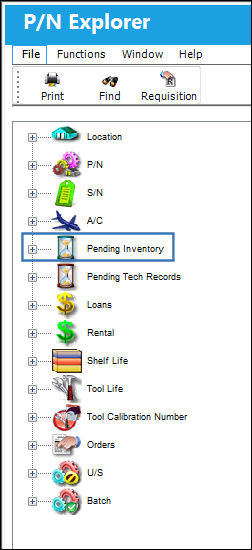
By clicking on the Expand  button next to the Pending Inventory view, TRAX displays the following:
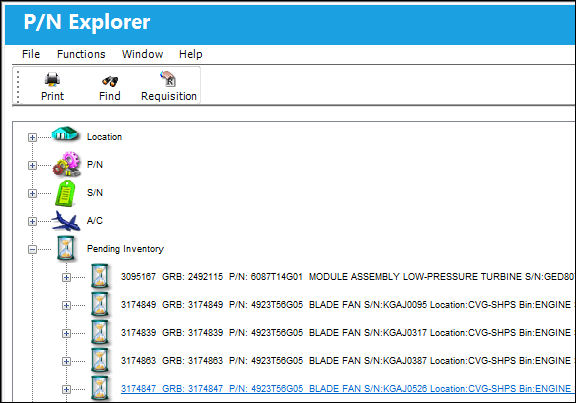
At the end of the informational line item is either the Company field or the Owner field. If the unit has an Owner, the Owner will be shown. If the unit does not have an Owner, then the Company will be shown.
This view displays all parts that are considered as "pending" from within the TRAX inventory.
By clicking on any one of the individual parts, TRAX re-displays the screen showing individual descriptions:
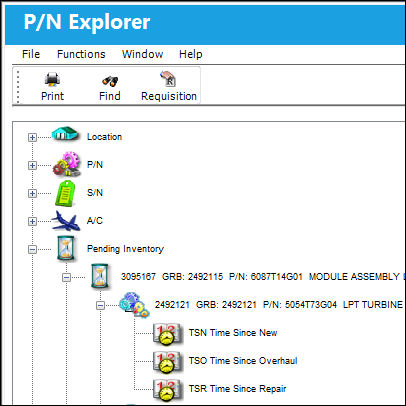
In the above screen, the P/N Explorer shows both P/N Controls as well as E/Cs that apply to the selected part.
By right clicking on the Pending Inventory icon, TRAX displays a pop-up menu that allows the user to perform certain operations:
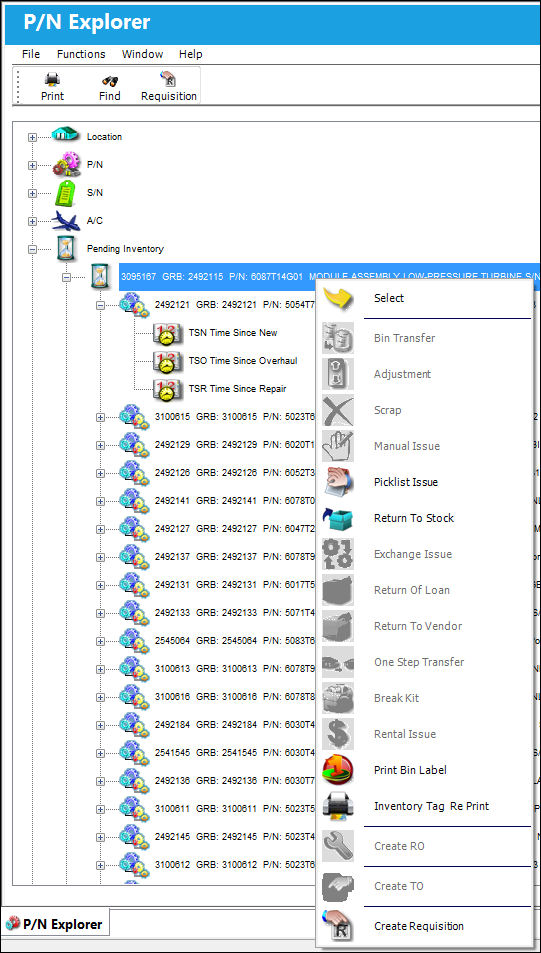
For information on the above buttons, refer to the P/N Explorer Buttons, via the P/N Explorer.
Select the appropriate action that must be completed, as necessary.
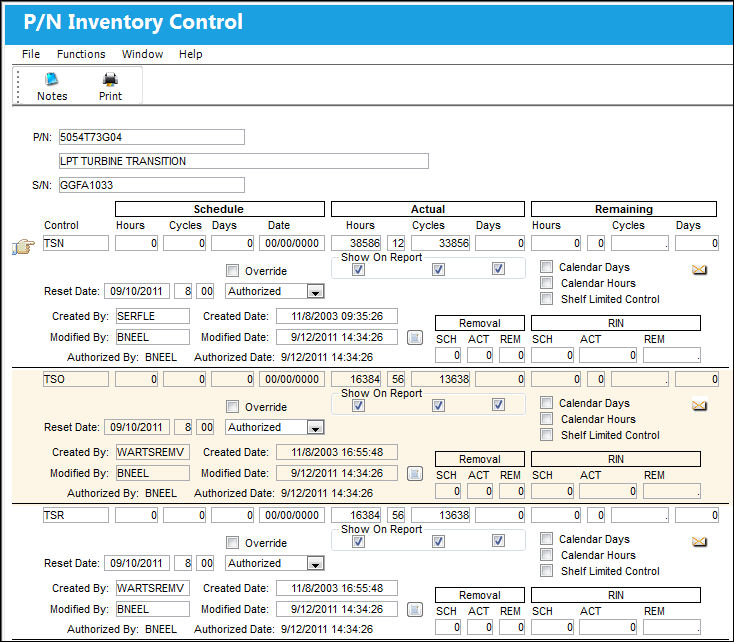
By right clicking on the P/N Control, TRAX displays information about the P/N Control as follows:
 Share
Print
Share
Print
|
©1997-2026 Trax USA Corp. All rights reserved. This manual may not be copied, photocopied, reproduced, translated, or converted to any electronic or machine-readable form, in whole or in part, without prior written approval from Trax USA Corp. |
 |