
 Share
Share
 Print
Print
|
|
|
|
|


Location View, via P/N Explorer
The user may view parts in inventory using the P/N Explorer's Location View.
Users may now view parts that exist in the P/N Master General Inventory and the P/N Master GSE Inventory in the P/N Explorer.
By clicking on the Expand  button next to the Location Code, TRAX displays the following pop-up window:
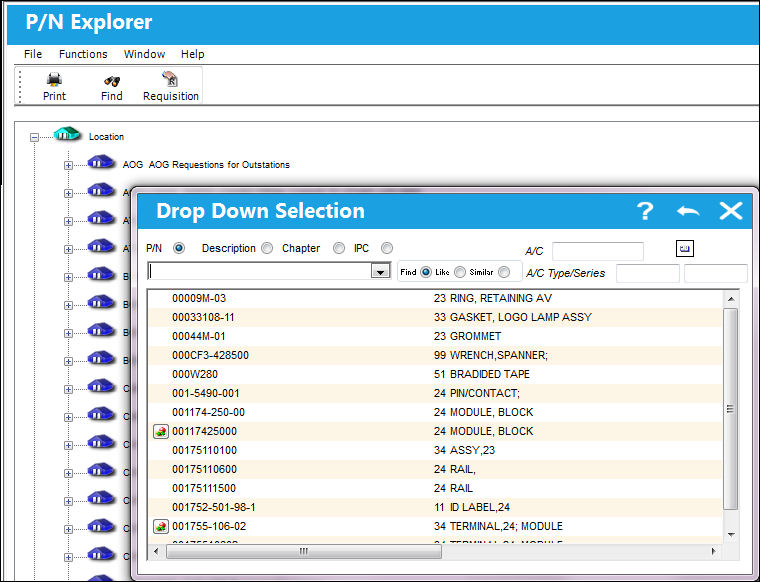
In the pop-up window, enter in the available text box or double click on the P/N to see if this part is available at the desired location.
If so, then TRAX re-displays the Location Code and displays the available part(s) beneath it, as follows:
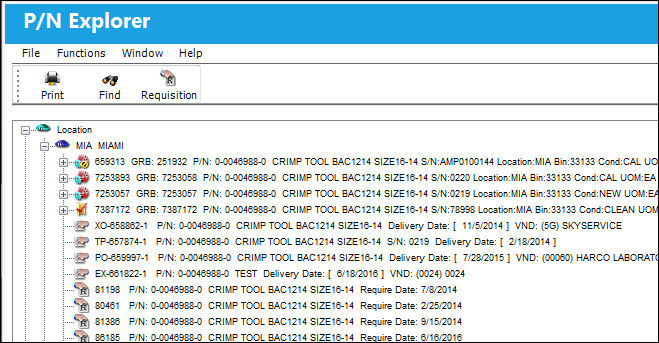
At the end of the informational line item is either the Company field or the Owner field. If the unit has an Owner, the Owner will be shown. If the unit does not have an Owner, then the Company will be shown.
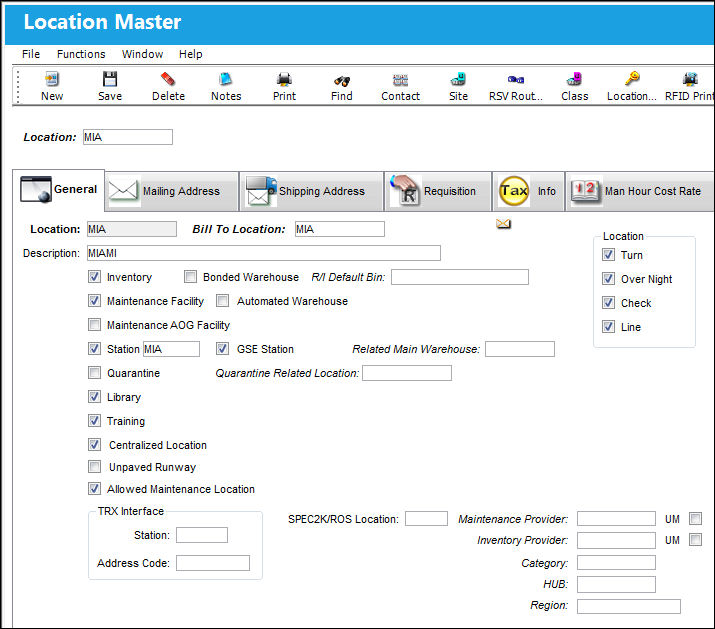
To get more information about the selected location, right click over the location code, and TRAX displays the Location Master with complete information about the location:
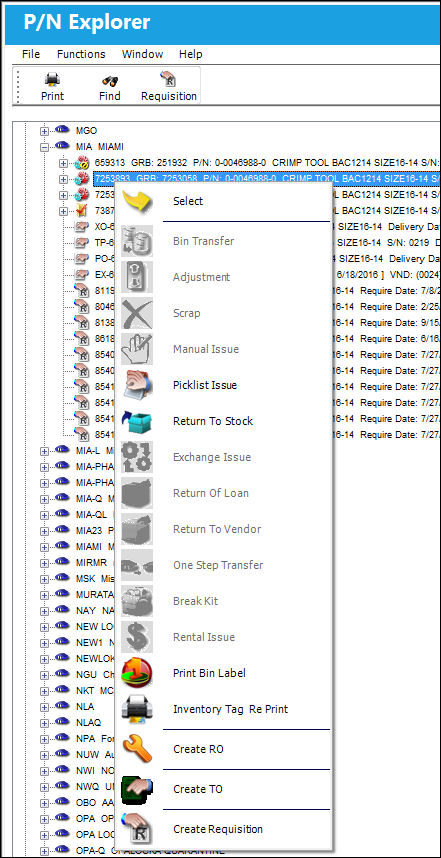
Right click on any of the parts to access additional options as shown below:
Share
Print
|
©1997-2026 Trax USA Corp. All rights reserved. This manual may not be copied, photocopied, reproduced, translated, or converted to any electronic or machine-readable form, in whole or in part, without prior written approval from Trax USA Corp. |
 |