 Download Online Help
 Print
|
|
|
|
|


Production Control

Production Control is a web application that integrates production and resource planning data into an interactive dashboard. By accommodating all pertinent information regarding Work Order, Task Cards, Man Hour assignments, and Work Turnover from the main application, this dashboard is ideal for managing heavy check aircraft maintenance assignments.
The Production Control app helps a company's production controllers easily keep tabs of all required tasks, deadlines, and non-routine issues that may arise on a Location's long term maintenance worksites. And because Production Control is a web-based product, controllers can utilize the dashboard from a desktop computer or from the convenience of a handheld tablet while on the workshop floor.
Once the application is open, a Location is selected in the main toolbar. At the middle of the window, up-to-the-minute graphs display the current Location's heavy maintenance statuses. To the bottom of the window, the current heavy check Work Order and Aircraft for each of that Location's long term maintenance Sites is displayed. The entire dashboard contains color-coded indicators that clearly and quickly help inform production controllers of their worksite's performance. (Refer to each section of the window for information on the color-coding system.)
The following is the Production Control homepage.
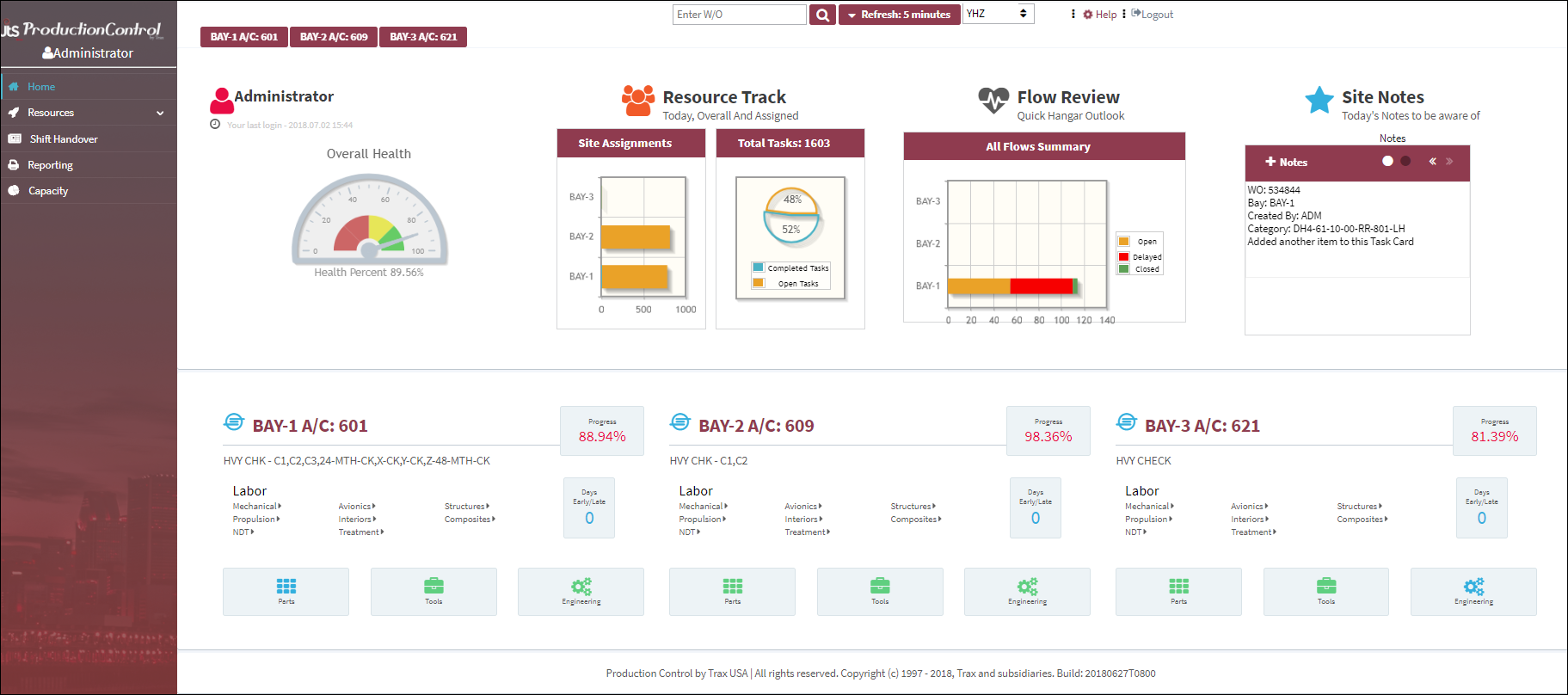
The Production Control homepage can be broken up into the following sections:
_________________________________________________________________________
The Navigation Panel is displayed on the left side of the homepage, and allows the user to access any of the main windows for the application. The Navigation Panel serves as a reference point and remains open regardless of which window the user is in.
From the homepage, users can configure the parameters of their work space. Users have the ability to search for a specific Work Order, configure the webpage's refresh rate, change the current Location, and Log Out.
At the top half of the homepage, the Location's task assignments are displayed in helpful graphs and notes are listed that accompany specific tasks for the upcoming Work Turnover.
At the bottom half of the homepage, each 'Long Term Visit' Site containing a heavy check Work Order for the Location are displayed along with basic Aircraft information and pending labor requirements. These Sites can be selected to access detailed information.
_________________________________________________________________________
Several of the options available in the Production Control application are only available to authorized personnel. For more information refer to the Production Control Security Options.
Download Online Help
Print
|
©1997-2018 Trax USA Corp. All rights reserved. This manual may not be copied, photocopied, reproduced, translated, or converted to any electronic or machine-readable form, in whole or in part, without prior written approval from Trax USA Corp. |
 |