 Download Online Help
 Print
|
|
|
|
|


Reporting Window
Select the Reporting window to generate various reports containing maintenance information for the specific Location/Site.
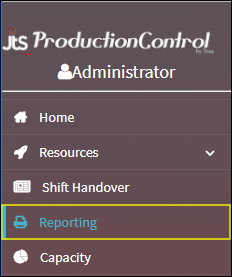
From the Navigation Panel, select the Reporting window.
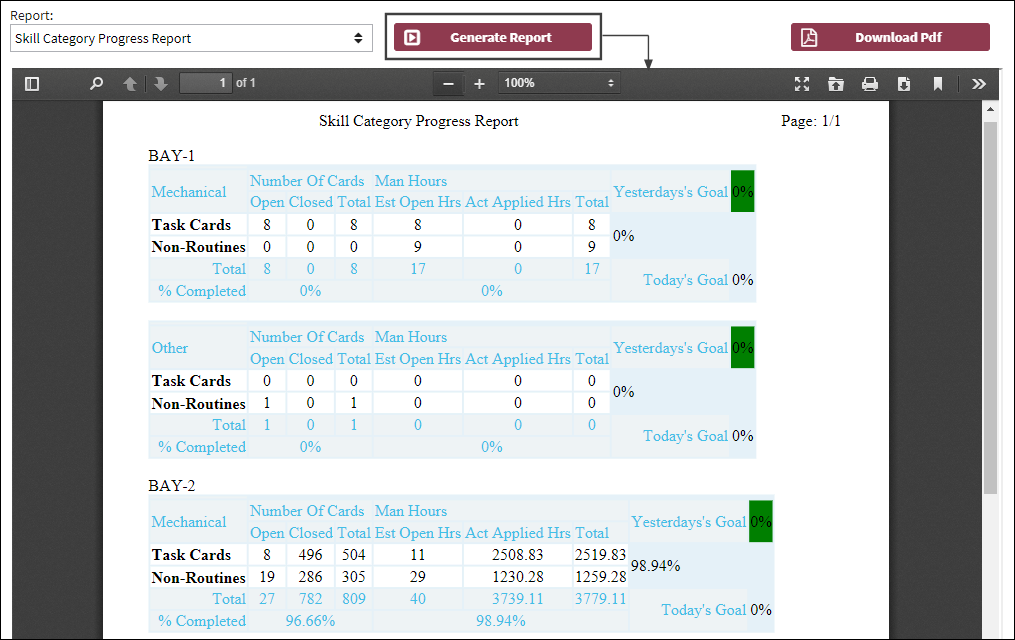
When the Reporting window is selected, the following options appear. Select the desired Report then click the Generate Report  button.

The following are examples of the available reports:
- ALL Parts Report
- Assigned to Multiple Sites Report
- Milestones Report
- Skill Category Progress Report
- Unassigned Personnel Report
When the report is generated, the form appears as follows. The document can be reviewed from the window or it can be saved as a PDF document by selecting the Download PDF  button.
Download Online Help
Print
|
©1997-2018 Trax USA Corp. All rights reserved. This manual may not be copied, photocopied, reproduced, translated, or converted to any electronic or machine-readable form, in whole or in part, without prior written approval from Trax USA Corp. |
 |