 Download Online Help
 Print
|
|
|
|
|


Sites View Detail
When a Site is selected from the Sites View in the Production Control homepage, the following detail window appears.
This detail window includes the Work Order schedule, Aircraft information, and a variety of W/O Task Card tabs (to the bottom of the window).
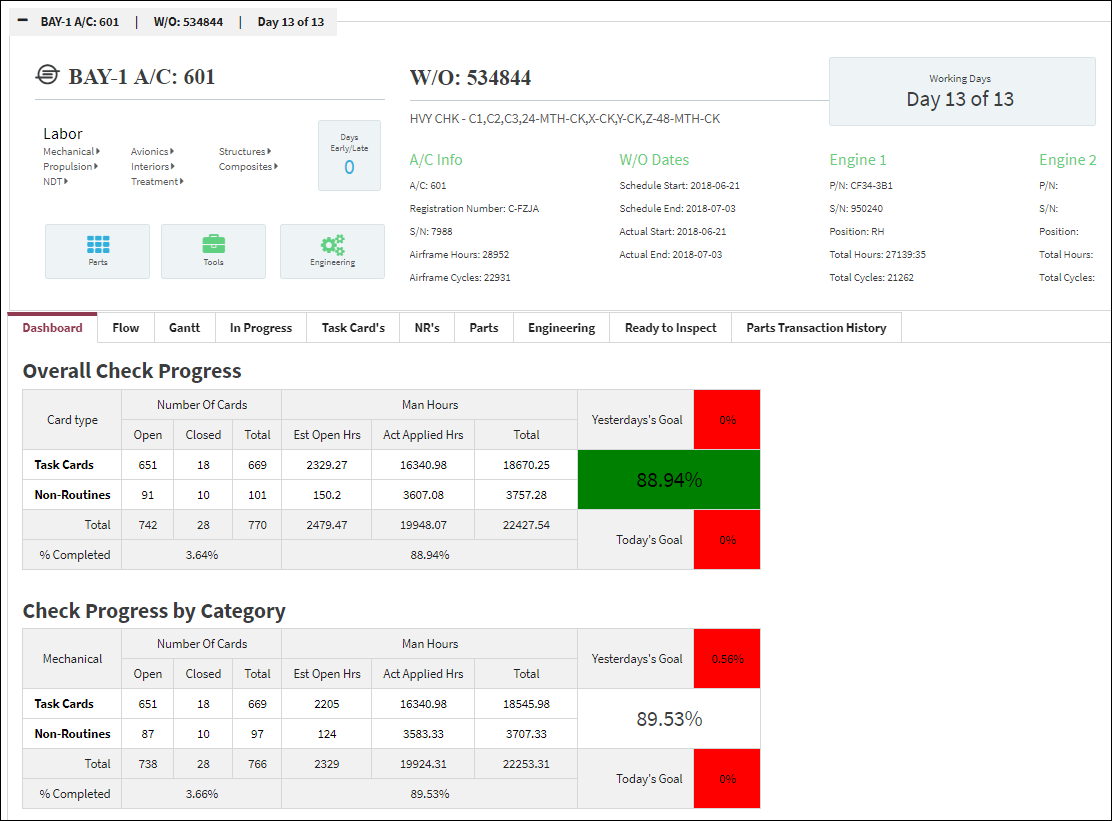
The following W/O information is displayed to the top right of this window:
_________________________________________________________________________
W/O
The Work Order that is currently being worked on in the Site.
W/O Description
The description of the Work Order.
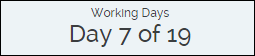
Working Days
This field indicates the current day of the W/O schedule. For instance, if the W/O's Schedule Start Date is January 1 and End Date is January 19. On January 7, this field will read 'Day 7 of 19'.
A/C Info
This section covers some of the W/O Aircraft's basic information:
A/C - The individual Aircraft tail number.
S/N - The Aircraft's Serial Number which is provided by the manufacturer. This serial number is like a registration number, but it is not dependent on a country code and therefore never changes.
Airframe Hours - The total amount of flight hours flown by the aircraft.
Airframe Cycles - The total amount of flight cycles flown by the aircraft.
W/O Dates
This section covers the W/O's scheduled and actual start/end dates.
Schedule Start - The date/time that the work is scheduled to begin. The Start Date does not affect whether the Work Order may be deleted or not. However, if the work has been started, the Work Order may not be deleted.
Schedule End - The date/time that the work is scheduled to be completed.
Actual Start - The date that the W/O is actually started. This may differ from the previously scheduled date. If work has been started, this date cannot be deleted.
Actual End - The date that the W/O is actually completed. This date may differ from the previously scheduled date. This date will be the same as the scheduled date when the W/O is created but will be automatically overridden when the W/O is closed.
Engine 1 and 2
This section covers basic information for the A/C's installed engines.
P/N - The installed engine's part number.
S/N - The particular engine's serial number.
Position - The position that the engine P/N is installed on.
_________________________________________________________________________
W/O Detail Tabs
Under the W/O Details section, there are tabs that contain information for the W/O's Task Cards and Non-Routine Task Cards.
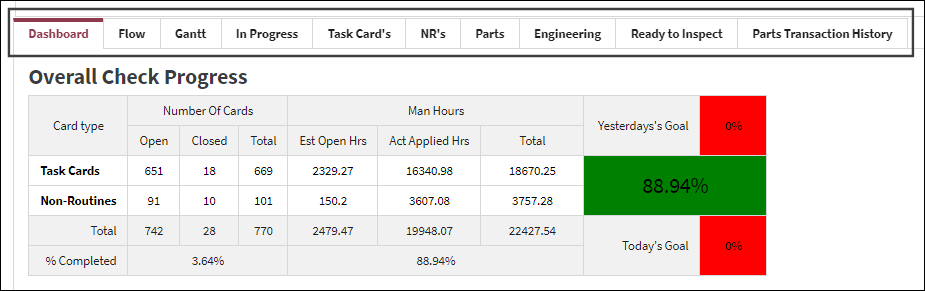
The following tabs are available from this window:
_________________________________________________________________________
Dashboard tab
The Dashboard tab provides three sections that provide additional information regarding tasks against a Work Order at a glance. The Overall Check Progress table covers the current progress of all tasks that are linked to the Work Order. This also includes current Status and Man Hours progress. The Check Progress by Category table contains the same information as the Overall Check Progress section, but the Tasks Cards are grouped into different tables based on their Skill Category. The Work Order Plan Performance table contains the Work Order plan for the day and the previous day. For more information refer to the Dashboard Tab.
Flow tab
The Flow tab contains a flowchart that lists all Tasks by their W/O Phase and are based on W/O Templates. These phases can be registered as closed, overdue, and pending, they can be organized by shift (e.g., Day, Night, etc.), and individual phases can be flagged as task Milestones. This tab helps to better organize all phases of the required work. For more information, refer to the Flow Tab.
Gantt tab
The Gantt tab contains a graphical display listing all of the day's Task Cards for the selected W/O along with the user they are assigned to. For more information, refer to the Gantt Tab.
In Progress tab
The In Progress tab lists the required Task Card Items and charts their progress. This table includes each Item's overall percentage of completion, the amount of accumulated man hours vs the amount of required man hours, and the amount of man hours remaining. For more information, refer to In Progress Tab.
Task Cards tab
The Task Card's tab contains a list of all scheduled Task Cards linked to the W/O. This listing includes basic information regarding the Task Card, including the total amount of required Man Hours, and allows users to add notes against the T/C for the next Shift Turnover. For more information, refer to the Task Cards Tab.
NRs tab
The NR's tab contains a list of all Non-Routine Task Cards that came up throughout the completion of the W/O. This listing includes basic information regarding the N/R T/C, including the total amount of required Man Hours, and allows users to add notes against the N/R T/C for the next Shift Turnover. For more information, refer to the NRs Tab.
Parts tab
The Parts tab lists all parts that are required for the Work Order's Task Cards and Non-Routine Task Cards. This listing includes the part's basic information along with the required Quantity, linked Task Cards and Requisitions, and the part's availability. Users can also add notes regarding the part for the next Shift Turnover. For more information, refer to the Parts Tab.
Engineering tab
The Engineering tab contains Engineering Requests entered against the W/O's Non-Routine Task Cards. These requests are sent to the aircraft manufacturer in the event that additional information/documentation is required in order to complete the Non-Routine task. New requests can be created from this tab. For more information, refer to the Engineering Tab.
Ready to Inspect tab
The Ready to Inspect tab provides a visual representation of the scheduled Task Cards as well as Non-Routine Task Cards that are pending inspection. These tasks are awaiting sign-off on an inspection before they can be completed. For more information, refer to the Ready to Inspect tab.
Parts Transaction History tab
The Parts Transaction History tab provides the user with a list of part numbers and their transactions for a specified Work Order. Detailed information is provided for each transaction such as transaction type, Category, Removal Reason and much more. For more information, refer to the Parts Transaction History tab.
_________________________________________________________________________
Download Online Help
Print
|
©1997-2018 Trax USA Corp. All rights reserved. This manual may not be copied, photocopied, reproduced, translated, or converted to any electronic or machine-readable form, in whole or in part, without prior written approval from Trax USA Corp. |
 |