
 Share
 Print
|
|
|
|
|


RSTROREPCD - Links Auto Reset on R/O to Repair Code
Links Auto Reset on R/O to Repair Code
Affected Field: w_pn_control_eu
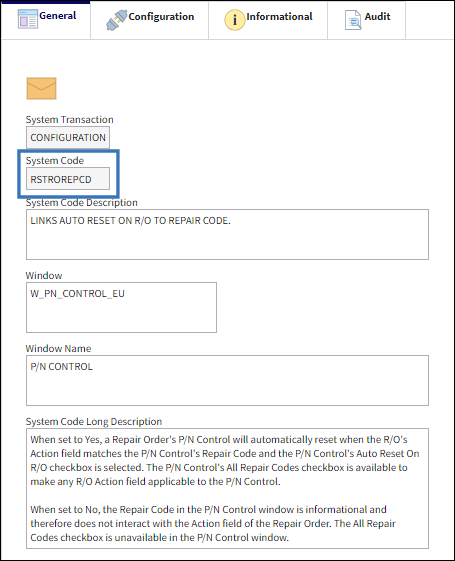
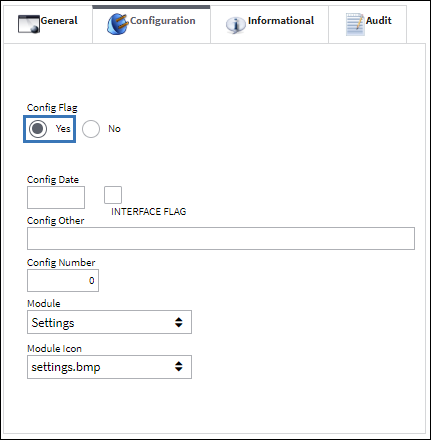
Switch Set to Yes:
When set to Yes, a Repair Order's P/N Control will automatically reset when the R/O's Action field matches the P/N Control's Repair Code and the P/N Control's Auto Reset On R/O checkbox is selected. The P/N Control's All Repair Codes checkbox is available to make any R/O Action field applicable to the P/N Control.
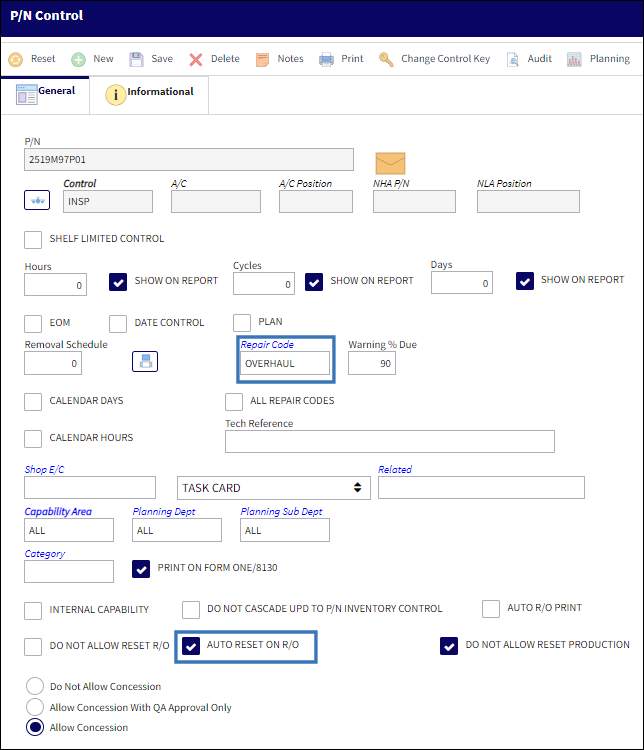
In the P/N Control window, populate the Repair Code and select the Auto Reset On R/O checkbox.
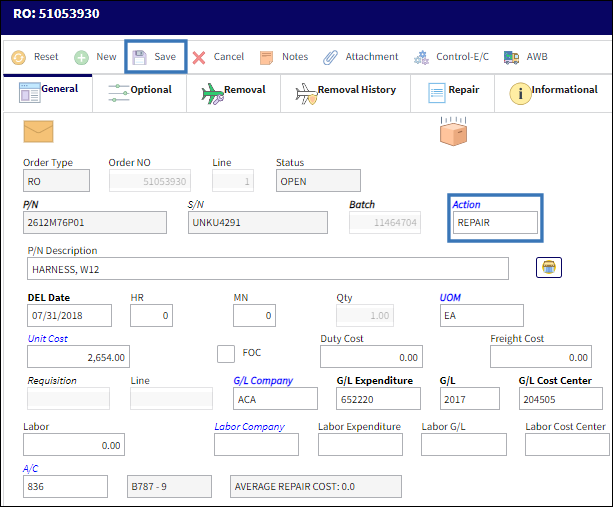
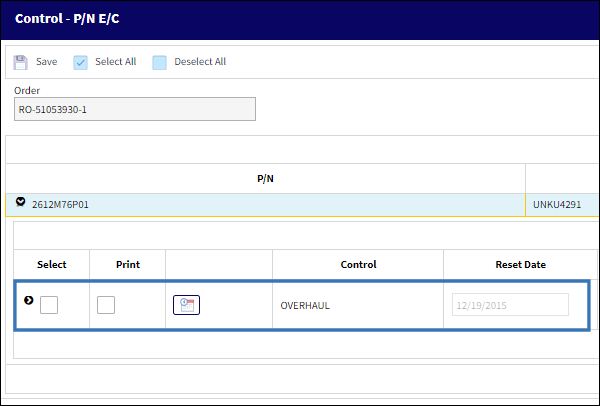
Create a Repair Order for that P/N and enter an Action that does not match the P/N Control's Repair Code. Save the R/O.
Select the Control - P/N E/C  button to prompt the Control - P/N E/C window. Notice that the P/N Control is not selected. This indicates that the Control will not be reset because the R/O's Action does not match the P/N Control's Repair Code.
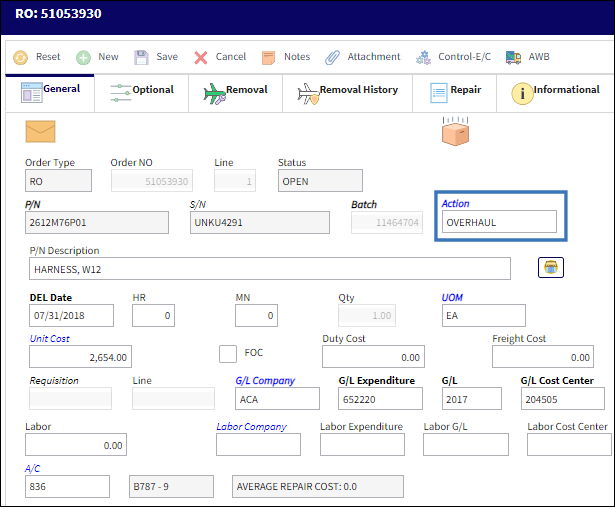
Return to the R/O Detail window and enter the same Action that is listed in the P/N Control's Repair Code. Save the R/O.
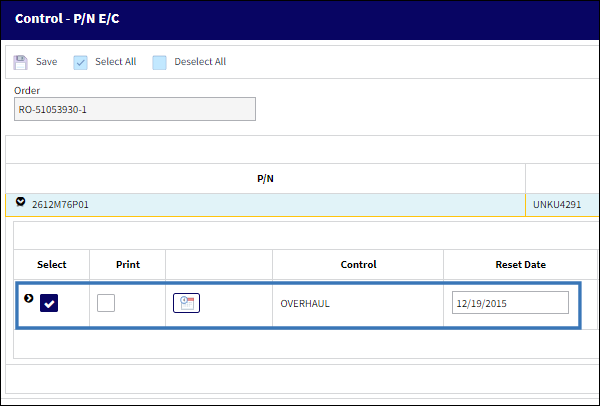
In the Control - P/N E/C window, notice that the Control is now selected. This indicates that the Control will be reset because the R/O's Action does match the P/N Control's Repair Code.
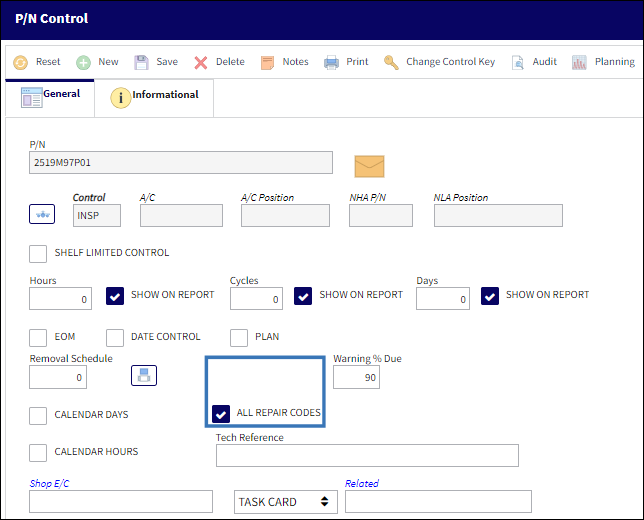
Users could override this functionality by selecting the All Repair Codes checkbox via the P/N Control. Notice that the Repair Code field is not available.
Switch Set to No:
When set to No, the Repair Code in the P/N Control window is informational and therefore does not interact with the Action field of the Repair Order. The All Repair Codes checkbox is unavailable in the P/N Control window.
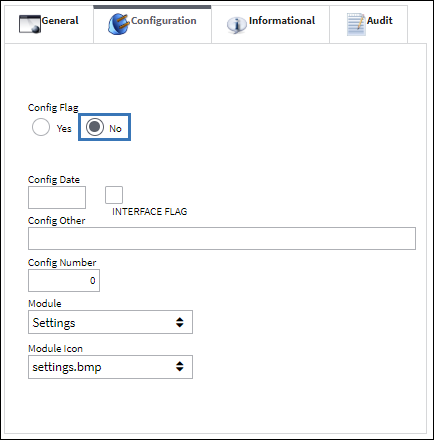
Notice that the All Repair Codes checkbox is not available and the Repair Code field is not mandatory.
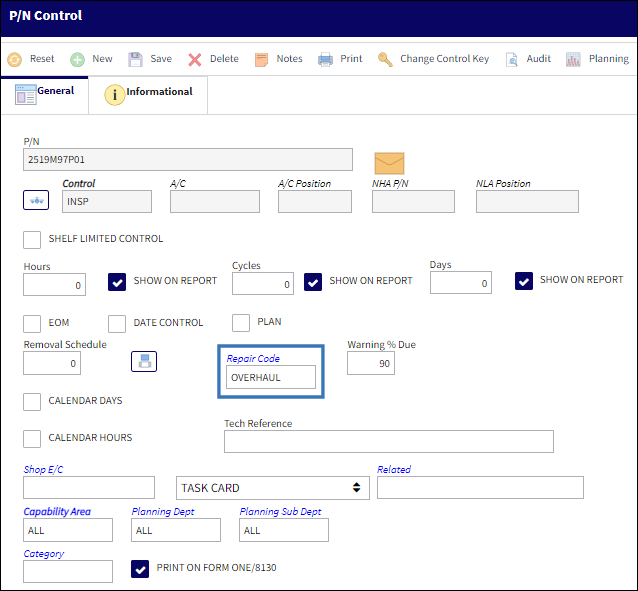
A Repair Order is created with an Action that does not match the P/N Control's Repair Code.
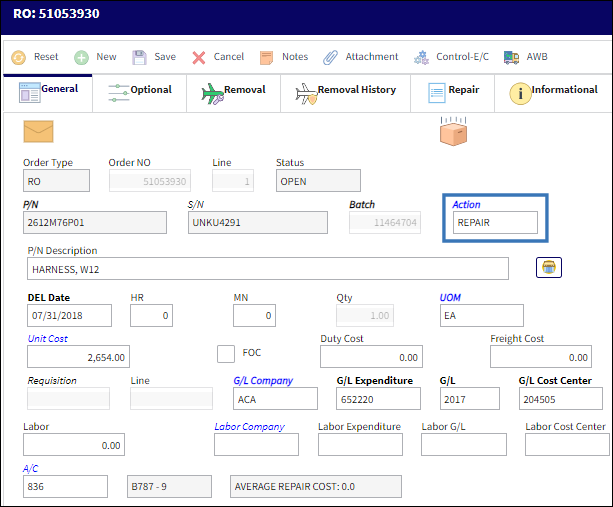
In the Control - P/N E/C window, notice that the Control is selected indicating that the Control will be reset even though the R/O Action and the P/N Control Repair Code do not match up. The Repair Code is informational.
Share
Print
|
©1997-2026 Trax USA Corp. All rights reserved. This manual may not be copied, photocopied, reproduced, translated, or converted to any electronic or machine-readable form, in whole or in part, without prior written approval from Trax USA Corp. |
 |