
 Share
 Print
|
|
|
|
|


Add Button, via W/O Workscope (Planning Control)
Select the Add  button to add additional maintenance events to the current W/O.
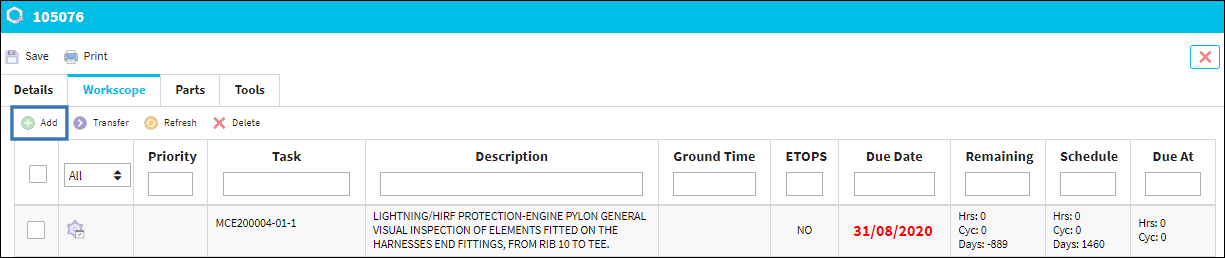
 Note: This capability to filter/sort by ETOPS status is available via eMRO v7.
When selected, the Add Task window appears listing unscheduled maintenance tasks for the W/O's Aircraft. Planners can select from the applicable maintenance events to assign them to the W/O. There are filters at the top of the window to help narrow down results. For more information on the filters in this window, refer to the 'Filters' section below.
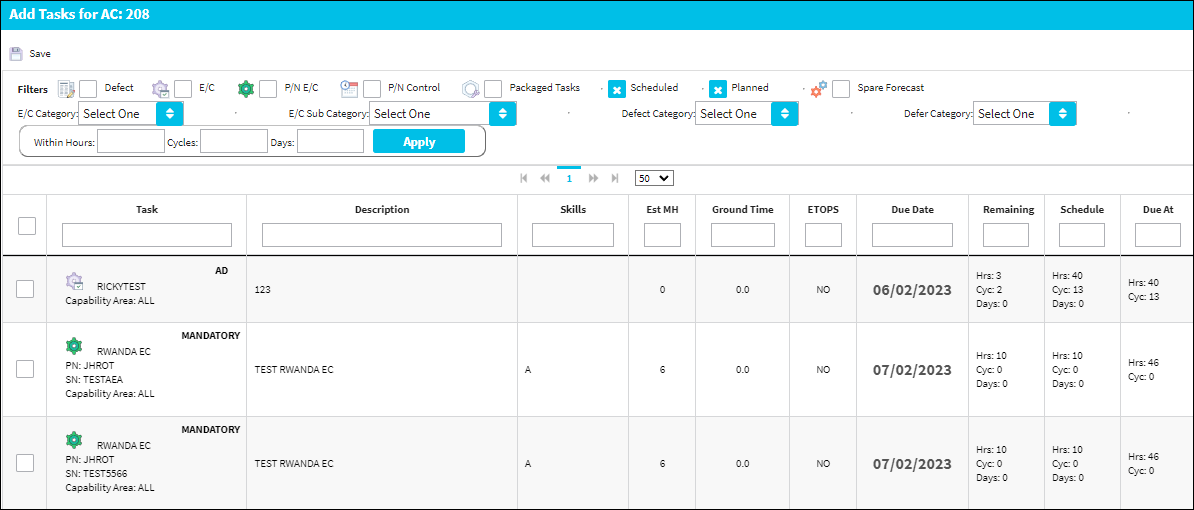
Once the desired tasks are selected, select the Save  button to link them to the W/O.
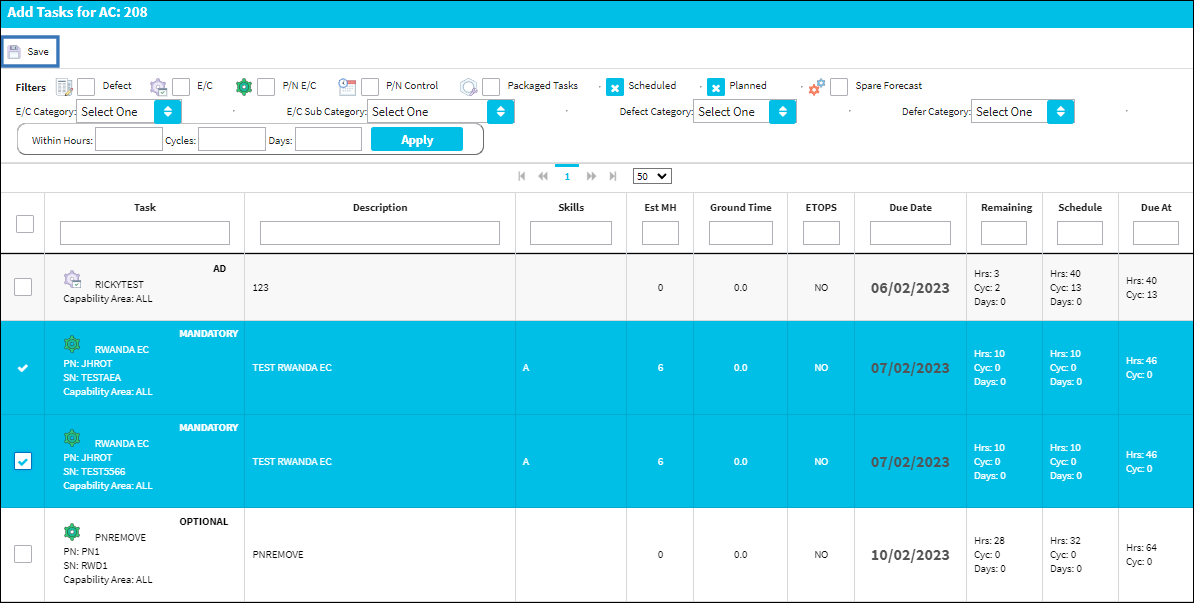
Note: The ETOPS column is available to view (and sort) tasks by ETOPS classification.
A confirmation message appears.
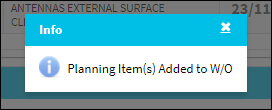
The Tasks have been added to the W/O.
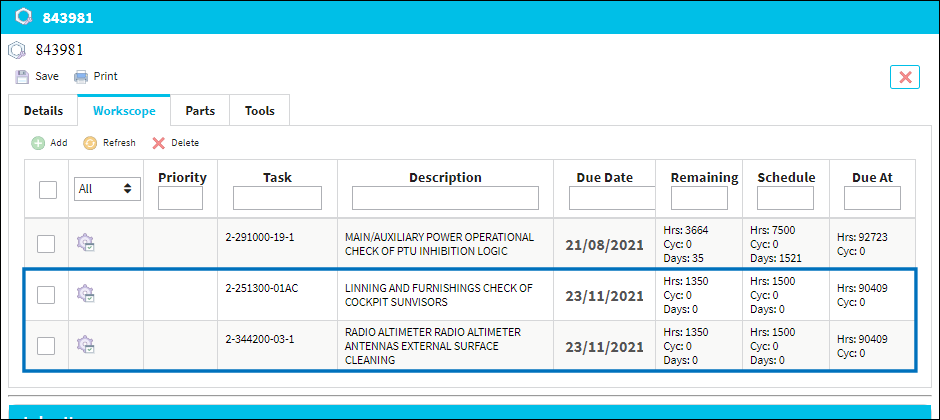
Note: The system validates the W/O's Location and Site to ensure that the E/C being added does not specify that Location and Site in the Engineering Control, Location/Site Ban tab. If the E/C specifies the W/O's Location/Site as being banned, then an error appears in Planning Control when attempting to save the E/C against that W/O.
Filters
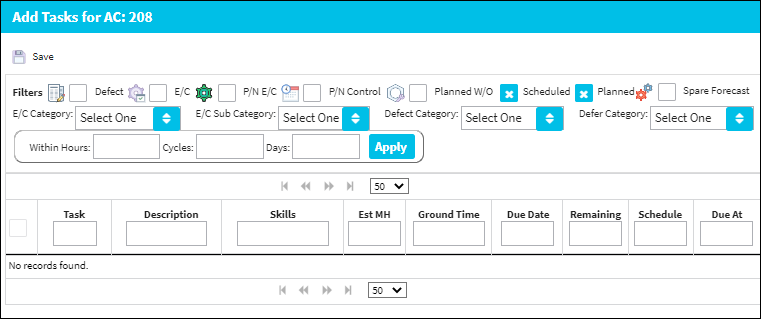
The following information/options are available in this window:
_____________________________________________________________________________________
Defect checkbox
Select this checkbox to display tasks that have a defect associated with them.
E/C checkbox
Select this checkbox to display tasks that are E/C controlled.
P/N E/C checkbox
Select this checkbox to display tasks that are P/N E/C controlled.
P/N Control checkbox
Select this checkbox to display tasks that are P/N controlled.
Planned W/O checkbox
Select this checkbox to display tasks that are associated with planned W/Os.
Scheduled checkbox 
Select this checkbox to filter tasks based on their scheduled status.
Planned checkbox
Select this checkbox to filter tasks based on their planned status.
Spare Forecast checkbox
Select this checkbox to display tasks' Spare Forecast.
E/C Category drop down
Use this drop down to filter tasks by their E/C Category.
E/C Sub Category drop down
Use this drop down to filter tasks by their E/C Sub Category.
Defect Category drop down
Use this drop down to filter tasks by their Defect Category.
Defer Category drop down
Use this drop down to filter tasks by their Defer Category.
Within Hours/Cycles/Days
Use these fields to filter tasks by their respected Hours, Cycles, and Days values
_____________________________________________________________________________________
Share
Print
|
©1997-2026 Trax USA Corp. All rights reserved. This manual may not be copied, photocopied, reproduced, translated, or converted to any electronic or machine-readable form, in whole or in part, without prior written approval from Trax USA Corp. |
 |